ET8GHMXLT03 Quantity: 1
$4.99
» View Details
KRC691Y Quantity: 1
$4.99
» View Details
FAV60700 Quantity: 1
$4.99
» View Details
556.126 1/60059 Quantity: 1
$4.99
» View Details
A1340 Quantity: 1
$4.99
» View Details
VT 266 BL Quantity: 1
$4.99
» View Details
MAX25 ORG Quantity: 1
$4.99
» View Details
SF375BEPW4 Quantity: 1
$4.99
» View Details
CV995BSSI Quantity: 1
$4.99
» View Details
KV-35V75 Quantity: 1
$4.99
» View Details
TC480 Quantity: 1
$4.99
» View Details
STRV777ES Quantity: 1
$4.99
» View Details
CU-E18EKK Quantity: 1
$4.99
» View Details
592 Quantity: 1
$4.99
» View Details
FC1850V/9 Quantity: 1
$4.99
» View Details
Arctis 3383-4GT Quantity: 1
$4.99
» View Details
186.895.9 Quantity: 1
$4.99
» View Details
CHM166N Quantity: 1
$4.99
» View Details
BOENIG Quantity: 1
$4.99
» View Details
TC540 Quantity: 1
$4.99
» View Details
VSX-517-S/KUCXJ Quantity: 1
$4.99
» View Details
RX616RBK Quantity: 1
$4.99
» View Details
P2640G Quantity: 1
$4.99
» View Details
VGP-BPL4 VAIO Quantity: 1
$4.99
» View Details
R250S Quantity: 1
$4.99
» View Details
AZ1833/12 Quantity: 1
$4.99
» View Details
TV4285 M Quantity: 1
$4.99
» View Details
HTV3604 Quantity: 1
$4.99
» View Details
KGEE 3239 A+ BR LH Quantity: 1
$4.99
» View Details
SBAK520P Quantity: 1
$4.99
» View Details
AJ1805 Quantity: 1
$4.99
» View Details
KSRS27QGBL04 Quantity: 1
$4.99
» View Details
Micromat DUO 220 D Quantity: 1
$4.99
» View Details
LGR7646EZ3 Quantity: 1
$4.99
» View Details
MUR1438TXGS Quantity: 1
$4.99
» View Details
KOLS 7025 Quantity: 1
$4.99
» View Details
EX-A5 Quantity: 1
$4.99
» View Details
CTP214 Quantity: 1
$4.99
» View Details
170S5FS/05 Quantity: 1
$4.99
» View Details
LSC6244BQ0 Quantity: 1
$4.99
» View Details
SC8536EXH0 Quantity: 1
$4.99
» View Details
GY395LXGB0 Quantity: 1
$4.99
» View Details
GU180ESJS Quantity: 1
$4.99
» View Details
733/458 Quantity: 1
$4.99
» View Details
DV-454-K/WYXU Quantity: 1
$4.99
» View Details
Competence 53081 B ew Quantity: 1
$4.99
» View Details
AVN29115A Quantity: 1
$4.99
» View Details
NEPTUN M745 Quantity: 1
$4.99
» View Details
RSC125K/RUC125K Quantity: 1
$4.99
» View Details
700.346 0/4801 Quantity: 1
$4.99
» View Details
NC-TV10T Quantity: 1
$4.99
» View Details
AMW 589 IX Quantity: 1
$4.99
» View Details
WSF5511 N Quantity: 1
$4.99
» View Details
B1180-4-M Quantity: 1
$4.99
» View Details
RT18S Quantity: 1
$4.99
» View Details
S3000M Quantity: 1
$4.99
» View Details
DVD726/98 Quantity: 1
$4.99
» View Details
FR996/19S Quantity: 1
$4.99
» View Details
PX94N Quantity: 1
$4.99
» View Details
CT8558/000APMEA Quantity: 1
$4.99
» View Details
30DV2/08 Quantity: 1
$4.99
» View Details
KEBS277XAL3 Quantity: 1
$4.99
» View Details
SSCT43 Quantity: 1
$4.99
» View Details
GA711L.3WS Quantity: 1
$4.99
» View Details
KEBC207KBL04 Quantity: 1
$4.99
» View Details
GSI 4633 BW-IN Quantity: 1
$4.99
» View Details
MDXCA680 Quantity: 1
$4.99
» View Details
AG-DVC32EN Quantity: 1
$4.99
» View Details
14PT2110/56R Quantity: 1
$4.99
» View Details
DECT1214S/22 Quantity: 1
$4.99
» View Details
EM 2003 Quantity: 1
$4.99
» View Details
KEH3900RDS X1MA/EW Quantity: 1
$4.99
» View Details
GSI 4754 RW-SW Quantity: 1
$4.99
» View Details
UVW-1700GP Quantity: 1
$4.99
» View Details
RS-858DUS Quantity: 1
$4.99
» View Details
463.213 9/10394 Quantity: 1
$4.99
» View Details
ACQ062PK0 Quantity: 1
$4.99
» View Details
FLS572 Quantity: 1
$4.99
» View Details
S-FCRW240B-K/KUXJI Quantity: 1
$4.99
» View Details
WAK 6640 Quantity: 1
$4.99
» View Details
XD-V919 Quantity: 1
$4.99
» View Details
AV-21PB4N Quantity: 1
$4.99
» View Details
XRP320 Quantity: 1
$4.99
» View Details
63Z2 Quantity: 1
$4.99
» View Details
Subtotal: $419.16
 
English Polski Spanish 
Buscar un manual
 

(p.Ej. AA-V20EG JVC, ZX-7 Sony)
PayPal 1000+ rating Secure, Encrypted Checkout.
 
Productos
Información
Destacado
Inicio >> SONY >> HCDS880 Manual de Servicio
 
 84 artículo(s) en Su carrito 

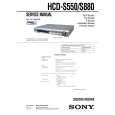
SONY HCDS880
Manual de Servicio


¡Twitee acerca de este producto y obtenga $1.00 de crédito en la tienda para uso!
  • Contiene diagramas del circuito
  • Descargable
  • Formato PDF
  • Manual completo
  • Idiomas: English
Precio: $4.99

Descripción del SONY HCDS880 Manual de Servicio

Manual de servicio completo en formato digital (archivo PDF). Los manuales de servicio por lo general contienen diagramas de circuitos, tarjetas de circuitos impresos, consejos para reparación, diagramas de cableado, diagramas de bloque y lista de refacciones. El Manual de Servicio (a veces llamado Manual de Reparación) es usado principalmente por los técnicos.

Si tan solo quiere saber cómo utilizar su televisión, reproductor de vídeo, reproductor de mp3, etc. Quizá lo que necesita es el Manual del Propietario. Después de colocar la orden le enviaremos las instrucciones de descarga a su dirección de e-mail.

The manual is available in languages: English

Not yet ready
You must purchase it first

Opiniones de los clientes
No hay comentarios de productos.

TEXT_PDF_SNIPPET
HCD-S550/S880

0-2-3. ROM Check Sum The revision number of ROM (IC204) that the program for the DVD system processor (IC206) is stored. 0-2-4. Model Type Model name is displayed. (DAV-S550 or DAV-S880) 0-2-5. Region Model destination code is displayed. (2 digits number) 0-3. EEPROM Check 0-3-1. Sampling Check EEPROM check at every 64 words. It compares read data with write data of each address. When there are discrepancies between two data, it displays error. 0-3-2. Detail Check EEPROM check at every 1 word. It compares read data with write data of each address. When there are discrepancies between two data, it displays error. 0-4. GP I/O Check Pull up/down setting check of the DVD system processor (IC206) pin 150, 151 and 154 (for clock setting port). 0-5. SD Bus Check SD bus data check between DVD decoder (IC701) and D-RAM (IC706). 0-6. Video Check Output the color bars for video level adjustment. 0-7. Audio Check Output the test signal (1kHz sine wave) for 5.1 CH test.

by pressing the [RETURN] button on the remote commander.
Note: During adjustment of each disc, the measurement for disc type judgment is made. As automatic adjustment does not judge the disc type unlike conventional models, take care not to insert wrong type discs. Also, do not give a shock during adjustment.

1-1. DVD-SL (single layer) Press the [1] key on the remote commander and insert a DVD single layer disc following the message. Then the adjustment will be made through the steps below, then adjusted values will be written to the EEPROM. DVD Single Layer Disc Adjustment Steps: 1. Sled tilt reset 2. Disc check memory SL 3. Wait 300 msec 4. Set disc type SL 5. LD on 6. Spindle start 7. Wait 1 sec 8. Focus servo on 0 9. Auto track offset adjust 10. CLVA on 11. Wait 500 msec 12. Tracking on 13. Wait 1 sec 14. Sled on 15. Check CLV on 16. Auto LFO adjust 17. Auto focus offset adjust 18. Auto tilt position adjust 19. Auto focus gain adjust 20. Auto focus offset adjust 21. EQ boost adjust 22. Auto loop filter offset adjust 23. Auto track gain adjust Search Check 24. 32 track jump forward 25. 32 track jump reverse 26. 500 track jump forward 27. 500 track jump reverse 28. All servo stop 29. EEP copy loop filter offset 1-2. CD [2] key on the remote commander and insert a CD disc Press the following the message. Then the adjustment will be made through the steps below, then adjusted values will be written to the EEPROM. CD Adjustment Steps 1. Sled tilt rest 2. Disc check memory CD 3. Wait 500 msec 4. Set disc type CD 5. LD on 6. Spindle start 7. Wait 500 msec 8. Focus servo on 0 9. Auto track offset adjust 10. CLVA on 11. Wait 500 msec 12. Tracking on 13. (TC display start) 14. Wait 1 sec 15. Jitter display start 16. Sled ON 17. Check CLV on

DRIVE AUTO ADJUSTMENT On the Test Mode Menu screen, press the [1] key on the remote
commander, and the Adjustment Menu will be displayed. ## Drive Auto Adjustment ## Adjustment Menu 0. 1. 2. 3. ALL DVD-SL CD DVD-DL

1.

Exit: RETURN

Normally, [10/0] is selected to adjust DVD (single layer), CD and DVD (dual layer) in this order. But, individual items can be adjusted for the case where adjustment is suspended due to an error. In this mode, the adjustment can be made easily through the operation following the message displayed on the screen. The disc used for adjustment must be the one specified for adjustment. 1-0. ALL Press the [10/0] key on the remote commander, and the servo set data in EEPROM will be initialized. Then, 1. DVD-SL disc, 2. CD disc and 3. DVD-DL disc are adjusted in this order. Each time one disc was adjusted, it is ejected. Replace it with the specified disc following the message. You can finish the adjustment

21

Quizás también quiera comprar

$4.99

HCDS880 SONY
Manual de Usuario

Manual del propietario completo en formato digital. El manual estará disponible para descarga como …
>
Parse Time: 0.311 - Number of Queries: 401 - Query Time: 0.113