ADG 7680 Quantity: 1
$4.99
» View Details
RB770PXYB4 Quantity: 1
$4.99
» View Details
RMT-V174 Quantity: 1
$4.99
» View Details
1CWTW5300SQ0 Quantity: 1
$4.99
» View Details
TES325MQ2 Quantity: 1
$4.99
» View Details
SV 2514 Quantity: 1
$4.99
» View Details
GKA 2511 Quantity: 1
$4.99
» View Details
CT5398/ATXSAVCZ Quantity: 1
$4.99
» View Details
ET20DKXTG10 Quantity: 1
$4.99
» View Details
WORKINGMANS 10 Quantity: 1
$4.99
» View Details
CO450 Quantity: 1
$4.99
» View Details
GJC3054RS01 Quantity: 1
$4.99
» View Details
CS505 Quantity: 1
$4.99
» View Details
KSSS42FJB00 Quantity: 1
$4.99
» View Details
AWE 9727 Quantity: 1
$4.99
» View Details
AWM 6145/3 Quantity: 1
$4.99
» View Details
XV-HTD5/DDRXJ/RD Quantity: 1
$4.99
» View Details
OBI137W Quantity: 1
$4.99
» View Details
CT3508/ABTSA0TR Quantity: 1
$4.99
» View Details
ZBN731N/1 Quantity: 1
$4.99
» View Details
RT16DKYXL00 Quantity: 1
$4.99
» View Details
SR-JV80-10 Quantity: 1
$4.99
» View Details
D40A2 Quantity: 1
$4.99
» View Details
D8714/00 Quantity: 1
$4.99
» View Details
KV-AR292N60 Quantity: 1
$4.99
» View Details
ET8WWKXKQ03 Quantity: 1
$4.99
» View Details
WBE34332 A++DFCWF Quantity: 1
$4.99
» View Details
20A2 Quantity: 1
$4.99
» View Details
JSI6467-E Quantity: 1
$4.99
» View Details
CCD-TR42 Quantity: 1
$4.99
» View Details
AKP 444/IX Quantity: 1
$4.99
» View Details
SPKKS44 Quantity: 1
$4.99
» View Details
200P3G/74C Quantity: 1
$4.99
» View Details
GR-DF420EZ Quantity: 1
$4.99
» View Details
KUDW02FRSS0 Quantity: 1
$4.99
» View Details
ARC 1390/BR Quantity: 1
$4.99
» View Details
NNS752 Quantity: 1
$4.99
» View Details
CR9000 Quantity: 1
$4.99
» View Details
LE6880XTF0 Quantity: 1
$4.99
» View Details
AJ3600/00 Quantity: 1
$4.99
» View Details
ICF510 Quantity: 1
$4.99
» View Details
ZQ-1050 Quantity: 1
$4.99
» View Details
FEP350YW1 Quantity: 1
$4.99
» View Details
PC-7 Quantity: 1
$4.99
» View Details
KRC-777R Quantity: 1
$4.99
» View Details
LCB-177.1 I Quantity: 1
$4.99
» View Details
ED5FHAXSB01 Quantity: 1
$4.99
» View Details
YKERC501AW1 Quantity: 1
$4.99
» View Details
AMIGA1060 Quantity: 1
$4.99
» View Details
LWM251W Quantity: 1
$4.99
» View Details
NV-SJ220EG-B Quantity: 1
$4.99
» View Details
KERI201PWH3 Quantity: 1
$4.99
» View Details
HR8731/01 Quantity: 1
$4.99
» View Details
WA 7341 Quantity: 1
$4.99
» View Details
KXFPC96 Quantity: 1
$4.99
» View Details
UF280 Quantity: 1
$4.99
» View Details
PS1956C Quantity: 1
$4.99
» View Details
KTRS21KLBT00 Quantity: 1
$4.99
» View Details
CSDEL300 Quantity: 1
$4.99
» View Details
CTV3002 Quantity: 1
$4.99
» View Details
ADG 3756 NBM Quantity: 1
$4.99
» View Details
MAX 28/CMV Quantity: 1
$4.99
» View Details
KUDP01ILBT0 Quantity: 1
$4.99
» View Details
RX-805VLTN Quantity: 1
$4.99
» View Details
HIFI182 Quantity: 1
$4.99
» View Details
PLC-220PP Quantity: 1
$4.99
» View Details
KX-W791 Quantity: 1
$4.99
» View Details
KXTG5213M Quantity: 1
$4.99
» View Details
RH1500REW03 Quantity: 1
$4.99
» View Details
AKM 608/NE Quantity: 1
$4.99
» View Details
CDP705ESD Quantity: 1
$4.99
» View Details
AV-21YMG6/S Quantity: 1
$4.99
» View Details
RXD25EB Quantity: 1
$4.99
» View Details
3532 Quantity: 1
$4.99
» View Details
AUX08CR Quantity: 1
$4.99
» View Details
ZL10K Quantity: 1
$4.99
» View Details
ARG 573 M Quantity: 1
$4.99
» View Details
S-VSL3/XTW/E Quantity: 1
$4.99
» View Details
PDP-506PU/KUCXC Quantity: 1
$4.99
» View Details
RD24N Quantity: 1
$4.99
» View Details
LEC8858EQ1 Quantity: 1
$4.99
» View Details
KEMI301GWH3 Quantity: 1
$4.99
» View Details
RE960PXKW1 Quantity: 1
$4.99
» View Details
RG-7X Quantity: 1
$4.99
» View Details
LER4634JQ1 Quantity: 1
$4.99
» View Details
DH1000-HI/90A INOX Quantity: 1
$4.99
» View Details
MD 365 NOIR Quantity: 1
$4.99
» View Details
AN17K CHASSIS Quantity: 1
$4.99
» View Details
RT14ZKYKQ01 Quantity: 1
$4.99
» View Details
GKNB 2800 Quantity: 1
$4.99
» View Details
3RAWZ481GML1 Quantity: 1
$4.99
» View Details
HPS-1.5 Quantity: 1
$4.99
» View Details
E1000-4-M R05 Quantity: 1
$4.99
» View Details
EK6714X Quantity: 1
$4.99
» View Details
XELOS 5381ZW Quantity: 1
$4.99
» View Details
PV454SK Quantity: 1
$4.99
» View Details
STR500 Quantity: 1
$4.99
» View Details
Subtotal: $484.03
 
English Polski Spanish 
Buscar un manual
 

(p.Ej. AA-V20EG JVC, ZX-7 Sony)
PayPal 1000+ rating Secure, Encrypted Checkout.
 
Productos
Información
Destacado
Inicio >> SONY >> HCDS550 Manual de Usuario
 
 97 artículo(s) en Su carrito 

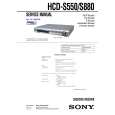
SONY HCDS550
Manual de Usuario


¡Twitee acerca de este producto y obtenga $1.00 de crédito en la tienda para uso!
  • Descargable
  • Formato PDF
  • Manual completo
  • Idiomas: English
Precio: $4.99

Descripción del SONY HCDS550 Manual de Usuario

Manual del propietario completo en formato digital. El manual estará disponible para descarga como archivo PDF después de que lo compre.

El Manual del Propietario (a veces llamado Manual del Usuario o Guía del Usuario) contiene información sobre cómo utilizar su dispositivo. Después de colocar la orden le enviaremos las instrucciones de descarga a su dirección de e-mail.

The manual is available in languages: English

Not yet ready
You must purchase it first

Opiniones de los clientes
No hay comentarios de productos.

TEXT_PDF_SNIPPET
HCD-S550/S880

0-2-3. ROM Check Sum The revision number of ROM (IC204) that the program for the DVD system processor (IC206) is stored. 0-2-4. Model Type Model name is displayed. (DAV-S550 or DAV-S880) 0-2-5. Region Model destination code is displayed. (2 digits number) 0-3. EEPROM Check 0-3-1. Sampling Check EEPROM check at every 64 words. It compares read data with write data of each address. When there are discrepancies between two data, it displays error. 0-3-2. Detail Check EEPROM check at every 1 word. It compares read data with write data of each address. When there are discrepancies between two data, it displays error. 0-4. GP I/O Check Pull up/down setting check of the DVD system processor (IC206) pin 150, 151 and 154 (for clock setting port). 0-5. SD Bus Check SD bus data check between DVD decoder (IC701) and D-RAM (IC706). 0-6. Video Check Output the color bars for video level adjustment. 0-7. Audio Check Output the test signal (1kHz sine wave) for 5.1 CH test.

by pressing the [RETURN] button on the remote commander.
Note: During adjustment of each disc, the measurement for disc type judgment is made. As automatic adjustment does not judge the disc type unlike conventional models, take care not to insert wrong type discs. Also, do not give a shock during adjustment.

1-1. DVD-SL (single layer) Press the [1] key on the remote commander and insert a DVD single layer disc following the message. Then the adjustment will be made through the steps below, then adjusted values will be written to the EEPROM. DVD Single Layer Disc Adjustment Steps: 1. Sled tilt reset 2. Disc check memory SL 3. Wait 300 msec 4. Set disc type SL 5. LD on 6. Spindle start 7. Wait 1 sec 8. Focus servo on 0 9. Auto track offset adjust 10. CLVA on 11. Wait 500 msec 12. Tracking on 13. Wait 1 sec 14. Sled on 15. Check CLV on 16. Auto LFO adjust 17. Auto focus offset adjust 18. Auto tilt position adjust 19. Auto focus gain adjust 20. Auto focus offset adjust 21. EQ boost adjust 22. Auto loop filter offset adjust 23. Auto track gain adjust Search Check 24. 32 track jump forward 25. 32 track jump reverse 26. 500 track jump forward 27. 500 track jump reverse 28. All servo stop 29. EEP copy loop filter offset 1-2. CD [2] key on the remote commander and insert a CD disc Press the following the message. Then the adjustment will be made through the steps below, then adjusted values will be written to the EEPROM. CD Adjustment Steps 1. Sled tilt rest 2. Disc check memory CD 3. Wait 500 msec 4. Set disc type CD 5. LD on 6. Spindle start 7. Wait 500 msec 8. Focus servo on 0 9. Auto track offset adjust 10. CLVA on 11. Wait 500 msec 12. Tracking on 13. (TC display start) 14. Wait 1 sec 15. Jitter display start 16. Sled ON 17. Check CLV on

DRIVE AUTO ADJUSTMENT On the Test Mode Menu screen, press the [1] key on the remote
commander, and the Adjustment Menu will be displayed. ## Drive Auto Adjustment ## Adjustment Menu 0. 1. 2. 3. ALL DVD-SL CD DVD-DL

1.

Exit: RETURN

Normally, [10/0] is selected to adjust DVD (single layer), CD and DVD (dual layer) in this order. But, individual items can be adjusted for the case where adjustment is suspended due to an error. In this mode, the adjustment can be made easily through the operation following the message displayed on the screen. The disc used for adjustment must be the one specified for adjustment. 1-0. ALL Press the [10/0] key on the remote commander, and the servo set data in EEPROM will be initialized. Then, 1. DVD-SL disc, 2. CD disc and 3. DVD-DL disc are adjusted in this order. Each time one disc was adjusted, it is ejected. Replace it with the specified disc following the message. You can finish the adjustment

21

Quizás también quiera comprar

$4.99

HCDS550 SONY
Manual de Servicio

Manual de servicio completo en formato digital (archivo PDF). Los manuales de servicio por lo genera…
>
Parse Time: 1.124 - Number of Queries: 448 - Query Time: 0.544