TurboStart
Selecting Patches
The GT-6B has 120 patches identified by their bank and number. There are 80 user patches and 40 preset patches. User patches begin with a �U.� Preset patches start with a �P.� Use the following procedure to select a patch: 1. Turn the PATCH/VALUE dial clockwise or press the PATCH pedal to select patches in ascending order. 2. Turn the PATCH/VALUE dial counterclockwise or press the PATCH pedal to select patches in descending order. The GT-6B is set at the factory to select patches using the PATCH/VALUE dial or the PATCH and pedals. You can also select a patch by entering its bank and number using the following procedure: 1. Press UTILITY. 2. Use the PARAMETER and buttons to display �SYS:Patch Select UP/DOWN.� 3. Turn the PATCH/VALUE dial and select SYS:Patch Select BANK/NUMBER. 4. 5. 6. Press EXIT to return to the Play screen. Use the BANK and pedals to select the desired patch bank. Use the four numbered pedals to enter the desired patch�s number.
It�s a Fact�
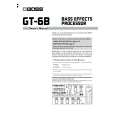
The BOSS GT-6B is a professional floor-based multieffects processor that offers a wide array of features at a very affordable price. Features include: � COSM® (Composite Object Sound Modeling) emulates many of the greatest bass amps and speaker cabinets. � True analog bypass and 24-bit converters. � 120 programs ( 80 user, 40 preset ) � Up to 10 realtime controllers per patch. � Balanced XLR outputs and coaxial digital out for recording. � Synth bass sounds with incredible tracking. � Versatile performance effects including Auto Slap and Sound on Sound looping. � Effects including chorus, reverb, delay, flanger and more. � COSM overdrive/distortion modeling and wah modeling.
Connecting the GT-6B to an Amplifier
The GT-6B can be used with a Bass Amp, full range P.A. or digital mixer. If you�re connecting it to: � � � a mono amp, use the L (MONO) OUTPUT jack. a P.A., use the two XLR outputs. a digital mixer, use the coaxial digital out.
Tuning the Bass
To use the GT-6B�s built-in tuner: 1. 2. 3. 4. Simultaneously press the PATCH and PATCH pedals to display the tuner screen. Play a single open note on the first string you want to tune. Adjust the string�s tuning until its name appears in the display. Watch the onscreen Tuning Guide, and adjust the string�s tuning until appears in the center of the display. Repeat Steps 2-4 to tune your remaining strings. Press PATCH or when you�re done.
Editing Patches (EZ Tone)
The GT-6B has 80 user patches, any of which can be edited. Use the following steps to edit a user patch. 1. Press EZ TONE. 2. Turn the PATCH/VALUE dial to choose the setting that�s closest to the desired tone. 3. Use the rotary knobs and the buttons under the rotary knobs to adjust the tone�s characteristics. Note: As each knob is turned and as each button is pressed, the screen shows the currently selected parameter and its value. 4. Press EXIT to return to the Play screen. 5. Press WRITE and turn the PATCH/VALUE dial to select a user memory location in which to store your settings as a new patch. Press WRITE again to save the new patch.