AZ8056 Quantity: 1
$4.99
» View Details
AZ8086/17 Quantity: 1
$4.99
» View Details
REX3615EW1 Quantity: 1
$4.99
» View Details
RC-X3 Quantity: 1
$4.99
» View Details
AV-27GFH Quantity: 1
$4.99
» View Details
ED5NHGXMQ10 Quantity: 1
$4.99
» View Details
Z8228 Quantity: 1
$4.99
» View Details
LAV1201 Quantity: 1
$4.99
» View Details
TC 2260/Noir Quantity: 1
$4.99
» View Details
HPR151W Quantity: 1
$4.99
» View Details
HMHDS1U Quantity: 1
$4.99
» View Details
KSRX22FNST03 Quantity: 1
$4.99
» View Details
SA-HT930GCS Quantity: 1
$4.99
» View Details
SUPERVIP 60 INOX Quantity: 1
$4.99
» View Details
FL 5045 Quantity: 1
$4.99
» View Details
VSX-808RDS/HYXJI Quantity: 1
$4.99
» View Details
FGP335YW2 Quantity: 1
$4.99
» View Details
CDJ-800MK2/RLFXJ Quantity: 1
$4.99
» View Details
5646 Quantity: 1
$4.99
» View Details
XW-HT1 Quantity: 1
$4.99
» View Details
TGA 281/1 Quantity: 1
$4.99
» View Details
IMS204300 Quantity: 1
$4.99
» View Details
AKR 991 NA-3 Quantity: 1
$4.99
» View Details
WM-FS493 Quantity: 1
$4.99
» View Details
Subtotal: $119.76
 
English Polski Spanish 
Buscar un manual
 

(p.Ej. AA-V20EG JVC, ZX-7 Sony)
PayPal 1000+ rating Secure, Encrypted Checkout.
 
Productos
Información
Destacado
Inicio >> WHIRLPOOL >> GMC305PDB07 Manual de Usuario
 
 24 artículo(s) en Su carrito 

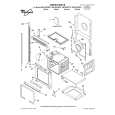
WHIRLPOOL GMC305PDB07
Manual de Usuario


¡Twitee acerca de este producto y obtenga $1.00 de crédito en la tienda para uso!
  • Descargable
  • Formato PDF
  • Manual completo
  • Idiomas: English
Precio: $4.99

Descripción del WHIRLPOOL GMC305PDB07 Manual de Usuario

Manual del propietario completo en formato digital. El manual estará disponible para descarga como archivo PDF después de que lo compre.

El Manual del Propietario (a veces llamado Manual del Usuario o Guía del Usuario) contiene información sobre cómo utilizar su dispositivo. Después de colocar la orden le enviaremos las instrucciones de descarga a su dirección de e-mail.

The manual is available in languages: English

Not yet ready
You must purchase it first

Opiniones de los clientes
No hay comentarios de productos.

TEXT_PDF_SNIPPET
To Set a DELAY START TIME:

Timed Cooking

WARNING
Food Poisoning Hazard Do not let food sit in oven more than one hour before or after cooking. Doing so can result in food poisoning or sickness.
Timed Cooking allows the oven to be set to turn on at a certain time of day, cook for a set length of time, and/or shut off automatically. DELAY START TIME should not be used for food such as breads and cakes because they may not bake properly. Before setting, make sure the clock is set to the correct time of day. See �Clock� section.

1. Press BAKE. Press TEMP �up� or �down� arrow pad to set a temperature other than 350°F (175°C) in 5° amounts. The bake range can be set between 170°F and 500°F (75°C and 260°C). 2. Press DELAY START TIME. 3. Press HR and MIN �up� or �down� arrow pad until the desired time of day to start appears on the display. 4. Press START/ENTER. The temperature can be changed after this step. START/ ENTER does not need to be pressed again. When the delay start time is reached, a tone will sound. The display will count down the set cook time. 5. Press OFF/CANCEL when finished.

To Set a COOK TIME and DELAY START TIME:
1. Press BAKE. Press TEMP �up� or �down� arrow pad to set a temperature other than 350°F (175°C) in 5° amounts. The bake range can be set between 170°F and 500°F (75°C and 260°C). 2. Press COOK TIME. 3. Press HR and MIN �up� or �down� arrow pad until the desired length of time appears on the display. 4. Press DELAY START TIME. 5. Press HR and MIN �up� or �down� arrow pad until the desired time of day to start appears on the display. 6. Press START/ENTER. The temperature and set cook time can be changed after this step. START/ENTER does not need to be pressed again. When the delay start time is reached, a tone will sound. The display will count down the set cook time. When the set cook time ends, the oven will shut off automatically and �End� will appear on the display. End-ofcycle tones will sound, then reminder tones will sound every minute until OFF/CANCEL is pressed. 7. Press OFF/CANCEL anytime to end Timed Cooking or to stop reminder tones and clear the display.

To Set a COOK TIME:
1. Press BAKE. Press TEMP �up� or �down� arrow pad to set a temperature other than 350°F (175°C) in 5° amounts. The bake range can be set between 170°F and 500°F (80°C and 260°C). 2. Press COOK TIME. 3. Press HR and MIN �up� or �down� arrow pad until the desired length of time appears on the display. 4. Press START/ENTER. The temperature and set cook time can be changed after this step. START/ENTER does not need to be pressed again. When the set cook time ends, the oven will shut off automatically and �End� will appear on the display. End-ofcycle tones will sound, then reminder tones will sound every minute until OFF/CANCEL is pressed. 5. Press OFF/CANCEL anytime to end Timed Cooking or to stop reminder tones and clear the display.

11

Quizás también quiera comprar


¡Es gratis!

GMC305PDB07 WHIRLPOOL
Manual de Instalación

Complete installation manual in digital format. The manual will be available for download as PDF fil…

$4.99

GMC305PDB07 WHIRLPOOL
Catálogo de piezas

Únicamente Catálogo de Partes. Está disponible en formato PDF. Muy útil si su equipo se ha averi…
>
Parse Time: 1.09 - Number of Queries: 187 - Query Time: 0.631