KVPG Quantity: 1
$4.99
» View Details
L40 Quantity: 1
$4.99
» View Details
FS400 Quantity: 1
$4.99
» View Details
GHE1000 Quantity: 1
$4.99
» View Details
DTD14D3 Quantity: 1
$4.99
» View Details
ZBQ365N Quantity: 1
$4.99
» View Details
32PW6304 Quantity: 1
$4.99
» View Details
25PT5105 Quantity: 1
$4.99
» View Details
GTQ200 Quantity: 1
$4.99
» View Details
197 Quantity: 1
$4.99
» View Details
GTO425 Quantity: 1
$4.99
» View Details
TI1KCENTER Quantity: 1
$4.99
» View Details
RS675PXYH0 Quantity: 1
$4.99
» View Details
DCS-240 Quantity: 1
$4.99
» View Details
GTO6537 Quantity: 1
$4.99
» View Details
BG40 Quantity: 1
$4.99
» View Details
CWXC120HU Quantity: 1
$4.99
» View Details
DVDA500 Quantity: 1
$4.99
» View Details
RTD19E0CAE Quantity: 1
$4.99
» View Details
FFH215 Quantity: 1
$4.99
» View Details
SE-E33-X2/XCN/EW Quantity: 1
$4.99
» View Details
220.094 7/8576 Quantity: 1
$4.99
» View Details
AWZ 2411 Quantity: 1
$4.99
» View Details
FE-DV25VE Quantity: 1
$4.99
» View Details
XV-S332SLA Quantity: 1
$4.99
» View Details
GSL9365EQ2 Quantity: 1
$4.99
» View Details
ELECTRAMAC 340 AUSTRALIA Quantity: 1
$4.99
» View Details
150N Quantity: 1
$4.99
» View Details
GTO420 Quantity: 1
$4.99
» View Details
TS25AGXNT01 Quantity: 1
$4.99
» View Details
L100CENTURY Quantity: 1
$4.99
» View Details
J1000MV Quantity: 1
$4.99
» View Details
FX-D400 Quantity: 1
$4.99
» View Details
RH330LD Quantity: 1
$4.99
» View Details
GT122D Quantity: 1
$4.99
» View Details
ST172205 Quantity: 1
$4.99
» View Details
RP4NR Quantity: 1
$4.99
» View Details
GS5SHAXNT01 Quantity: 1
$4.99
» View Details
ADN 242 Quantity: 1
$4.99
» View Details
AWZ 350 Quantity: 1
$4.99
» View Details
PDP-LX5090H/YSIXK7 Quantity: 1
$4.99
» View Details
21V33D Quantity: 1
$4.99
» View Details
AKR 920 AL Quantity: 1
$4.99
» View Details
AWZ 412 F Quantity: 1
$4.99
» View Details
VDR-M75PP Quantity: 1
$4.99
» View Details
AWZ 310 Quantity: 1
$4.99
» View Details
KSRB27QGSS01 Quantity: 1
$4.99
» View Details
GS2SHAXSB02 Quantity: 1
$4.99
» View Details
GS470LEMT0 Quantity: 1
$4.99
» View Details
VCLSW04 Quantity: 1
$4.99
» View Details
KSRD25FKBL16 Quantity: 1
$4.99
» View Details
SE-300 Quantity: 1
$4.99
» View Details
REL4634BW3 Quantity: 1
$4.99
» View Details
GTQ200 Quantity: 1
$4.99
» View Details
Subtotal: $269.46
 
English Polski Spanish 
Buscar un manual
 

(p.Ej. AA-V20EG JVC, ZX-7 Sony)
PayPal 1000+ rating Secure, Encrypted Checkout.
 
Productos
Información
Destacado
Inicio >> CASIO >> FX7400G Manual de Usuario
 
 54 artículo(s) en Su carrito 

CASIO FX7400G
Manual de Usuario


¡Twitee acerca de este producto y obtenga $1.00 de crédito en la tienda para uso!
  • Descargable
  • Formato PDF
  • Manual completo
  • Idiomas: English
Precio: $4.99

Descripción del CASIO FX7400G Manual de Usuario

Manual del propietario completo en formato digital. El manual estará disponible para descarga como archivo PDF después de que lo compre.

El Manual del Propietario (a veces llamado Manual del Usuario o Guía del Usuario) contiene información sobre cómo utilizar su dispositivo. Después de colocar la orden le enviaremos las instrucciones de descarga a su dirección de e-mail.

The manual is available in languages: English

Not yet ready
You must purchase it first

Opiniones de los clientes
No hay comentarios de productos.

TEXT_PDF_SNIPPET
Graphing
4. To exit the View Window, press Q.

Chapter 4

� Pressing w without inputting any value also exits the View Window. � The following is the input range for View Window parameters. �9.99E+97 to 9.999E+97 � You can input parameter values up to 7 digits long. Values greater than 106 or less than 10-1, are automatically converted to a 4-digit mantissa (including negative sign) plus a 2-digit exponent. � The only keys that enabled while the View Window is on the display are: a to j, ., E, -, f, c, d, e, +, -, *, /, (, ), ! 7, Q. You can use - or - to input negative values. � The existing value remains unchanged if you input a value outside the allowable range or in the case of illegal input (negative sign only without a value). � Inputting a View Window range so the min value is greater than the max value, causes the axis to be inverted. � You can input expressions (such as 2�) as View Window parameters. � When the View Window setting does not allow display of the axes, the scale for the y-axis is indicated on either the left or right edge of the display, while that for the x-axis is indicated on either the top or bottom edge. � When View Window values are changed, the graph display is cleared and the newly set axes only are displayed. � View Window setting may cause irregular scale spacing. � Setting maximum and minimum values that create too wide of a View Window range can result in a graph made up of disconnected lines (because portions of the graph run off the screen), or in graphs that are inaccurate. � The point of deflection sometimes exceeds the capabilities of the display with graphs that change drastically as they approach the point of deflection. � Setting maximum and minimum values that create to narrow of a View Window range can result in an error (Ma ERROR).

k Initializing and Standardizing the View Window
uTo initialize the View Window
a. Press !3 (V-Window) 1 (INIT) to initialize the View Window to the following settings. Xmin Xmax Xscl = �3.9 = 3.9 =1 Ymin Ymax Yscl = �2.3 = 2.3 =1

50

Quizás también quiera comprar

$4.99

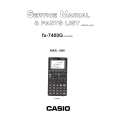
FX-7400G CASIO
Manual de Servicio

Manual de servicio completo en formato digital (archivo PDF). Los manuales de servicio por lo genera…
>
Parse Time: 0.303 - Number of Queries: 293 - Query Time: 0.109