ZI9224A Quantity: 1
$4.99
» View Details
VL-AD260U Quantity: 1
$4.99
» View Details
GD22DQXFW00 Quantity: 1
$4.99
» View Details
Z1000 Quantity: 1
$4.99
» View Details
21PT4457/05 Quantity: 1
$4.99
» View Details
SP-X7 Quantity: 1
$4.99
» View Details
K45SSDAL0 Quantity: 1
$4.99
» View Details
LCD5612K/S Quantity: 1
$4.99
» View Details
AKZ305/WH Quantity: 1
$4.99
» View Details
KX-T1470BA Quantity: 1
$4.99
» View Details
DP920PFGY0 Quantity: 1
$4.99
» View Details
KTRA19KRSS00 Quantity: 1
$4.99
» View Details
CD1301S/96 Quantity: 1
$4.99
» View Details
PX345XV Quantity: 1
$4.99
» View Details
S-H810V-W/SXTW/EW5 Quantity: 1
$4.99
» View Details
CVC 20 Quantity: 1
$4.99
» View Details
CT13R27WF Quantity: 1
$4.99
» View Details
LLV8245BN0 Quantity: 1
$4.99
» View Details
EFP636 Quantity: 1
$4.99
» View Details
SKĹP ÖVRE EC1200V Quantity: 1
$4.99
» View Details
ED5LHGXNL00 Quantity: 1
$4.99
» View Details
DVR-650H-K/KCXV Quantity: 1
$4.99
» View Details
Subtotal: $109.78
 
English Polski Spanish 
Buscar un manual
 

(p.Ej. AA-V20EG JVC, ZX-7 Sony)
PayPal 1000+ rating Secure, Encrypted Checkout.
 
Productos
Información
Destacado
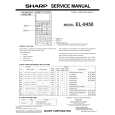
Inicio >> SHARP >> EL9450 Manual de Usuario
 
 22 artículo(s) en Su carrito 

SHARP EL9450
Manual de Usuario


¡Twitee acerca de este producto y obtenga $1.00 de crédito en la tienda para uso!
  • Descargable
  • Formato PDF
  • Manual completo
  • Idiomas: English, German
Precio: $4.99

Descripción del SHARP EL9450 Manual de Usuario

Manual del propietario completo en formato digital. El manual estará disponible para descarga como archivo PDF después de que lo compre.

El Manual del Propietario (a veces llamado Manual del Usuario o Guía del Usuario) contiene información sobre cómo utilizar su dispositivo. Después de colocar la orden le enviaremos las instrucciones de descarga a su dirección de e-mail.

The manual is available in languages: English, German

Not yet ready
You must purchase it first

Opiniones de los clientes
No hay comentarios de productos.

TEXT_PDF_SNIPPET
Chapter 8: Statistics & Regression Calculations

Setting the graph drawing �on�

3. The first line shows if the graph drawing is on or off. Initially, the graph drawing is off. With the cursor pointer at the �on� position, press E to set the graph drawing on. 4. Press } to move the cursor to the next line (DATA). 5. Select X for 1-variable plotting and press E.

Selecting whether 1variable plotting or 2-variable plotting Select the list number used for graphing

Determining ListX and Freq Frequency relates to the number of times access occurred (L2) at the ListX stage. You can refer that the Access of ListX (L1) hour occurred Freq (L2) number of times. 6. Press } to move the cursor to the next line (ListX). 7. The default list name for ListX is L1. If another list name is set, press @ 1 to enter L1. 8. L1 is set to be used for x-axis items.

Setting the frequency

9. Press } to move the cursor to the next line (Freq). 10. Press @ 2 to enter L2.

Selecting the graph

11. Press } to move the cursor to the next line (GRAPH). 12. The graph format defaults to histogram, so if that is what is required, this does not need to be changed.

Making a graph

13. Press Z, and then select A ZOOM. 14. Press ' to move the cursor right and then press } several times. 9 Stat will appear.

122

Quizás también quiera comprar

$4.99

EL-9450 SHARP
Manual de Servicio

Manual de servicio completo en formato digital (archivo PDF). Los manuales de servicio por lo genera…
>
Parse Time: 0.413 - Number of Queries: 178 - Query Time: 0.197