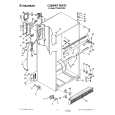
8ET8MTKXKT00 Quantity: 1
$4.99
» View Details
CDP-C615 Quantity: 1
$4.99
» View Details
FLS474CN Quantity: 1
$4.99
» View Details
CSDES177EZ,K Quantity: 1
$4.99
» View Details
CDM9805R Quantity: 1
$4.99
» View Details
CX-529 Quantity: 1
$4.99
» View Details
CPXS335W Quantity: 1
$4.99
» View Details
WMBF605 Quantity: 1
$4.99
» View Details
XW-DV515/NTXJ Quantity: 1
$4.99
» View Details
HD2526/26 Quantity: 1
$4.99
» View Details
R52SE Quantity: 1
$4.99
» View Details
007.881 6 Quantity: 1
$4.99
» View Details
PCD-MF790 Quantity: 1
$4.99
» View Details
IQ-9200 Quantity: 1
$4.99
» View Details
CMT-EP30 Quantity: 1
$4.99
» View Details
MXJ787V Quantity: 1
$4.99
» View Details
CENTROS6004M Quantity: 1
$4.99
» View Details
AFG 674 DGT Quantity: 1
$4.99
» View Details
AV14AT(HK) Quantity: 1
$4.99
» View Details
DVD701/002 Quantity: 1
$4.99
» View Details
KMHE41.3BR Quantity: 1
$4.99
» View Details
S4285DTI7 Quantity: 1
$4.99
» View Details
KY-F1030 Quantity: 1
$4.99
» View Details
KXTC187A Quantity: 1
$4.99
» View Details
KSRS25QGAL00 Quantity: 1
$4.99
» View Details
25PT3323/69 Quantity: 1
$4.99
» View Details
KTRC19ELBT01 Quantity: 1
$4.99
» View Details
MA910 Quantity: 1
$4.99
» View Details
BNN214 Quantity: 1
$4.99
» View Details
GM-4000T Quantity: 1
$4.99
» View Details
EMCCD 6140 AL Quantity: 1
$4.99
» View Details
7043 Quantity: 1
$4.99
» View Details
120/A TOURING Quantity: 1
$4.99
» View Details
CF51PFVGEBM Quantity: 1
$4.99
» View Details
PVM2010QM Quantity: 1
$4.99
» View Details
ANH-P9R Quantity: 1
$4.99
» View Details
TMR-IF5 Quantity: 1
$4.99
» View Details
GD5SHGXKB02 Quantity: 1
$4.99
» View Details
AMW 578 IX Quantity: 1
$4.99
» View Details
KUIA18NNJS5 Quantity: 1
$4.99
» View Details
KD32NX200 Quantity: 1
$4.99
» View Details
Z5960 Quantity: 1
$4.99
» View Details
IW1209.1W Quantity: 1
$4.99
» View Details
KL37W1K Quantity: 1
$4.99
» View Details
HR-XVC25UC Quantity: 1
$4.99
» View Details
TP625 Quantity: 1
$4.99
» View Details
25PT4301/22 Quantity: 1
$4.99
» View Details
SF330PEWW7 Quantity: 1
$4.99
» View Details
SF336PESW1 Quantity: 1
$4.99
» View Details
AV-27D502R Quantity: 1
$4.99
» View Details
BL2509 Quantity: 1
$4.99
» View Details
VM-3000A Quantity: 1
$4.99
» View Details
KSRS25ILWH03 Quantity: 1
$4.99
» View Details
SBTP10EB Quantity: 1
$4.99
» View Details
AKM 608/NB/WP Quantity: 1
$4.99
» View Details
PC 6130 Quantity: 1
$4.99
» View Details
GD22DCXHT00 Quantity: 1
$4.99
» View Details
ES2FHAXSL01 Quantity: 1
$4.99
» View Details
GERC4120PS0 Quantity: 1
$4.99
» View Details
SLZK 5690 WS Quantity: 1
$4.99
» View Details
84602Gw Quantity: 1
$4.99
» View Details
ICF 221/1 IG Quantity: 1
$4.99
» View Details
RBS305PDZ8 Quantity: 1
$4.99
» View Details
TT20AKXXW00 Quantity: 1
$4.99
» View Details
ET14CKYEW00 Quantity: 1
$4.99
» View Details
DG3801 Quantity: 1
$4.99
» View Details
Subtotal: $329.34
 
English Polski Spanish 
Buscar un manual
 

(p.Ej. AA-V20EG JVC, ZX-7 Sony)
PayPal 1000+ rating Secure, Encrypted Checkout.
 
Productos
Información
Destacado
Inicio >> CASIO >> DWX101-2T Manual de Usuario
 
 66 artículo(s) en Su carrito 

CASIO DWX101-2T
Manual de Usuario


¡Twitee acerca de este producto y obtenga $1.00 de crédito en la tienda para uso!
  • Descargable
  • Formato PDF
  • Manual completo
  • Idiomas: English
Precio: $4.99

Descripción del CASIO DWX101-2T Manual de Usuario

Manual del propietario completo en formato digital. El manual estará disponible para descarga como archivo PDF después de que lo compre.

El Manual del Propietario (a veces llamado Manual del Usuario o Guía del Usuario) contiene información sobre cómo utilizar su dispositivo. Después de colocar la orden le enviaremos las instrucciones de descarga a su dirección de e-mail.

The manual is available in languages: English

Not yet ready
You must purchase it first

Opiniones de los clientes
No hay comentarios de productos.

TEXT_PDF_SNIPPET
1978-2

COUNTDOWN ALARM MODE
Mode indicator 1/10 second

ALARM MODE
When the Daily Alarm is turned on, the alarm sounds for 20 seconds at the preset time each day. Press any button to stop the alarm after it starts to sound. When the Hourly Time Signal is on, the watch beeps every hour on the hour.
Mode indicator Alarm on indicator

The countdown alarm can be set within a range of 1 second to 24 hours. When the countdown reaches zero, an alarm sounds for 10 seconds or until you press any button.

To set the countdown start time
1. Hold down A while in the Countdown Alarm Mode. The hour setting flashes on the display because it is selected. 2. Press C to change the selection in the following sequence.
Hours Seconds Minutes
Hour Minutes Seconds

Hourly time signal on indicator

3. Press E to increase the selected setting or B to decrease it. Holding down either button changes the setting at high speed. · To set the starting value of the countdown time to 24 hours, set 0:00'00" 4. After you set the countdown start time, press A to return to the Countdown Alarm Mode. · If you do not operate any button for a few minutes while a setting is flashing, the flashing stops and the watch goes back to the Countdown Alarm Mode automatically.

Hours Minutes

To set the alarm time
1. Hold down A until the hour setting starts to flash on the display. The hour setting flashes because it is selected. · This operation automatically turns on the Daily Alarm. 2. Press C to change the selection in the following sequence.
Hour Minutes

To use the countdown alarm
1. Press D while in the Countdown Alarm Mode to start the countdown alarm. 2. Press D again to stop the countdown alarm. · You can resume a paused countdown alarm operation by pressing D. 3. Stop the countdown alarm and then press B to reset the countdown time to its starting value. · When the end of the countdown is reached and auto repeat timing is off, the alarm sounds for 10 seconds or until you stop the alarm by pressing any button. Countdown timing stops and the countdown time is automatically reset to its starting value after the alarm stops.

3. While the hour or minutes setting is selected (flashing) press E to increase it or B to decrease it. Holding down either button changes the current setting at high speed. · The format (12-hour and 24-hour) of the alarm time matches the format you select for normal timekeeping. · When setting the alarm time using the 12-hour format, take care to set the time correctly as morning (no indicator) or afternoon (P). 4. After you set the alarm time, press A to return to the Alarm Mode. · If you do not operate any button for a few minutes while a setting is flashing, the flashing stops and the watch goes back to the Alarm Mode automatically.

To turn auto repeat timing on and off
1. Hold down A while in the Countdown Alarm Mode until the hour setting flashes. 2. Press D to turn auto repeat on and off.
Auto repeat indicator

To turn the daily alarm and hourly time signal on and off
Press B while in the Alarm Mode to change the status of the daily alarm and hourly time signal in the following sequence.
ALM SIG Both ON Both OFF ALM Daily Alarm Only SIG Hourly Time Signal Only

Press D · The alarm on indicator (ALM) and the Hourly Signal on indicator (SIG) are shown on the display in all modes while these functions are turned on.

OFF

ON

3. Press A to return to the Countdown Alarm Mode. · When the end of the countdown is reached while auto repeat is on, the alarm sounds, but the countdown restarts from the beginning without stopping. You can stop the countdown by pressing D and manually reset to the start time by pressing B. · When the starting value of the countdown time is set at 10 seconds or less and auto repeat is turned on, the countdown alarm tone sounds for only one second instead of the normal 10 seconds. If the Flash Alarm is turned on, the EL backlight does not flash under the above conditions.

To test the alarm sound

Hold down E while in the Alarm Mode to sound the alarm.

Quizás también quiera comprar

$4.99

SX-K700 TECHNICS
Manual de Usuario

Manual del propietario completo en formato digital. El manual estará disponible para descarga como …

$4.99

CJ-V51 PIONEER
Manual de Servicio

Manual de servicio completo en formato digital (archivo PDF). Los manuales de servicio por lo genera…

$4.99

GRAND PRIX ELECTRONIC 754 BECKER
Manual de Servicio

Manual de servicio completo en formato digital (archivo PDF). Los manuales de servicio por lo genera…

$4.99

SX-PR602 TECHNICS
Manual de Servicio

Manual de servicio completo en formato digital (archivo PDF). Los manuales de servicio por lo genera…

$4.99

EV-S1000E SONY
Manual de Usuario

Manual del propietario completo en formato digital. El manual estará disponible para descarga como …

$4.99

GRAND PRIX ELECTRONIC 780 BECKER
Manual de Servicio

Manual de servicio completo en formato digital (archivo PDF). Los manuales de servicio por lo genera…

$4.99

AG7330 PANASONIC
Manual de Servicio

Manual de servicio completo en formato digital (archivo PDF). Los manuales de servicio por lo genera…

$4.99

MECABLITZ 60 CT4 METZ
Manual de Servicio

Manual de servicio completo en formato digital (archivo PDF). Los manuales de servicio por lo genera…
>
Parse Time: 1.431 - Number of Queries: 362 - Query Time: 0.923