VR3011 Quantity: 1
$4.99
» View Details
DIGIVISION5581 Quantity: 1
$4.99
» View Details
54344070 Quantity: 1
$4.99
» View Details
PCZ82M(HP) Quantity: 1
$4.99
» View Details
EHI341 Quantity: 1
$4.99
» View Details
GT1SHTXLQ00 Quantity: 1
$4.99
» View Details
DV-3600-S/RAXCN Quantity: 1
$4.99
» View Details
AV-21TG14/U Quantity: 1
$4.99
» View Details
CDS-P4000/UC Quantity: 1
$4.99
» View Details
AV-21F16 Quantity: 1
$4.99
» View Details
12T209 Quantity: 1
$4.99
» View Details
GM-3000T/XH/EW Quantity: 1
$4.99
» View Details
KV-32XBR51 Quantity: 1
$4.99
» View Details
26CP2326 Quantity: 1
$4.99
» View Details
KGE 2832/B/1 Quantity: 1
$4.99
» View Details
KXE40EW Quantity: 1
$4.99
» View Details
KDC226PH4 Quantity: 1
$4.99
» View Details
DEH-M3067 Quantity: 1
$4.99
» View Details
54326261 Quantity: 1
$4.99
» View Details
CE601N Quantity: 1
$4.99
» View Details
VHR-H802E Quantity: 1
$4.99
» View Details
SF367PEYW6 Quantity: 1
$4.99
» View Details
CTK-900 Quantity: 1
$4.99
» View Details
GD25DQXFB00 Quantity: 1
$4.99
» View Details
F-740 Quantity: 1
$4.99
» View Details
SW 2001 WP/WH Quantity: 1
$4.99
» View Details
TXC22DR Quantity: 1
$4.99
» View Details
NSXS9 Quantity: 1
$4.99
» View Details
KVX2181D Quantity: 1
$4.99
» View Details
CF2970 Quantity: 1
$4.99
» View Details
KAT-SETKTU Quantity: 1
$4.99
» View Details
DCTG2251S/77 Quantity: 1
$4.99
» View Details
28185 EA011 Quantity: 1
$4.99
» View Details
Subtotal: $164.67
 
English Polski Spanish 
Buscar un manual
 

(p.Ej. AA-V20EG JVC, ZX-7 Sony)
PayPal 1000+ rating Secure, Encrypted Checkout.
 
Productos
Información
Destacado
Inicio >> SONY >> DVPNC675P Manual de Usuario
 
 33 artículo(s) en Su carrito 

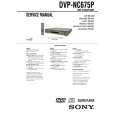
SONY DVPNC675P
Manual de Usuario


¡Twitee acerca de este producto y obtenga $1.00 de crédito en la tienda para uso!
  • Descargable
  • Formato PDF
  • Manual completo
  • Idiomas: English
Precio: $4.99

Descripción del SONY DVPNC675P Manual de Usuario

Manual del propietario completo en formato digital. El manual estará disponible para descarga como archivo PDF después de que lo compre.

El Manual del Propietario (a veces llamado Manual del Usuario o Guía del Usuario) contiene información sobre cómo utilizar su dispositivo. Después de colocar la orden le enviaremos las instrucciones de descarga a su dirección de e-mail.

The manual is available in languages: English

Not yet ready
You must purchase it first

Opiniones de los clientes
No hay comentarios de productos.

TEXT_PDF_SNIPPET
6 Select a setting using X/x, then
press ENTER.
The setting is selected and setup is complete. Example: �16:9�
SCREEN SETUP TV TYPE: 16:9 SCREEN SAVER: ON BACKGROUND: JACKET PICTURE BLACK LEVEL: OFF BLACK LEVEL (COMPONENT OUT): ON MODE (PROGRESSIVE) AUTO

Setting the Display or Sound Track Language
(LANGUAGE SETUP)
�LANGUAGE SETUP� allows you to set various languages for the on-screen display or sound track. Select �LANGUAGE SETUP� in the Setup Display. To use the display, see �Using the Setup Display� (page 64).
LANGUAGE SETUP OSD: MENU: AUDIO: SUBTITLE:

Selected setting

To enter the Quick Setup mode
Select �QUICK� in step 3. Follow from step 5 of the Quick Setup explanation to make basic adjustments (page 25).

ENGLISH FRENCH SPANISH PORTUGUESE

To reset all of the �SETUP� settings

1 2

Select �RESET� in step 3 and press ENTER Select �YES� using X/x. You can also quit the process and return to the Control Menu by selecting �NO� here. Press ENTER. All the settings explained on pages 65 to 69 return to the default settings. Do not press [/1 while resetting the player as it takes a few seconds to complete.

� OSD (On-Screen Display)
Switches the display language on the screen.

� MENU (DVD VIDEO only)
You can select the desired language for the disc�s menu.

3

� AUDIO (DVD VIDEO only)
Switches the language of the sound track. When you select �ORIGINAL,� the language given priority in the disc is selected.
Settings and Adjustments

� SUBTITLE (DVD VIDEO only)
Switches the language of the subtitle recorded on the DVD VIDEO. When you select �AUDIO FOLLOW,� the language for the subtitles changes according to the language you selected for the sound track.
z Hint If you select �OTHERS t� in �MENU,� �SUBTITLE,� and �AUDIO,� select and enter a language code from �Language Code List� on page 76 using the number buttons.

Note
When you select a language in �MENU,� �SUBTITLE,� or �AUDIO� that is not recorded on the DVD VIDEO, one of the recorded languages will be automatically selected.

65

Quizás también quiera comprar

$4.99

DVPNC675P SONY
Manual de Servicio

Manual de servicio completo en formato digital (archivo PDF). Los manuales de servicio por lo genera…
>
Parse Time: 0.261 - Number of Queries: 223 - Query Time: 0.079