SF370PEGT5 Quantity: 1
$4.99
» View Details
WU0800XX0 Quantity: 1
$4.99
» View Details
21PT2324/71R Quantity: 1
$4.99
» View Details
EM-900 Quantity: 1
$4.99
» View Details
CD-X1700 Quantity: 1
$4.99
» View Details
KVA 3000/1 Quantity: 1
$4.99
» View Details
GCI 5740 W-IN Quantity: 1
$4.99
» View Details
AEF3500N Quantity: 1
$4.99
» View Details
ADL 345 WH Quantity: 1
$4.99
» View Details
4ED20ZKXBN00 Quantity: 1
$4.99
» View Details
EHG4.2ZSSW Quantity: 1
$4.99
» View Details
S72348-KA1 Quantity: 1
$4.99
» View Details
SLSX390PC Quantity: 1
$4.99
» View Details
EOB304B Quantity: 1
$4.99
» View Details
VSX-517-S/KUCXJ Quantity: 1
$4.99
» View Details
CT3508/AB4SA0HS Quantity: 1
$4.99
» View Details
SIG454BKL Quantity: 1
$4.99
» View Details
ADP 6736 IX Quantity: 1
$4.99
» View Details
AMW 589 IX Quantity: 1
$4.99
» View Details
TS-WX77A/XCN/EW Quantity: 1
$4.99
» View Details
C2126S Quantity: 1
$4.99
» View Details
XM-4520 Quantity: 1
$4.99
» View Details
Subtotal: $109.78
 
English Polski Spanish 
Buscar un manual
 

(p.Ej. AA-V20EG JVC, ZX-7 Sony)
PayPal 1000+ rating Secure, Encrypted Checkout.
 
Productos
Información
Destacado
Inicio >> SONY >> DVP-NC625 Manual de Usuario
 
 22 artículo(s) en Su carrito 

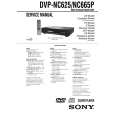
SONY DVP-NC625
Manual de Usuario


¡Twitee acerca de este producto y obtenga $1.00 de crédito en la tienda para uso!
  • Descargable
  • Formato PDF
  • Manual completo
  • Idiomas: English
Precio: $4.99

Descripción del SONY DVP-NC625 Manual de Usuario

Manual del propietario completo en formato digital. El manual estará disponible para descarga como archivo PDF después de que lo compre.

El Manual del Propietario (a veces llamado Manual del Usuario o Guía del Usuario) contiene información sobre cómo utilizar su dispositivo. Después de colocar la orden le enviaremos las instrucciones de descarga a su dirección de e-mail.

The manual is available in languages: English

Not yet ready
You must purchase it first

Opiniones de los clientes
No hay comentarios de productos.

TEXT_PDF_SNIPPET
Replacing discs while playing a disc (EXCHANGE)
You can open the disc tray while playing a disc so that you can check which discs are to be played next and replace discs without interrupting playback of the current disc.
EXCHANGE DISC SKIP

Repeat Play mode (page 36), the current disc starts playing again. � In All Discs Shuffle Play mode (page 35), titles/ tracks/chapters are reshuffled only on the current disc. � In Program Play mode (page 33), the titles/tracks/ chapters only on the current disc are played.

Note
Do not push the disc tray to close in Step 5, as you may damage the player.

Playing Discs

Locking the disc tray (Child Lock)
You can lock the disc tray to prevent children from opening it.

1 2 3 4 5

Press EXCHANGE.
The disc tray opens and two disc compartments appear. Even if the player is playing a disc, it doesn�t stop playing.

Replace the discs in the compartments with new ones. Press DISC SKIP.
The disc tray turns and another two disc compartments appear.

When the player is in standby mode, press O RETURN, ENTER, and then [/1 on the remote.
The player turns on and �LOCKED� appears on the front panel display.

The A and EXCHANGE buttons on the player and the Z button on the remote do not work while the Child Lock is set.

Replace the discs in the compartments with new ones. Press EXCHANGE.
The disc tray closes.

To unlock the disc tray
When the player is in standby mode, press O RETURN, ENTER, and then [/1 again.

Note
z Hint While the disc tray is open, � If the playback of the current disc end, the player stops playing. If the disc is played in One Disc Even if you select �RESET� under �SETUP� in the Control Bar (page 55), the disc tray remains locked.

27

Quizás también quiera comprar

$4.99

DVPNC625 SONY
Manual de Servicio

Manual de servicio completo en formato digital (archivo PDF). Los manuales de servicio por lo genera…
>
Parse Time: 1.728 - Number of Queries: 181 - Query Time: 1.011