JD4000BK Quantity: 1
$4.99
» View Details
KV29LS30K Quantity: 1
$4.99
» View Details
ACM 773/LX Quantity: 1
$4.99
» View Details
CVM4965T. Quantity: 1
$4.99
» View Details
AG-DS850P VOLUME 2 Quantity: 1
$4.99
» View Details
PGMB60X Quantity: 1
$4.99
» View Details
TLADVANTAGE500 Quantity: 1
$4.99
» View Details
PVV4623S Quantity: 1
$4.99
» View Details
10005FA-W Quantity: 1
$4.99
» View Details
PA7EII Quantity: 1
$4.99
» View Details
TH-A9US Quantity: 1
$4.99
» View Details
CQ-C7301N Quantity: 1
$4.99
» View Details
WVBP310 Quantity: 1
$4.99
» View Details
HD2401/10 Quantity: 1
$4.99
» View Details
BSYSTEMTATU Quantity: 1
$4.99
» View Details
X-CX303-K/GFXJ Quantity: 1
$4.99
» View Details
RC6299EB Quantity: 1
$4.99
» View Details
STR-S5L Quantity: 1
$4.99
» View Details
Subtotal: $89.82
 
English Polski Spanish 
Buscar un manual
 

(p.Ej. AA-V20EG JVC, ZX-7 Sony)
PayPal 1000+ rating Secure, Encrypted Checkout.
 
Productos
Información
Destacado
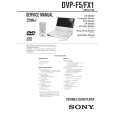
Inicio >> SONY >> DVP-FX1 Manual de Usuario
 
 18 artículo(s) en Su carrito 

SONY DVP-FX1
Manual de Usuario


¡Twitee acerca de este producto y obtenga $1.00 de crédito en la tienda para uso!
  • Descargable
  • Formato PDF
  • Manual completo
  • Idiomas: English
Precio: $4.99

Descripción del SONY DVP-FX1 Manual de Usuario

Manual del propietario completo en formato digital. El manual estará disponible para descarga como archivo PDF después de que lo compre.

El Manual del Propietario (a veces llamado Manual del Usuario o Guía del Usuario) contiene información sobre cómo utilizar su dispositivo. Después de colocar la orden le enviaremos las instrucciones de descarga a su dirección de e-mail.

The manual is available in languages: English

Not yet ready
You must purchase it first

Opiniones de los clientes
No hay comentarios de productos.

TEXT_PDF_SNIPPET
Using the DVD�s Menu
Some DVDs have a title menu or a DVD menu that is provided with DVDs only.

Using the title menu
A DVD is divided into long sections of a picture or a music feature called �titles.� When you play a DVD which contains several titles, you can select the title you want using the title menu.

TITLE ?/>/.// /ENTER

Playing discs

?/>/.///ENTER TITLE

1 2 3

Press TITLE. The title menu appears on the screen. The contents of the menu vary from disc to disc. Press </M/m/, to select the title you want to play. Depending on the disc, you can use the number buttons to select the title. Press ENTER. The player starts playing the selected title.

Notes � On some DVDs, you may not be able to select the title. � On some DVDs, a �title menu� may simply be called a �menu� or �title � in the instructions supplied with the disc. �Press ENTER.� may also be expressed as �Press SELECT.�

Playing discs

37

Quizás también quiera comprar

$4.99

DVPFX1 SONY
Manual de Servicio

Manual de servicio completo en formato digital (archivo PDF). Los manuales de servicio por lo genera…
>
Parse Time: 1.227 - Number of Queries: 169 - Query Time: 0.747