C8760 Quantity: 1
$4.99
» View Details
16413 Quantity: 1
$4.99
» View Details
CDR26 Quantity: 1
$4.99
» View Details
NO320S Quantity: 1
$4.99
» View Details
KEHP4110 EE Quantity: 1
$4.99
» View Details
TS-G671M/XL/UC Quantity: 1
$4.99
» View Details
79RC189/00 Quantity: 1
$4.99
» View Details
SPECTRA PORTABLE 4.215 Quantity: 1
$4.99
» View Details
AVR-4306 Quantity: 1
$4.99
» View Details
AC1504XS0 Quantity: 1
$4.99
» View Details
WA 4141 P Quantity: 1
$4.99
» View Details
KEBC177KBU03 Quantity: 1
$4.99
» View Details
MED5805TW1 Quantity: 1
$4.99
» View Details
EL11PCXMWR0 Quantity: 1
$4.99
» View Details
CM625ET302 Quantity: 1
$4.99
» View Details
AWT 2079 Quantity: 1
$4.99
» View Details
RXM70 Quantity: 1
$4.99
» View Details
LGR5434AW0 Quantity: 1
$4.99
» View Details
REL4632BQ0 Quantity: 1
$4.99
» View Details
TC2185DRS Quantity: 1
$4.99
» View Details
KEWD175HBT0 Quantity: 1
$4.99
» View Details
GW395LEPQ03 Quantity: 1
$4.99
» View Details
TX25MK1L Quantity: 1
$4.99
» View Details
LST7233AN1 Quantity: 1
$4.99
» View Details
900 150 83 Quantity: 1
$4.99
» View Details
RH4736XDB2 Quantity: 1
$4.99
» View Details
CA18WC00 Quantity: 1
$4.99
» View Details
ET1FTKXKT05 Quantity: 1
$4.99
» View Details
KGCT365XWH0 Quantity: 1
$4.99
» View Details
RF378PXGZ0 Quantity: 1
$4.99
» View Details
FL1004H Quantity: 1
$4.99
» View Details
1SF034PEW1 Quantity: 1
$4.99
» View Details
27KS180 Quantity: 1
$4.99
» View Details
458.501 4/30455 Quantity: 1
$4.99
» View Details
THA75R Quantity: 1
$4.99
» View Details
VX971 Quantity: 1
$4.99
» View Details
SSCR250H Quantity: 1
$4.99
» View Details
GM-D7400M/XS/ES Quantity: 1
$4.99
» View Details
WDT1065A Quantity: 1
$4.99
» View Details
MW C40 B Quantity: 1
$4.99
» View Details
55FD9955 Quantity: 1
$4.99
» View Details
6LBR7255AQ0 Quantity: 1
$4.99
» View Details
KRC480 Quantity: 1
$4.99
» View Details
LAV86760 Quantity: 1
$4.99
» View Details
107E61/27 Quantity: 1
$4.99
» View Details
Santo 3542 KG Glassline Quantity: 1
$4.99
» View Details
LT-23C50SU/Z Quantity: 1
$4.99
» View Details
KPAH2C Quantity: 1
$4.99
» View Details
WELTSUPER 59 Quantity: 1
$4.99
» View Details
NP6450 Quantity: 1
$4.99
» View Details
Subtotal: $249.50
 
English Polski Spanish 
Buscar un manual
 

(p.Ej. AA-V20EG JVC, ZX-7 Sony)
PayPal 1000+ rating Secure, Encrypted Checkout.
 
Productos
Información
Destacado
Inicio >> PHILIPS >> DVD625/001 Manual de Servicio
 
 50 artículo(s) en Su carrito 

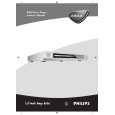
PHILIPS DVD625/001
Manual de Servicio


¡Twitee acerca de este producto y obtenga $1.00 de crédito en la tienda para uso!
  • Contiene diagramas del circuito
  • Descargable
  • Formato PDF
  • Manual completo
  • Idiomas: English
Precio: $4.99

Descripción del PHILIPS DVD625/001 Manual de Servicio

Manual de servicio completo en formato digital (archivo PDF). Los manuales de servicio por lo general contienen diagramas de circuitos, tarjetas de circuitos impresos, consejos para reparación, diagramas de cableado, diagramas de bloque y lista de refacciones. El Manual de Servicio (a veces llamado Manual de Reparación) es usado principalmente por los técnicos.

Si tan solo quiere saber cómo utilizar su televisión, reproductor de vídeo, reproductor de mp3, etc. Quizá lo que necesita es el Manual del Propietario. Después de colocar la orden le enviaremos las instrucciones de descarga a su dirección de e-mail.

The manual is available in languages: English

Not yet ready
You must purchase it first

Opiniones de los clientes
No hay comentarios de productos.

TEXT_PDF_SNIPPET
EN 4 2.3
2.3.1

2.

DVD625 /0x1

Safety Instructions, Warnings, Notes, and Service Hints
Important note: Do not power off or interrupt the mains during the upgrading else the player's flash memory will be erased. 2.3.4 Verify setting To check that the setting has change successfully. 1. Press �DISPLAY� button on the remote control while disc tray is open. 2. Two lines text will appear on the TV screen. That is how it looks like. SD542PH-030219-728-001N SERVO:001FC72 REG:2 In text, the following numbers refer to: SD542PH-030219 REG 2 SERVO:001FC72 625-001N ==> refer to Application software version ==>refer to region code ==> refer to servo software version ==> refer to setup configuration of a type number,eg. DVD625/001

Service Hints
Repair tips Switched mode power supply The power supply unit has to be replaced in case of failure. The schematic diagram provided in the service manual is only for information and no service parts will be available. DVD Loader The DVD Loader is a non-repairable unit and in case of failure, it has to be replaced with a complete DVD Loader. Mpeg board and Front Display The Mpeg board and Front display has to be repaired down to component level.

2.3.2

Change of Software setting The software setting can be change according to the following procedure: 1. Press �OPEN/CLOSE� button on the front of the player to open the disc tray. 2. Enter the 4-digit code <9> <9> <9> <9> on the remote control. 3. Enter one of the keys below to change the software setting. REGION CODE USA ==> 1 EUROPE ==> 2 AP ==> 3 LATAM ==> 4 INDIA / RUSSIA ==> 5 CHINA ==> 6 SUBTITLE 7:Set to setup configuration of DVD625 / 001 SUBTITLE 7:Set to setup configuration of DVD625 / 021 SUBTITLE 7:Set to setup configuration of DVD625 / 051 4. The change should effect immediately with information indicated on TV screen. Note: When changing the setup configuration, the change will take immediate effect with the information indicated on the TV screen for a short period and the tray will close automatically and player will go to standby.

2.3.5

ComPair There is no ComPair available

2.4

Service Tools
� � Test discs � Audio signals disc Torx screwdrivers � Set (straight, T2 to T20 � Set (square, T10, T15, T20to T20 4822 397 30184 4822 395 50145 4822 395 50132

2.5

Revision Information
Service Manual Version Issue Date Revision Information : 1.0 : February 21, 2003 : N/A

2.3.3

Software upgrade via Download disc Both the application and servo software are delivered in one sw stack and it can be flashed into the DVD player by means of a CD-ROM disc. The CDROM disc has to be made with a CD writer SW. Note: 1. The file name used for writing on the CD-R/RW MUST be in UPPER-CASE.eg: SD542PH.BIN 2. For better and fast reading, add one big garbage file of 50100MB. Software upgrade procedure 1. Open disc tray on the player. 2. Insert the DOWNLOAD DISC into the player and close disc tray. 3. The upgrading operation will start automatically. 4. The VFD will display the upgrading progress, �ERASE...�->�WRITE F�-->...-->�WRITE 0�--> UPGRADE end or the LED will turn ON and OFF) 5. The upgrading will take approximately about 1 minute. 6. Once when the software is upgraded, the disc tray will automatically eject. 7. The player will be restarted automatically and display on VFD will show �NO DISC�.

Quizás también quiera comprar

$4.99

DVD625/001 PHILIPS
Manual de Usuario

Manual del propietario completo en formato digital. El manual estará disponible para descarga como …
>
Parse Time: 0.352 - Number of Queries: 283 - Query Time: 0.125