CY25D Quantity: 1
$4.99
» View Details
CS86MU Quantity: 1
$4.99
» View Details
WD-1390FHB Quantity: 1
$4.99
» View Details
CNB78 Quantity: 1
$4.99
» View Details
A440PV Quantity: 1
$4.99
» View Details
P1020 COMBI1000 Quantity: 1
$4.99
» View Details
TRKXXX Quantity: 1
$4.99
» View Details
KFP600ER0 Quantity: 1
$4.99
» View Details
RC8200XVN1 Quantity: 1
$4.99
» View Details
ARG 484/01/WP Quantity: 1
$4.99
» View Details
CDM40 Quantity: 1
$4.99
» View Details
SB-202 Quantity: 1
$4.99
» View Details
HR-VP655U Quantity: 1
$4.99
» View Details
AKP 120 IX Quantity: 1
$4.99
» View Details
KLV23M1 Quantity: 1
$4.99
» View Details
SM1000 Quantity: 1
$4.99
» View Details
NNS669BAS Quantity: 1
$4.99
» View Details
Subtotal: $84.83
 
English Polski Spanish 
Buscar un manual
 

(p.Ej. AA-V20EG JVC, ZX-7 Sony)
PayPal 1000+ rating Secure, Encrypted Checkout.
 
Productos
Información
Destacado
Inicio >> ONKYO >> DVCP500 Manual de Usuario
 
 17 artículo(s) en Su carrito 

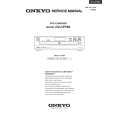
ONKYO DVCP500
Manual de Usuario


¡Twitee acerca de este producto y obtenga $1.00 de crédito en la tienda para uso!
  • Descargable
  • Formato PDF
  • Manual completo
  • Idiomas: English
Precio: $4.99

Descripción del ONKYO DVCP500 Manual de Usuario

Manual del propietario completo en formato digital. El manual estará disponible para descarga como archivo PDF después de que lo compre.

El Manual del Propietario (a veces llamado Manual del Usuario o Guía del Usuario) contiene información sobre cómo utilizar su dispositivo. Después de colocar la orden le enviaremos las instrucciones de descarga a su dirección de e-mail.

The manual is available in languages: English

Not yet ready
You must purchase it first

Opiniones de los clientes
No hay comentarios de productos.

TEXT_PDF_SNIPPET
DVD

VCD

CD

Customizing the Settings
When you insert a DVD-Video, Video CD, or CD, the various functions of the DVD Changer will be set (reset) according to the setting menu. You can customize this setting menu according to your preferences.

DVD

VCD

CD

Making Adjustments to Setting

1

Press MENU during stop mode.
Current setup menu display appears.

MENU

2

Press 5/� to select the item you want to change, then press ENTER.

2/3/5/� ENTER RETURN

«

Numeric buttons

CLEAR

3

Press 5/� to change the setting, then press ENTER.
Further steps may be needed depending on the item or setting. Follow the steps described in the explanation of each item starting from page 31.

«

4 5
30

Repeat steps 2 to 3 to change the setting of other items. Press MENU to turn off the setup menu display.

How to use RETURN
When RETURN is presseed, the display returns to the previous screen (stop mode).

Quizás también quiera comprar

$4.99

DVCP500 ONKYO
Manual de Servicio

Manual de servicio completo en formato digital (archivo PDF). Los manuales de servicio por lo genera…
>
Parse Time: 0.646 - Number of Queries: 168 - Query Time: 0.244