LEC6848AQ0 Quantity: 1
$4.99
» View Details
SAAX610 Quantity: 1
$4.99
» View Details
CDX-GT44IP Quantity: 1
$4.99
» View Details
DEH-1350/XN/ES Quantity: 1
$4.99
» View Details
RXD-501E Quantity: 1
$4.99
» View Details
KV29FX65K/B/E Quantity: 1
$4.99
» View Details
CDP-M47 Quantity: 1
$4.99
» View Details
MECHANIZM V95I Quantity: 1
$4.99
» View Details
SSC719B1 Quantity: 1
$4.99
» View Details
FKS63R Quantity: 1
$4.99
» View Details
CL767Y-031276715601 Quantity: 1
$4.99
» View Details
LA8200XWW0 Quantity: 1
$4.99
» View Details
GKMC SYMPHONY Quantity: 1
$4.99
» View Details
GY395LXGZ3 Quantity: 1
$4.99
» View Details
DPA 351/G Quantity: 1
$4.99
» View Details
KSRS27QGWH00 Quantity: 1
$4.99
» View Details
FAX1700L Quantity: 1
$4.99
» View Details
SON OF BERTHA Quantity: 1
$4.99
» View Details
SSD205 Quantity: 1
$4.99
» View Details
CW 496 Quantity: 1
$4.99
» View Details
ZOU652IW Quantity: 1
$4.99
» View Details
ZK 21/11 AGO Quantity: 1
$4.99
» View Details
DU9420XX0 Quantity: 1
$4.99
» View Details
SXC1700Y Quantity: 1
$4.99
» View Details
DD-1030 Quantity: 1
$4.99
» View Details
KSRB25FHBL02 Quantity: 1
$4.99
» View Details
KEH2530R Quantity: 1
$4.99
» View Details
BX-120G Quantity: 1
$4.99
» View Details
CVPD50 Quantity: 1
$4.99
» View Details
EK 5460-1 Quantity: 1
$4.99
» View Details
ARC 4218/AL/A+ Quantity: 1
$4.99
» View Details
KTRS22MABL01 Quantity: 1
$4.99
» View Details
KAC528 Quantity: 1
$4.99
» View Details
HQ2061QH Quantity: 1
$4.99
» View Details
HP4825 Quantity: 1
$4.99
» View Details
SDV55HTSU Quantity: 1
$4.99
» View Details
AZ3011/00 Quantity: 1
$4.99
» View Details
TK PRIMELINE 98B DI BK Quantity: 1
$4.99
» View Details
54332820 Quantity: 1
$4.99
» View Details
PV-D4745S Quantity: 1
$4.99
» View Details
KSRT25CRMS01 Quantity: 1
$4.99
» View Details
KEHP5400R X1MA/EW Quantity: 1
$4.99
» View Details
PDZ82M(KU) Quantity: 1
$4.99
» View Details
RT18DKXWG00 Quantity: 1
$4.99
» View Details
V1300Z/E/EV Quantity: 1
$4.99
» View Details
W-350 Quantity: 1
$4.99
» View Details
ARC 3640 Quantity: 1
$4.99
» View Details
Subtotal: $234.53
 
English Polski Spanish 
Buscar un manual
 

(p.Ej. AA-V20EG JVC, ZX-7 Sony)
PayPal 1000+ rating Secure, Encrypted Checkout.
 
Productos
Información
Destacado
Inicio >> SONY >> DSCP31 Manual de Servicio
 
 47 artículo(s) en Su carrito 

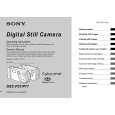
SONY DSCP31
Manual de Servicio


¡Twitee acerca de este producto y obtenga $1.00 de crédito en la tienda para uso!
  • Contiene diagramas del circuito
  • Descargable
  • Formato PDF
  • Manual completo
  • Idiomas: English
Precio: $4.99

Descripción del SONY DSCP31 Manual de Servicio

Manual de servicio completo en formato digital (archivo PDF). Los manuales de servicio por lo general contienen diagramas de circuitos, tarjetas de circuitos impresos, consejos para reparación, diagramas de cableado, diagramas de bloque y lista de refacciones. El Manual de Servicio (a veces llamado Manual de Reparación) es usado principalmente por los técnicos.

Si tan solo quiere saber cómo utilizar su televisión, reproductor de vídeo, reproductor de mp3, etc. Quizá lo que necesita es el Manual del Propietario. Después de colocar la orden le enviaremos las instrucciones de descarga a su dirección de e-mail.

The manual is available in languages: English

Not yet ready
You must purchase it first

Opiniones de los clientes
No hay comentarios de productos.

TEXT_PDF_SNIPPET
DSC-P31/P31M

f To protect other images, repeat Step 5. g Press the MENU button.
The menu appears.

To protect all of your images
In Step 4 select �ALL�, and press the center z. Then select �ON�, and press the center z.

For Index (3 images) screen a Turn the mode dial to , press the W zoom button twice, the Index (3 images) screen appears. b Move the image you want to protect to the center using b/ B, and press the center z. c Press the MENU button.
The menu appears

h Select �OK� using the B, then press the center z.
The selected image will be protected.

To remove protection from all of your images
In Step 4 select �ALL�, and press the center z. Then select �OFF�, and press the center z.

To end the protection operation
Select �CANCEL� in Step 4 or select �EXIT� in Step 8, then press the center z

To cancel protection of a protected image
In Step 5, using the control button, select an image for which you want to cancel protection, and press the center z. Repeat this operation for all of the images for which you want to cancel protection. Then, press the MENU button, select �OK�, and press the center z.

d Select �PROTECT� using v/V, and press the center z.
The center image is protected, and a - (Protect) mark will be attached to that image.

PROTECT DELETE

PRINT

� OK

100-0005

2002 7 4 10:30PM

e To protect other images, move the image you want to protect to the center using b/B, and repeat Step 4.

70

To remove protection from previously protected images
In Step 4, select the image from which you want to remove protection, and press the center z. To remove protection from all of your images, repeat this process for each of them.

c Press the MENU button.

Changing image size
� Resize Mode dial setting:
You can change the size of your images, and record them as new files. You can change your images to the following sizes. 2048�1536 (DSC-P71 only), 1600�1200, 1280�960, 640�480 After the resizing is finished, the original image is retained.
Control button MENU button Mode dial

The menu appears

d Select �RESIZE� using b/B, then press the center z. e Using v/V, select the new size, then press the center z.
The resized image is recorded as the newest file.

Still image editting

To stop the resizing process
In Step 5, select �CANCEL�, then press the center z.
� Movies (MPEG MOVIE)/Clip Motion/Multi Burst images cannot be resized. � When images are resized from a smaller to a larger size, the image quality will deteriorate. � 3:2-sized images cannot be resized. � If you try to resize a 3:2-sized image, black bands will appear at the top and bottom of the image.

a Turn the mode dial to

.

b Select the image for which the size is to be changed using b/ B.

71

1-33

Quizás también quiera comprar

$4.99

DSCP31 SONY
Manual de Usuario

Manual del propietario completo en formato digital. El manual estará disponible para descarga como …
>
Parse Time: 0.391 - Number of Queries: 275 - Query Time: 0.126