BRILLANT-MONO/VDE 821/22 Quantity: 1
$4.99
» View Details
530ED Quantity: 1
$4.99
» View Details
SSRS270 Quantity: 1
$4.99
» View Details
KA-7700D Quantity: 1
$4.99
» View Details
SSMS445 Quantity: 1
$4.99
» View Details
HRJ781AM/EA Quantity: 1
$4.99
» View Details
SRS-PC50 Quantity: 1
$4.99
» View Details
GGW9868KQ2 Quantity: 1
$4.99
» View Details
KI-14U71XX Quantity: 1
$4.99
» View Details
7210 Quantity: 1
$4.99
» View Details
ET16JMYSM00 Quantity: 1
$4.99
» View Details
KUWO24RSBX00 Quantity: 1
$4.99
» View Details
DPS8.3 Quantity: 1
$4.99
» View Details
AL-1551 Quantity: 1
$4.99
» View Details
LA7005XPW1 Quantity: 1
$4.99
» View Details
XV-DV252/LFXJ Quantity: 1
$4.99
» View Details
EHE362 Quantity: 1
$4.99
» View Details
MB-CP11 Quantity: 1
$4.99
» View Details
11AK16 Quantity: 1
$4.99
» View Details
SL-CT500GT Quantity: 1
$4.99
» View Details
KPES43MG1 Quantity: 1
$4.99
» View Details
TD6120/GH081P Quantity: 1
$4.99
» View Details
KXT2727BS Quantity: 1
$4.99
» View Details
LA6040XTN1 Quantity: 1
$4.99
» View Details
LEB6000KQ1 Quantity: 1
$4.99
» View Details
VSX-517-S Quantity: 1
$4.99
» View Details
L100 Quantity: 1
$4.99
» View Details
KD-AVX1EE Quantity: 1
$4.99
» View Details
32A62 Quantity: 1
$4.99
» View Details
A08 Quantity: 1
$4.99
» View Details
SSRG40 Quantity: 1
$4.99
» View Details
EK716 Quantity: 1
$4.99
» View Details
NN5406L Quantity: 1
$4.99
» View Details
CT8998/AGCCANCN Quantity: 1
$4.99
» View Details
SR6400 Quantity: 1
$4.99
» View Details
RGL4632BL0 Quantity: 1
$4.99
» View Details
SVO9500MD TEIL 2 Quantity: 1
$4.99
» View Details
KVM2541D Quantity: 1
$4.99
» View Details
LS50 Quantity: 1
$4.99
» View Details
050.510 7 Quantity: 1
$4.99
» View Details
EMZH 5862 IN Quantity: 1
$4.99
» View Details
AWT1012AA Quantity: 1
$4.99
» View Details
Subtotal: $209.58
 
English Polski Spanish 
Buscar un manual
 

(p.Ej. AA-V20EG JVC, ZX-7 Sony)
PayPal 1000+ rating Secure, Encrypted Checkout.
 
Productos
Información
Destacado
Inicio >> SONY >> DSCP10 Manual de Servicio
 
 42 artículo(s) en Su carrito 

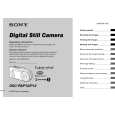
SONY DSCP10
Manual de Servicio


¡Twitee acerca de este producto y obtenga $1.00 de crédito en la tienda para uso!
  • Contiene diagramas del circuito
  • Descargable
  • Formato PDF
  • Manual completo
  • Idiomas: English
Precio: $4.99

Descripción del SONY DSCP10 Manual de Servicio

Manual de servicio completo en formato digital (archivo PDF). Los manuales de servicio por lo general contienen diagramas de circuitos, tarjetas de circuitos impresos, consejos para reparación, diagramas de cableado, diagramas de bloque y lista de refacciones. El Manual de Servicio (a veces llamado Manual de Reparación) es usado principalmente por los técnicos.

Si tan solo quiere saber cómo utilizar su televisión, reproductor de vídeo, reproductor de mp3, etc. Quizá lo que necesita es el Manual del Propietario. Después de colocar la orden le enviaremos las instrucciones de descarga a su dirección de e-mail.

The manual is available in languages: English

Not yet ready
You must purchase it first

Opiniones de los clientes
No hay comentarios de productos.

TEXT_PDF_SNIPPET
Shooting multiple frames
� Clip Motion
Mode dial:
You can shoot a number of consecutive still images (GIF animation). The GIF format has a small file size, making it convenient for creating home pages or attaching images to e-mail.
� Due to the limitations of the GIF format, the number of colors for Clip Motion images is reduced to 256 colors or less. Therefore, the image quality may deteriorate for some images.

Before operation

Set [Moving Image] to [Clip Motion] in the SET UP settings (pages 39 and 104).

e Shoot the image for the next frame.
Press the shutter button to shoot the next frame, then repeat this operation until you have shot the desired number of frames.

Control button Mode dial Shutter

f Press z.
All the frame images are recorded on the �Memory Stick.�

To delete images before finishing the Clip Motion recording
a Set the mode dial to b Press .
1 Press b (7) in step 4 or 5. The frame images you shot are played back in turn and stop at the last image. 2 Press (Delete), and select [Delete Last], or [Delete All] with b/B, then press z. 3 Select [Delete] with v, then press z. When [Delete Last] is selected in step 2, each time you repeat steps 1 through 3, the last frame you shot is deleted.

Advanced still image shooting

Normal (160�120)

(Image Size).

Clip Motion of up to 10 frames can be recorded. This is suitable for use on home pages, etc.
Mobile (120�108)

The menu appears.

c Select the desired mode with v/V.
You can select from [Normal] or [Mobile].

Clip Motion of up to two frames can be recorded. This is suitable for use with portable data terminals.
� The file size is reduced in Mobile mode, so the image quality deteriorates.

d Shoot the image for the first frame.

Making"Clip Motion"

51

Quizás también quiera comprar

$4.99

DSC-P10 SONY
Manual de Usuario

Manual del propietario completo en formato digital. El manual estará disponible para descarga como …
>
Parse Time: 0.419 - Number of Queries: 259 - Query Time: 0.16