FT7127A Quantity: 1
$4.99
» View Details
CFVEB271W Quantity: 1
$4.99
» View Details
1401T Quantity: 1
$4.99
» View Details
SF313PEPT0 Quantity: 1
$4.99
» View Details
LAV635WEU Quantity: 1
$4.99
» View Details
DV-266-S Quantity: 1
$4.99
» View Details
GR-FXM106S Quantity: 1
$4.99
» View Details
RS363BXTT2 Quantity: 1
$4.99
» View Details
AD29A Quantity: 1
$4.99
» View Details
VSX-D1011-G/NKXJI Quantity: 1
$4.99
» View Details
CFD555L Quantity: 1
$4.99
» View Details
HP3136 Quantity: 1
$4.99
» View Details
CQDP930EUC Quantity: 1
$4.99
» View Details
ARA8653 Quantity: 1
$4.99
» View Details
ED25RQXYW00 Quantity: 1
$4.99
» View Details
ADP 9628 BLM Quantity: 1
$4.99
» View Details
KXHCM10AL Quantity: 1
$4.99
» View Details
KSSP42QJS00 Quantity: 1
$4.99
» View Details
HSGM700MK3 Y1/Y1 Quantity: 1
$4.99
» View Details
Subtotal: $94.81
 
English Polski Spanish 
Buscar un manual
 

(p.Ej. AA-V20EG JVC, ZX-7 Sony)
PayPal 1000+ rating Secure, Encrypted Checkout.
 
Productos
Información
Destacado
Inicio >> SONY >> DSC-F505V Manual de Usuario
 
 19 artículo(s) en Su carrito 

SONY DSC-F505V
Manual de Usuario


¡Twitee acerca de este producto y obtenga $1.00 de crédito en la tienda para uso!
  • Descargable
  • Formato PDF
  • Manual completo
  • Idiomas: English, Spanish, Portuguese
Precio: $4.99

Descripción del SONY DSC-F505V Manual de Usuario

Manual del propietario completo en formato digital. El manual estará disponible para descarga como archivo PDF después de que lo compre.

El Manual del Propietario (a veces llamado Manual del Usuario o Guía del Usuario) contiene información sobre cómo utilizar su dispositivo. Después de colocar la orden le enviaremos las instrucciones de descarga a su dirección de e-mail.

The manual is available in languages: English, Spanish, Portuguese

Not yet ready
You must purchase it first

Opiniones de los clientes
No hay comentarios de productos.

TEXT_PDF_SNIPPET
5

Click [Next] if the displayed destination folder is acceptable. If you want to change the destination folder, click [Browse], change the destination folder, and then click [Next]. The Setup Type dialog box appears.

6

Click [Next] if you want to perform the Standard setup. To change the setup type, click either [Compact] or [Custom], and then click [Next]. � Standard: the PictureGear programme and sample data are installed. � Compact: only the PictureGear programme is installed. � Custom: either the PictureGear programme or sample data can be selected to be installed. PNote
Some of the still picture samples can be installed only by selecting Custom setup type.

PictureGear 3.2 Lite

The Select Program Folder dialog box appears.

7

Click [Next] if the displayed program folder name is acceptable. If you want to change the program folder name, enter the new name for the folder, and click [Next]. The required files are copied from the CD-ROM to the hard disk.

(Continued on the following page)

75-GB

Quizás también quiera comprar

$4.99

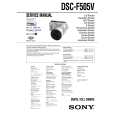
DSCF505V SONY
Manual de Servicio

Manual de servicio completo en formato digital (archivo PDF). Los manuales de servicio por lo genera…
>
Parse Time: 0.502 - Number of Queries: 169 - Query Time: 0.264