MMV1153BAW Quantity: 1
$4.99
» View Details
TCA6301UC Quantity: 1
$4.99
» View Details
CDPX555ES Quantity: 1
$4.99
» View Details
IEL8254-AL R05 VOSS/ Quantity: 1
$4.99
» View Details
DC-B87D1D Quantity: 1
$4.99
» View Details
SP-X7 Quantity: 1
$4.99
» View Details
RS20EKXFW00 Quantity: 1
$4.99
» View Details
XG3800E Quantity: 1
$4.99
» View Details
190CW7CS/93 Quantity: 1
$4.99
» View Details
ACQ102RA0 Quantity: 1
$4.99
» View Details
EMZD 5960 SW Quantity: 1
$4.99
» View Details
TV2005 Quantity: 1
$4.99
» View Details
OASIS 1000X1000 IX Quantity: 1
$4.99
» View Details
ET14EKXRWR0 Quantity: 1
$4.99
» View Details
Subtotal: $69.86
 
English Polski Spanish 
Buscar un manual
 

(p.Ej. AA-V20EG JVC, ZX-7 Sony)
PayPal 1000+ rating Secure, Encrypted Checkout.
 
Productos
Información
Destacado
Inicio >> PANASONIC >> DP-C354 Manual de Servicio
 
 14 artículo(s) en Su carrito 

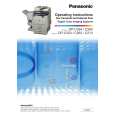
PANASONIC DP-C354
Manual de Servicio


¡Twitee acerca de este producto y obtenga $1.00 de crédito en la tienda para uso!
  • Contiene diagramas del circuito
  • Descargable
  • Formato PDF
  • Manual completo
  • Idiomas: English
Precio: $4.99

Descripción del PANASONIC DP-C354 Manual de Servicio

Manual de servicio completo en formato digital (archivo PDF). Los manuales de servicio por lo general contienen diagramas de circuitos, tarjetas de circuitos impresos, consejos para reparación, diagramas de cableado, diagramas de bloque y lista de refacciones. El Manual de Servicio (a veces llamado Manual de Reparación) es usado principalmente por los técnicos.

Si tan solo quiere saber cómo utilizar su televisión, reproductor de vídeo, reproductor de mp3, etc. Quizá lo que necesita es el Manual del Propietario. Después de colocar la orden le enviaremos las instrucciones de descarga a su dirección de e-mail.

The manual is available in languages: English

Not yet ready
You must purchase it first

Opiniones de los clientes
No hay comentarios de productos.

TEXT_PDF_SNIPPET
DP-C354/C323/C264/C263/C213 DP-C322/C262

(12) While holding the IT Unit on both sides, release the lock by pushing the lever to the right.

(13) Carefully pull the IT Unit (3420) out of the machine while holding it by both sides.

Caution: Pull the IT Unit out straight, and leveled (horizontal), or the IT Belt may get damaged, and the printing quality will be affected.

<Cleaning the Initial Point Sensor> (14) Clean the Initial Point Sensor with a dry cotton swab. Note: When cleaning, wipe the surface of the sensor with a dry cotton swab a few times as illustrated.

107
Ver. 2.0 SEPT 2006

Quizás también quiera comprar

$4.99

DPC354 PANASONIC
Manual de Usuario

Manual del propietario completo en formato digital. El manual estará disponible para descarga como …
>
Parse Time: 0.896 - Number of Queries: 156 - Query Time: 0.461