AV25K8 Quantity: 1
$4.99
» View Details
1001 KOREKTOR Quantity: 1
$4.99
» View Details
AFG 6516-B WP Quantity: 1
$4.99
» View Details
M6532CCW1C.CLAS.3+ Quantity: 1
$4.99
» View Details
AE12090C2D Quantity: 1
$4.99
» View Details
ADG 7580/1 FD Quantity: 1
$4.99
» View Details
ED19HKXRFR5 Quantity: 1
$4.99
» View Details
22GF303/00X Quantity: 1
$4.99
» View Details
ED25CQXHB02 Quantity: 1
$4.99
» View Details
KERC500YBL2 Quantity: 1
$4.99
» View Details
KHMS147HWH0 Quantity: 1
$4.99
» View Details
MCDZX710 Quantity: 1
$4.99
» View Details
VSH2050G Quantity: 1
$4.99
» View Details
ZC518/8R Quantity: 1
$4.99
» View Details
AIR-7 Quantity: 1
$4.99
» View Details
22K37 Quantity: 1
$4.99
» View Details
SSMS815 Quantity: 1
$4.99
» View Details
CTA1502R Quantity: 1
$4.99
» View Details
ARC 5764 Quantity: 1
$4.99
» View Details
KD-40R Quantity: 1
$4.99
» View Details
SECH570 Quantity: 1
$4.99
» View Details
IT14MZ Quantity: 1
$4.99
» View Details
026.193 3/4630 Quantity: 1
$4.99
» View Details
KFP750PK2 Quantity: 1
$4.99
» View Details
BYCA10WR42 Quantity: 1
$4.99
» View Details
HTP-3990/KUCXJ Quantity: 1
$4.99
» View Details
M100M Quantity: 1
$4.99
» View Details
R390HS Quantity: 1
$4.99
» View Details
32W35 Quantity: 1
$4.99
» View Details
AKZ 675 IX Quantity: 1
$4.99
» View Details
AG-2570 Quantity: 1
$4.99
» View Details
AKT 466/NB/01 Quantity: 1
$4.99
» View Details
TRKK PRESTIGE/1 Quantity: 1
$4.99
» View Details
HD7602A Quantity: 1
$4.99
» View Details
TP1322D Quantity: 1
$4.99
» View Details
GS2SHAXSQ00 Quantity: 1
$4.99
» View Details
KUIS185JBT0 Quantity: 1
$4.99
» View Details
92HS SPACE SYSTEM Quantity: 1
$4.99
» View Details
38010 Quantity: 1
$4.99
» View Details
CDI220/60 Quantity: 1
$4.99
» View Details
KUDB03CTBL0 Quantity: 1
$4.99
» View Details
ED2FHAXSQ01 Quantity: 1
$4.99
» View Details
RC8200XKS0 Quantity: 1
$4.99
» View Details
KC2150 Quantity: 1
$4.99
» View Details
KTRS22EMSS00 Quantity: 1
$4.99
» View Details
013.974 1 Quantity: 1
$4.99
» View Details
FAV65050I-A Quantity: 1
$4.99
» View Details
MC DUO 22 M - MB Quantity: 1
$4.99
» View Details
FUN 630 BR Quantity: 1
$4.99
» View Details
CHASSIS 815G Quantity: 1
$4.99
» View Details
109B40/00C Quantity: 1
$4.99
» View Details
FR-A220KLH Quantity: 1
$4.99
» View Details
XV-DV580/WYXJ5 Quantity: 1
$4.99
» View Details
Subtotal: $264.47
 
English Polski Spanish 
Buscar un manual
 

(p.Ej. AA-V20EG JVC, ZX-7 Sony)
PayPal 1000+ rating Secure, Encrypted Checkout.
 
Productos
Información
Destacado
Inicio >> PIONEER >> DEQ-P7050/ES9 Manual de Usuario
 
 53 artículo(s) en Su carrito 

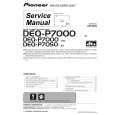
PIONEER DEQ-P7050/ES9
Manual de Usuario


¡Twitee acerca de este producto y obtenga $1.00 de crédito en la tienda para uso!
  • Descargable
  • Formato PDF
  • Manual completo
  • Idiomas: English, Chinese Traditional
Precio: $4.99

Descripción del PIONEER DEQ-P7050/ES9 Manual de Usuario

Manual del propietario completo en formato digital. El manual estará disponible para descarga como archivo PDF después de que lo compre.

El Manual del Propietario (a veces llamado Manual del Usuario o Guía del Usuario) contiene información sobre cómo utilizar su dispositivo. Después de colocar la orden le enviaremos las instrucciones de descarga a su dirección de e-mail.

The manual is available in languages: English, Chinese Traditional

Not yet ready
You must purchase it first

Opiniones de los clientes
No hay comentarios de productos.

TEXT_PDF_SNIPPET
Section

02

Audio Adjustments

2 Press 2 or 3 to select the speaker to be adjusted. Each press of 2 or 3 selects the speaker in the following order: Front speaker left�Center speaker�Front speaker right�Rear speaker right�Rear speaker left�Subwoofer � You cannot select speakers whose size is set OFF. 3 Press 5 or � to adjust the speaker output level. Each press of 5 or � increases or decreases the speaker output level. � +10 � �10 is displayed as the level is increased or decreased. 4 Press BAND/ESC to return to the playback display. Note � To adjust the speaker output levels at this mode is the same as making the speaker output levels at T Tone. Both provide the same results.

2 Press 3 to start the test tone output. The test tone is outputted. It rotates from speaker to speaker in the following sequence at intervals of about 2 seconds. The current settings for the speaker over which you hear the test tone are shown in the display. Front speaker left�Center speaker�Front speaker right�Rear speaker right�Rear speaker left�Subwoofer Check each speaker output level. If no adjustments are needed, perform step 4 to stop the test tone. � The settings do not appear for speakers whose size is set OFF. 3 Press 5 or � to adjust the speaker output level. Each press of 5 or � increases or decreases the speaker output level. � +10 � �10 is displayed as the level is increased or decreased. � The test tone rotates to the next speaker after about 2 seconds from the last operation. 4 Press 2 to stop the test tone output. 5 Press BAND/ESC to return to the playback display.

Adjusting the speaker output levels using a test tone
A convenient test tone allows you to easily get the overall balance right among the speakers. 1 Press AUDIO and hold until SP Set appears in the display, then press AUDIO to select T Tone. After SP Set is displayed, press AUDIO until T Tone appears in the display.

Notes � If needed, select speakers and adjust their �absolute� output levels, see Adjusting the speaker output levels on page 11. � To adjust the speaker output levels at this mode is the same as making the speaker output levels at SP Lev. Both provide the same results.

12

En

Quizás también quiera comprar

$4.99

DEQ-P7050/ES9 PIONEER
Manual de Servicio

Manual de servicio completo en formato digital (archivo PDF). Los manuales de servicio por lo genera…
>
Parse Time: 0.87 - Number of Queries: 299 - Query Time: 0.524