KVPG Quantity: 1
$4.99
» View Details
L40 Quantity: 1
$4.99
» View Details
FS400 Quantity: 1
$4.99
» View Details
GHE1000 Quantity: 1
$4.99
» View Details
DTD14D3 Quantity: 1
$4.99
» View Details
ZBQ365N Quantity: 1
$4.99
» View Details
32PW6304 Quantity: 1
$4.99
» View Details
25PT5105 Quantity: 1
$4.99
» View Details
GTQ200 Quantity: 1
$4.99
» View Details
197 Quantity: 1
$4.99
» View Details
GTO425 Quantity: 1
$4.99
» View Details
TI1KCENTER Quantity: 1
$4.99
» View Details
RS675PXYH0 Quantity: 1
$4.99
» View Details
DCS-240 Quantity: 1
$4.99
» View Details
GTO6537 Quantity: 1
$4.99
» View Details
BG40 Quantity: 1
$4.99
» View Details
CWXC120HU Quantity: 1
$4.99
» View Details
DVDA500 Quantity: 1
$4.99
» View Details
RTD19E0CAE Quantity: 1
$4.99
» View Details
FFH215 Quantity: 1
$4.99
» View Details
SE-E33-X2/XCN/EW Quantity: 1
$4.99
» View Details
220.094 7/8576 Quantity: 1
$4.99
» View Details
AWZ 2411 Quantity: 1
$4.99
» View Details
FE-DV25VE Quantity: 1
$4.99
» View Details
XV-S332SLA Quantity: 1
$4.99
» View Details
GSL9365EQ2 Quantity: 1
$4.99
» View Details
ELECTRAMAC 340 AUSTRALIA Quantity: 1
$4.99
» View Details
150N Quantity: 1
$4.99
» View Details
GTO420 Quantity: 1
$4.99
» View Details
TS25AGXNT01 Quantity: 1
$4.99
» View Details
L100CENTURY Quantity: 1
$4.99
» View Details
J1000MV Quantity: 1
$4.99
» View Details
FX-D400 Quantity: 1
$4.99
» View Details
RH330LD Quantity: 1
$4.99
» View Details
GT122D Quantity: 1
$4.99
» View Details
ST172205 Quantity: 1
$4.99
» View Details
RP4NR Quantity: 1
$4.99
» View Details
GS5SHAXNT01 Quantity: 1
$4.99
» View Details
ADN 242 Quantity: 1
$4.99
» View Details
AWZ 350 Quantity: 1
$4.99
» View Details
PDP-LX5090H/YSIXK7 Quantity: 1
$4.99
» View Details
21V33D Quantity: 1
$4.99
» View Details
AKR 920 AL Quantity: 1
$4.99
» View Details
AWZ 412 F Quantity: 1
$4.99
» View Details
VDR-M75PP Quantity: 1
$4.99
» View Details
AWZ 310 Quantity: 1
$4.99
» View Details
KSRB27QGSS01 Quantity: 1
$4.99
» View Details
GS2SHAXSB02 Quantity: 1
$4.99
» View Details
GS470LEMT0 Quantity: 1
$4.99
» View Details
VCLSW04 Quantity: 1
$4.99
» View Details
KSRD25FKBL16 Quantity: 1
$4.99
» View Details
SE-300 Quantity: 1
$4.99
» View Details
REL4634BW3 Quantity: 1
$4.99
» View Details
GTQ200 Quantity: 1
$4.99
» View Details
Subtotal: $269.46
 
English Polski Spanish 
Buscar un manual
 

(p.Ej. AA-V20EG JVC, ZX-7 Sony)
PayPal 1000+ rating Secure, Encrypted Checkout.
 
Productos
Información
Destacado
Inicio >> SONY >> DEJ360 Manual de Usuario
 
 54 artículo(s) en Su carrito 

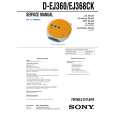
SONY DEJ360
Manual de Usuario


¡Twitee acerca de este producto y obtenga $1.00 de crédito en la tienda para uso!
  • Descargable
  • Formato PDF
  • Manual completo
  • Idiomas: English
Precio: $4.99

Descripción del SONY DEJ360 Manual de Usuario

Manual del propietario completo en formato digital. El manual estará disponible para descarga como archivo PDF después de que lo compre.

El Manual del Propietario (a veces llamado Manual del Usuario o Guía del Usuario) contiene información sobre cómo utilizar su dispositivo. Después de colocar la orden le enviaremos las instrucciones de descarga a su dirección de e-mail.

The manual is available in languages: English

Not yet ready
You must purchase it first

Opiniones de los clientes
No hay comentarios de productos.

TEXT_PDF_SNIPPET
To turn off the operation beep sound

On headphones/earphones Road safety
Do not use headphones/earphones while driving, cycling, or operating any motorized vehicle. It may create a traffic hazard and is illegal in some areas. It can also be potentially dangerous to play your headsets at high volume while walking, especially at pedestrian crossings. You should exercise extreme caution or discontinue use in potentially hazardous situations.

This warranty is valid only in the United States.

You can turn off the beep sound that is heard from your headphones/earphones when you operate your CD player.

1 Remove the power source (AC power adaptor, dry
batteries) from the CD player.

2 Connect the power source while pressing x. To turn on the beep sound
Remove the power source and then connect the power source without pressing x.

Preventing hearing damage
Avoid using headphones/earphones at high volume. Hearing experts advise against continuous, loud and extended play. If you experience a ringing in your ears, reduce volume or discontinue use.

Playing your favorite tracks by adding Bookmarks
(Bookmark track play)
You can add Bookmarks to up to 99 tracks for each CD. You can use this function for up to 5 CDs.

Consideration for others
Keep the volume at a moderate level. This will allow you to hear outside sounds and to be considerate to the people around you.

To add Bookmarks 1 During playback of the track where you want to add a
Bookmark, press and hold u until � (Bookmark)� flashes in the display. When the Bookmark has been added successfully, flashing of � � becomes slow. Repeat step 1 to add Bookmarks to the tracks you want.

Maintenance
To clean the casing
Use a soft cloth slightly moistened in water or a mild detergent solution. Do not use alcohol, benzine or thinner.

2

To clean the plugs
If the plugs become dirty, there is no audio or noise is heard. Clean them with a dry soft cloth periodically.

To listen to the tracks with Bookmarks 1 Press P MODE/ 2 Press u.
repeatedly until � � flashes.

Troubleshooting
Should any problem persist after you have made these checks, consult your nearest Sony dealer.

� � lights up in the display and the playback of the tracks with Bookmarks starts.

�Hold� appears in the display when you press a button, and the CD does not play.
c The buttons are locked. Slide HOLD back.

To remove the Bookmarks
hold u until �

During playback of the track with a Bookmark, press and � disappears from the display. �

The volume does not increase even if you press VOL + repeatedly.
c Press and hold SOUND until �AVLS� disappears from the display.

To check the tracks with Bookmarks
During playback of the tracks with Bookmarks, � keeps flashing slowly in the display.

Notes
� During playback of the tracks with Bookmarks, tracks are played in order of track number, and not in the order you added the Bookmarks. � If you try to add Bookmarks to the tracks on the 6th CD, the Bookmarks of the CD you played back first will be erased. � If you remove all power sources, all Bookmarks stored in memory will be erased.

The battery compartment lid is dettached by an accidental drop, excessive force, etc.
c Attach it as illustrated below.

Precautions
On safety
� Should any solid objects or liquid fall into the CD player, unplug it and have it checked by qualified personnel before operating it any further. � Do not put any foreign objects in the DC IN 4.5 V (external power input) jack.

Specifications
System
Compact disc digital audio system

Laser diode properties
Material: GaAlAs Wavelength: λ = 780 nm Emission duration: Continuous Laser output: Less than 44.6 µW (This output is the value measured at a distance of 200 mm from the objective lens surface on the optical pick-up block with 7 mm aperture.)

On power sources
� When you are not using the CD player for a long time, disconnect all power sources from the CD player.

On AC power adaptor
� Use only the AC power adaptor supplied. If your CD player is not supplied with the one, use the AC-E45HG AC power adaptor. Do not use any other AC power adaptor. It may cause a malfunction.

Power requirements
For the area code of the model you purchased, check the upper left side of the bar code on the package. � Two LR6 (size AA) batteries: 3 V DC � AC power adaptor (DC IN 4.5 V jack): U, U2, CA, CA2, E92, MX2, TW2 and CA2/C models: 120 V, 60 Hz CED, CED/4, CE7, CE7/C, EE, EE1, E, E13 and E13/2 models: 220 - 230 V, 50/60 Hz CEK model: 230 V, 50 Hz AU2 model: 240 V, 50 Hz EU8, EU8/C, JE.W, E18, KR4 and EE8 models: 100 - 240 V, 50/60 Hz HK4 model: 230 V, 50/60 Hz CNA model: 220 V, 50 Hz

Polarity of the plug

� Do not touch the AC power adaptor with wet hands. � Connect the AC power adaptor to an easily accessible AC outlet. Should you notice an abnormality in the AC power adaptor, disconnect it from the AC outlet immediately.

On dry batteries
� Do not throw the batteries into fire. � Do not carry the batteries with coins or other metallic objects. It can generate heat if the positive and negative terminals of the battery are accidentally contacted by a metallic object. � Do not mix new batteries with old ones. � Do not use different types of batteries together. � When the batteries are not to be used for a long time, remove them. � If battery leakage occurs, wipe off any deposit in the battery compartment, and install new batteries. In case the deposit adheres to you, wash it off thoroughly.

Dimensions (w/h/d) (without projecting parts and controls)
Approx. 136 � 26 � 150 mm (5 3�8 � 1 1�16 � 6 in.)

Mass (excluding accessories)
Approx. 185 g (6.6 oz)

Operating temperature
5°C - 35°C (41°F - 95°F) Design and specifications are subject to change without notice.

On the CD player
� Keep the lens on the CD player clean and do not touch it. If you do so, the lens may be damaged and the CD � � player will not operate properly. Do not put any heavy object on top of the CD player. The CD player and the CD may be damaged. Do not leave the CD player in a location near heat sources, or in a place subject to direct sunlight, excessive dust or sand, moisture, rain, mechanical shock, unleveled surface, or in a car with its windows closed. If the CD player causes interference to the radio or television reception, turn off the CD player or move it away from the radio or television. Discs with non-standard shapes (e.g., heart, square, star) cannot be played on this CD player. Attempting to do so may damage the CD player. Do not use such discs.

Supplied Accessories
D-EJ360: Headphones/earphones (1) D-EJ368CK*: AC power adaptor (1) Headphones/earphones (1) Car connecting pack (1) Car battery cord (1) Rotary commander (1) Velcro tape for the CD player (2) Velcro tape for the rotary commander (1) * �Operating Instructions for the car kit� is enclosed.

�

�

Quizás también quiera comprar

$4.99

DEJ360 SONY
Manual de Servicio

Manual de servicio completo en formato digital (archivo PDF). Los manuales de servicio por lo genera…
>
Parse Time: 0.431 - Number of Queries: 290 - Query Time: 0.134