LLR8233BN0 Quantity: 1
$4.99
» View Details
KEBS177DBL1 Quantity: 1
$4.99
» View Details
DU915QWDQ6 Quantity: 1
$4.99
» View Details
CDXP9176 Quantity: 1
$4.99
» View Details
KR-V7060 Quantity: 1
$4.99
» View Details
500 GORDOBEX Quantity: 1
$4.99
» View Details
DV-310-S/TLFXZT Quantity: 1
$4.99
» View Details
400 270 45 Quantity: 1
$4.99
» View Details
KEH-P4025/XM/ES Quantity: 1
$4.99
» View Details
PT200 CHASSIS Quantity: 1
$4.99
» View Details
CMSN50CDHBK Quantity: 1
$4.99
» View Details
LM-M530 Quantity: 1
$4.99
» View Details
A-P550 Quantity: 1
$4.99
» View Details
EV150FXKQ04 Quantity: 1
$4.99
» View Details
ARM451N Quantity: 1
$4.99
» View Details
GC1111/07 Quantity: 1
$4.99
» View Details
Subtotal: $79.84
 
English Polski Spanish 
Buscar un manual
 

(p.Ej. AA-V20EG JVC, ZX-7 Sony)
PayPal 1000+ rating Secure, Encrypted Checkout.
 
Productos
Información
Destacado
Inicio >> PIONEER >> DEH-3050UB/XN/ES Manual de Usuario
 
 16 artículo(s) en Su carrito 

PIONEER DEH-3050UB/XN/ES
Manual de Usuario


¡Twitee acerca de este producto y obtenga $1.00 de crédito en la tienda para uso!
  • Descargable
  • Formato PDF
  • Manual completo
  • Idiomas: English, Spanish, Portuguese, Arabic, Chinese Simplified
Precio: $4.99

Descripción del PIONEER DEH-3050UB/XN/ES Manual de Usuario

Manual del propietario completo en formato digital. El manual estará disponible para descarga como archivo PDF después de que lo compre.

El Manual del Propietario (a veces llamado Manual del Usuario o Guía del Usuario) contiene información sobre cómo utilizar su dispositivo. Después de colocar la orden le enviaremos las instrucciones de descarga a su dirección de e-mail.

The manual is available in languages: English, Spanish, Portuguese, Arabic, Chinese Simplified

Not yet ready
You must purchase it first

Opiniones de los clientes
No hay comentarios de productos.

TEXT_PDF_SNIPPET
Section

Before You Start
Removing the front panel
1 Press DETACH to release the front panel. 2 Grab the front panel and remove.

01 Use and care of the remote control
Installing the battery
Slide the tray on the back of the remote control out and insert the battery with the plus (+) and minus (�) poles aligned properly. ! When using for the first time, pull out the film protruding from the tray.

3 Put the front panel into the provided protective case for safe keeping.

Attaching the front panel
1 Slide the front panel to the left until it clicks. Front panel and the head unit are jointed on the left side. Make sure that the front panel has been jointed to the head unit.

WARNING
Keep the battery out of the reach of children. Should the battery be swallowed, consult a doctor immediately.

CAUTION
! Use one CR2025 (3 V) lithium battery. ! Remove the battery if the remote control is not used for a month or longer. ! There is a danger of explosion if the battery is incorrectly replaced. Replace only with the same or equivalent type. ! Do not handle the battery with metallic tools. ! Do not store the battery with metallic objects. ! If the battery leaks, wipe the remote control completely clean and install a new battery. ! When disposing of used batteries, comply with governmental regulations or environmental public institutions� rules that apply in your country/area.

2 Press the right side of the front panel until it is firmly seated.
# If you can�t attach the front panel to the head unit successfully, try again. Front panel may be damaged if you attach the front panel forcedly.

English
5

En

Quizás también quiera comprar

$4.99

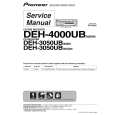
DEH-3050UB/XN/ES PIONEER
Manual de Servicio

Manual de servicio completo en formato digital (archivo PDF). Los manuales de servicio por lo genera…
>
Parse Time: 0.188 - Number of Queries: 154 - Query Time: 0.05