70DS05S Quantity: 1
$4.99
» View Details
RB100PXYB0 Quantity: 1
$4.99
» View Details
KT1050L Quantity: 1
$4.99
» View Details
SSCR400 Quantity: 1
$4.99
» View Details
UX-GD7EV Quantity: 1
$4.99
» View Details
DU7200XS2 Quantity: 1
$4.99
» View Details
RFSW200 Quantity: 1
$4.99
» View Details
WSP1210F Quantity: 1
$4.99
» View Details
KSM90PSGR0 Quantity: 1
$4.99
» View Details
CU-V170U Quantity: 1
$4.99
» View Details
XRM78 Quantity: 1
$4.99
» View Details
D8134/05 Quantity: 1
$4.99
» View Details
KRA 2000/1 Quantity: 1
$4.99
» View Details
LEQ9557KT0 Quantity: 1
$4.99
» View Details
Subtotal: $69.86
 
English Polski Spanish 
Buscar un manual
 

(p.Ej. AA-V20EG JVC, ZX-7 Sony)
PayPal 1000+ rating Secure, Encrypted Checkout.
 
Productos
Información
Destacado
Inicio >> JBL >> CVSUB50 Manual de Servicio
 
 14 artículo(s) en Su carrito 

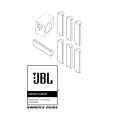
JBL CVSUB50
Manual de Servicio


¡Twitee acerca de este producto y obtenga $1.00 de crédito en la tienda para uso!
  • Contiene diagramas del circuito
  • Descargable
  • Formato PDF
  • Manual completo
  • Idiomas: English
Precio: $4.99

Descripción del JBL CVSUB50 Manual de Servicio

Manual de servicio completo en formato digital (archivo PDF). Los manuales de servicio por lo general contienen diagramas de circuitos, tarjetas de circuitos impresos, consejos para reparación, diagramas de cableado, diagramas de bloque y lista de refacciones. El Manual de Servicio (a veces llamado Manual de Reparación) es usado principalmente por los técnicos.

Si tan solo quiere saber cómo utilizar su televisión, reproductor de vídeo, reproductor de mp3, etc. Quizá lo que necesita es el Manual del Propietario. Después de colocar la orden le enviaremos las instrucciones de descarga a su dirección de e-mail.

The manual is available in languages: English

Not yet ready
You must purchase it first

Opiniones de los clientes
No hay comentarios de productos.

TEXT_PDF_SNIPPET
CVSUB50 SUBWOOFER OPERATION
Press the Master Power switch (marked �Power� å) in to the On position to use the subwoofer. The CVSUB50 subwoofer will automatically turn on or go into standby (sleep) mode as described below. When your receiver or amplifier is off, or is not sending program material to the subwoofer, the subwoofer will be in standby mode (LED on front of CVSUB50 will be red). When the subwoofer senses an audio signal, it will automatically turn on (LED will be green). If the subwoofer does not sense a signal after approximately 20 minutes, it will automatically go into standby mode. If you will be away from home for an extended period of time, or if the subwoofer will not be used, switch the Master Power switch å to the Off position by pressing it until it pops out.

ç �

Ã¥

VOLUME
Subwoofer Level

MIN

MAX

The Phase Control determines whether the subwoofer�s piston-like action moves in and out in phase with the main speakers or opposite the main speakers. There is no correct or incorrect setting. Proper phase adjustment depends on several variables, such as subwoofer placement and listener position. Adjust the Phase Switch ç to maximize bass output at the listening position. Remember, every system, room and listener is different. There are no right or wrong settings; this switch offers the added flexibility to

adjust your subwoofer for optimum performance for your specific listening conditions without having to move your speakers. If at some time in the future you happen to rearrange your listening room and move your speakers, you should experiment with the phase switch in both positions, and leave it in the position that maximizes bass performance.

Subwoofer Level

MIN

MAX

Volume may be adjusted using the Subwoofer Level control � as shown.

10

4

Quizás también quiera comprar

$4.99

CVSUB50 JBL
Manual de Usuario

Manual del propietario completo en formato digital. El manual estará disponible para descarga como …
>
Parse Time: 0.373 - Number of Queries: 153 - Query Time: 0.141