90AS390/50 Quantity: 1
$4.99
» View Details
EGZ 3402-1SW Quantity: 1
$4.99
» View Details
27A-0828WLB Quantity: 1
$4.99
» View Details
PJC7FS/FL Quantity: 1
$4.99
» View Details
T51240ACTI Quantity: 1
$4.99
» View Details
PRG40B-2 Quantity: 1
$4.99
» View Details
B8182-C9964 Quantity: 1
$4.99
» View Details
GTA 3001 Quantity: 1
$4.99
» View Details
KG 32 WS/2 Quantity: 1
$4.99
» View Details
ET20DKXTF10 Quantity: 1
$4.99
» View Details
WAT PRIMEL.92DI Quantity: 1
$4.99
» View Details
ET2WTKXLQ01 Quantity: 1
$4.99
» View Details
CFP240DS Quantity: 1
$4.99
» View Details
ASF1652 Quantity: 1
$4.99
» View Details
ST600 Quantity: 1
$4.99
» View Details
CQC7103U Quantity: 1
$4.99
» View Details
DUC600XTPQ3 Quantity: 1
$4.99
» View Details
32PW6305/01 Quantity: 1
$4.99
» View Details
ET1PHKXPQ05 Quantity: 1
$4.99
» View Details
250R Quantity: 1
$4.99
» View Details
MCM760/37B Quantity: 1
$4.99
» View Details
KX-TC1226TWF Quantity: 1
$4.99
» View Details
ED2NHAXNQ01 Quantity: 1
$4.99
» View Details
X-911 Quantity: 1
$4.99
» View Details
AJ3010/19 Quantity: 1
$4.99
» View Details
N4414 Quantity: 1
$4.99
» View Details
GSIS 6325 WS Quantity: 1
$4.99
» View Details
CTV5653 SP55 STEREO COLOR Quantity: 1
$4.99
» View Details
BDP-LX70A/TL Quantity: 1
$4.99
» View Details
MODENA CD50 Quantity: 1
$4.99
» View Details
GSBETA2000S Quantity: 1
$4.99
» View Details
UF315 SUPPLEMENT Quantity: 1
$4.99
» View Details
WATE 9385 Quantity: 1
$4.99
» View Details
CM6478W1 Quantity: 1
$4.99
» View Details
CT-2707DUF Quantity: 1
$4.99
» View Details
RTT1191A Quantity: 1
$4.99
» View Details
VGC-RA104 VAIO Quantity: 1
$4.99
» View Details
Z835 Quantity: 1
$4.99
» View Details
7803BEOVISION Quantity: 1
$4.99
» View Details
WV-7320 Quantity: 1
$4.99
» View Details
CX7000W Quantity: 1
$4.99
» View Details
BEOCORD 1100 Quantity: 1
$4.99
» View Details
KRI 1800/A Quantity: 1
$4.99
» View Details
Subtotal: $214.57
 
English Polski Spanish 
Buscar un manual
 

(p.Ej. AA-V20EG JVC, ZX-7 Sony)
PayPal 1000+ rating Secure, Encrypted Checkout.
 
Productos
Información
Destacado
Inicio >> SONY >> CPDM151 Manual de Servicio
 
 43 artículo(s) en Su carrito 

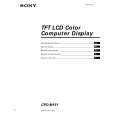
SONY CPDM151
Manual de Servicio


¡Twitee acerca de este producto y obtenga $1.00 de crédito en la tienda para uso!
  • Contiene diagramas del circuito
  • Descargable
  • Formato PDF
  • Manual completo
  • Idiomas: English
Precio: $4.99

Descripción del SONY CPDM151 Manual de Servicio

Manual de servicio completo en formato digital (archivo PDF). Los manuales de servicio por lo general contienen diagramas de circuitos, tarjetas de circuitos impresos, consejos para reparación, diagramas de cableado, diagramas de bloque y lista de refacciones. El Manual de Servicio (a veces llamado Manual de Reparación) es usado principalmente por los técnicos.

Si tan solo quiere saber cómo utilizar su televisión, reproductor de vídeo, reproductor de mp3, etc. Quizá lo que necesita es el Manual del Propietario. Después de colocar la orden le enviaremos las instrucciones de descarga a su dirección de e-mail.

The manual is available in languages: English

Not yet ready
You must purchase it first

Opiniones de los clientes
No hay comentarios de productos.

TEXT_PDF_SNIPPET
Getting Started Step 3: Attaching the rear cover
After connecting the computer and power cord, attach the supplied rear cover. Make sure that you keep the screen upright when attaching or detaching the rear cover.

Getting Started Getting Started 3
Turn the screw to fasten the rear cover.

3

Connect the video signal cable and AC adapter cord to the monitor.

6

Turn the screw to fasten the rear cover.

1

Clamp the AC adapter cord.
Align the marking tape of the AC adapter cord to the clamp, wind it once and close the clamp.

4

Clamp the AC adapter cord.
Align the marking tape of the AC adapter cord to the clamp, wind it once and close the clamp. Unlocked Locked

Unlocked Clamp Marking tape of the AC adapter cord

Locked

GB F D ES I

7 Using the monitor without the stand
Prepare: Philip�s screw driver Soft cloth to place under the LCD panel
Clamp Marking tape of the AC adapter cord

Attach the rubber pads to the bottom of the monitor. After attaching the rubberpads, which prevent slipping, stand the monitor up.

2

Press the rear cover against the part for attaching the cover.

1-3

1

Remove the screws from the fixing shaft of the stand.

5

Press the rear cover against the part for attaching the cover.

Peel off

2

Place the monitor on the soft cloth with the LCD panel facing down, and pull the stand out from the monitor.

8

9

Quizás también quiera comprar

$4.99

CPD-M151 SONY
Manual de Usuario

Manual del propietario completo en formato digital. El manual estará disponible para descarga como …
>
Parse Time: 0.988 - Number of Queries: 260 - Query Time: 0.658