LBP3000 Quantity: 1
$4.99
» View Details
FAV 5050 I B Quantity: 1
$4.99
» View Details
AWZ 2410 Quantity: 1
$4.99
» View Details
XR-VS100D/YPWXJ Quantity: 1
$4.99
» View Details
HRV705EK Quantity: 1
$4.99
» View Details
729.943.1 Quantity: 1
$4.99
» View Details
ER4010B Quantity: 1
$4.99
» View Details
KEHS02RWH0 Quantity: 1
$4.99
» View Details
AKR 999 NB Quantity: 1
$4.99
» View Details
ADR-620 Quantity: 1
$4.99
» View Details
TAS1110 Quantity: 1
$4.99
» View Details
KVM21TL Quantity: 1
$4.99
» View Details
RT7045 Quantity: 1
$4.99
» View Details
125Dm Quantity: 1
$4.99
» View Details
EXINO CHASSIS Quantity: 1
$4.99
» View Details
CPM8000R Quantity: 1
$4.99
» View Details
SF397PEYQ1 Quantity: 1
$4.99
» View Details
GJD3044RC01 Quantity: 1
$4.99
» View Details
PEG-T615 Quantity: 1
$4.99
» View Details
FR-A270U Quantity: 1
$4.99
» View Details
AVC-D5CE Quantity: 1
$4.99
» View Details
4055B Quantity: 1
$4.99
» View Details
5005A Quantity: 1
$4.99
» View Details
Subtotal: $114.77
 
English Polski Spanish 
Buscar un manual
 

(p.Ej. AA-V20EG JVC, ZX-7 Sony)
PayPal 1000+ rating Secure, Encrypted Checkout.
 
Productos
Información
Destacado
Inicio >> SONY >> CFD-Z501 Manual de Usuario
 
 23 artículo(s) en Su carrito 

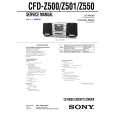
SONY CFD-Z501
Manual de Usuario


¡Twitee acerca de este producto y obtenga $1.00 de crédito en la tienda para uso!
  • Descargable
  • Formato PDF
  • Manual completo
  • Idiomas: English
Precio: $4.99

Descripción del SONY CFD-Z501 Manual de Usuario

Manual del propietario completo en formato digital. El manual estará disponible para descarga como archivo PDF después de que lo compre.

El Manual del Propietario (a veces llamado Manual del Usuario o Guía del Usuario) contiene información sobre cómo utilizar su dispositivo. Después de colocar la orden le enviaremos las instrucciones de descarga a su dirección de e-mail.

The manual is available in languages: English

Not yet ready
You must purchase it first

Opiniones de los clientes
No hay comentarios de productos.

TEXT_PDF_SNIPPET
6

Set the volume by pressing TIME SET + or �, then DISPLAY ENTER.

Tips � To exit the standby mode, press STANDBY to make the t indication disappear from the display. � The preset settings remain until you reset them.

7

Press STANDBY. The t indication lights up; the player enters the standby mode. At the preset time, the power will go on, and the music will play. Then the power will go off at the preset time, and the player will enter into the standby mode.

To check/change the waking up timer settings Press TIMER , then DISPLAY ENTER. Each time you press DISPLAY ENTER, a stored setting is displayed in the set order. To change the setting, display the setting you want to change and re-enter it. To use the player before a timer playback starts Just turn on the player, and then you can use it. If you turn off the player before the preset time, timer playback will start at the preset time. In case of the radio, however, if you listen to the station which is different from the one you tuned in in step 1 on page 20, you will hear that station at the preset time. Make sure to tune in the station you want to listen to before you turn off the player. To stop play Press POWER to turn off the power.

The Timer
21

The Timer

Quizás también quiera comprar

$4.99

CFDZ501 SONY
Manual de Servicio

Manual de servicio completo en formato digital (archivo PDF). Los manuales de servicio por lo genera…
>
Parse Time: 0.378 - Number of Queries: 193 - Query Time: 0.145