2031/TXPALI Quantity: 1
$4.99
» View Details
TRANSCEIVER Quantity: 1
$4.99
» View Details
PCG-R600HMK VAIO Quantity: 1
$4.99
» View Details
STERN GRANT 2130 Quantity: 1
$4.99
» View Details
3ET14GKXBW01 Quantity: 1
$4.99
» View Details
KE3020 Quantity: 1
$4.99
» View Details
8ET21PKXFW00 Quantity: 1
$4.99
» View Details
CIV-20 Quantity: 1
$4.99
» View Details
RFB320S Quantity: 1
$4.99
» View Details
7MLBR8444PQ0 Quantity: 1
$4.99
» View Details
7241V-W Quantity: 1
$4.99
» View Details
HOTSPOT Quantity: 1
$4.99
» View Details
CR 317 SE Quantity: 1
$4.99
» View Details
LUGANO-STEREO Quantity: 1
$4.99
» View Details
52224 Quantity: 1
$4.99
» View Details
KEMC378HBT2 Quantity: 1
$4.99
» View Details
CT36G23UW Quantity: 1
$4.99
» View Details
G2P CHV1 /BR Quantity: 1
$4.99
» View Details
COLOR40 51-1223 Quantity: 1
$4.99
» View Details
Subtotal: $94.81
 
English Polski Spanish 
Buscar un manual
 

(p.Ej. AA-V20EG JVC, ZX-7 Sony)
PayPal 1000+ rating Secure, Encrypted Checkout.
 
Productos
Información
Destacado
Inicio >> SONY >> CFDS20CP Manual de Usuario
 
 19 artículo(s) en Su carrito 

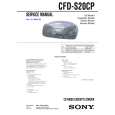
SONY CFDS20CP
Manual de Usuario


¡Twitee acerca de este producto y obtenga $1.00 de crédito en la tienda para uso!
  • Descargable
  • Formato PDF
  • Manual completo
  • Idiomas: English
Precio: $4.99

Descripción del SONY CFDS20CP Manual de Usuario

Manual del propietario completo en formato digital. El manual estará disponible para descarga como archivo PDF después de que lo compre.

El Manual del Propietario (a veces llamado Manual del Usuario o Guía del Usuario) contiene información sobre cómo utilizar su dispositivo. Después de colocar la orden le enviaremos las instrucciones de descarga a su dirección de e-mail.

The manual is available in languages: English

Not yet ready
You must purchase it first

Opiniones de los clientes
No hay comentarios de productos.

TEXT_PDF_SNIPPET
The Radio

Presetting radio stations
You can store radio stations into the player�s memory. You can preset up to 30 radio stations, 20 for FM and 10 for AM in any order.
RADIO BAND AUTO PRESET DISPLAY ENT MEMORY

If a station cannot be preset automatically You need to preset a station with a weak signal manually. 1 Press RADIO BAND�AUTO PRESET to select the band. 2 Tune in a station you want. 3 Hold down the number buttons that you want to preset the new station on for about 2 seconds. To select the preset number over 10, press >10 first, then the corresponding number buttons. You need to hold down the last number button to enter for about 2 seconds. (Example: To select 12, press >10 and 1 first, then hold down 2 for about 2 seconds.)

Number buttons

1 2 3

Press RADIO BAND�AUTO PRESET to select the band. Hold down RADIO BAND�AUTO PRESET until �AUTO� flashes in the display. Press DISPLAY�ENT�MEMORY. The stations are stored in memory from the lower frequencies to the higher ones.

19

The Radio

Quizás también quiera comprar

$4.99

CFDS20CP SONY
Manual de Servicio

Manual de servicio completo en formato digital (archivo PDF). Los manuales de servicio por lo genera…
>
Parse Time: 0.703 - Number of Queries: 169 - Query Time: 0.264