RX-D401S Quantity: 1
$4.99
» View Details
MGD5770TQ0 Quantity: 1
$4.99
» View Details
OH-9700GE Quantity: 1
$4.99
» View Details
KP53VS70T Quantity: 1
$4.99
» View Details
RH0599REW02 Quantity: 1
$4.99
» View Details
HP103 Quantity: 1
$4.99
» View Details
PDP-434CMX/LUC/1 Quantity: 1
$4.99
» View Details
RS253S Quantity: 1
$4.99
» View Details
KXFPC96 Quantity: 1
$4.99
» View Details
SRTEL18 Quantity: 1
$4.99
» View Details
F-P710 Quantity: 1
$4.99
» View Details
FP2000 Quantity: 1
$4.99
» View Details
EKV 6645 NE Quantity: 1
$4.99
» View Details
VF30SC Quantity: 1
$4.99
» View Details
DKEL 3760 IN Quantity: 1
$4.99
» View Details
AV-2984VE Quantity: 1
$4.99
» View Details
LGT6638AN1 Quantity: 1
$4.99
» View Details
Subtotal: $84.83
 
English Polski Spanish 
Buscar un manual
 

(p.Ej. AA-V20EG JVC, ZX-7 Sony)
PayPal 1000+ rating Secure, Encrypted Checkout.
 
Productos
Información
Destacado
Inicio >> SONY >> CFD100 Manual de Servicio
 
 17 artículo(s) en Su carrito 

SONY CFD100
Manual de Servicio


¡Twitee acerca de este producto y obtenga $1.00 de crédito en la tienda para uso!
  • Contiene diagramas del circuito
  • Descargable
  • Formato PDF
  • Manual completo
  • Idiomas: English
Precio: $4.99

Descripción del SONY CFD100 Manual de Servicio

Manual de servicio completo en formato digital (archivo PDF). Los manuales de servicio por lo general contienen diagramas de circuitos, tarjetas de circuitos impresos, consejos para reparación, diagramas de cableado, diagramas de bloque y lista de refacciones. El Manual de Servicio (a veces llamado Manual de Reparación) es usado principalmente por los técnicos.

Si tan solo quiere saber cómo utilizar su televisión, reproductor de vídeo, reproductor de mp3, etc. Quizá lo que necesita es el Manual del Propietario. Después de colocar la orden le enviaremos las instrucciones de descarga a su dirección de e-mail.

The manual is available in languages: English

Not yet ready
You must purchase it first

Opiniones de los clientes
No hay comentarios de productos.

TEXT_PDF_SNIPPET
CFD-100/W100 Printing Method for Large Sized Documents Such As Circuit Diagrams
Printing the page that exceeds A4-size two pages (or letter size) is possible by specifying the print range. (Acrobat Reader Version 4.0 or later) 1. The enlarged print is made, if a smaller range than A4 size is specified and the A4 size is selected as a print paper. 2. Almost real sized print is made, if the range is specified, meeting the print paper size. 3. The reduced print is made, if a larger range than the print paper size is specified. Printing by Specifying a Range In printing out the drawings such as a schematic diagram and a printed wiring board larger than the printed paper size, they can be printed by specifying the range. (Acrobat Reader Version 4.0 or later) 1. Display the page to be printed. 2. From the File menu, select [Page Setup] and set the paper size. 3. From the Command bar, select [Graphic Select Tool]. (Keep pressing T , select )

4. Dragging the cursor, enclose the range on the page to be printed. 5. From the File menu, select [Print] and make sure that the [Selected Graphic] is already checked. Also, if [Fit to page] is checked, the selected range is enlarged or reduced (and rotated as necessary) meeting the paper size.

@

!

6. To cancel the printed range, click an arbitrary position on the screen.

Quizás también quiera comprar

$4.99

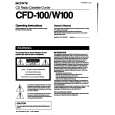
CFD-100 SONY
Manual de Usuario

Manual del propietario completo en formato digital. El manual estará disponible para descarga como …
>
Parse Time: 0.259 - Number of Queries: 160 - Query Time: 0.065