PSS120/37B Quantity: 1
$4.99
» View Details
KP2671XCV3 Quantity: 1
$4.99
» View Details
ZCOF645X-KO Quantity: 1
$4.99
» View Details
LGR3622DZ1 Quantity: 1
$4.99
» View Details
JCD2295KES Quantity: 1
$4.99
» View Details
MHC-3300CD Quantity: 1
$4.99
» View Details
HS-TA193YL1 Quantity: 1
$4.99
» View Details
RS25AQXFN02 Quantity: 1
$4.99
» View Details
P373035 Quantity: 1
$4.99
» View Details
CX-900K Quantity: 1
$4.99
» View Details
ARC 5270 Quantity: 1
$4.99
» View Details
DJM-400/RLXJ Quantity: 1
$4.99
» View Details
KXFP181G Quantity: 1
$4.99
» View Details
STRK840P Quantity: 1
$4.99
» View Details
GR478LXPB1 Quantity: 1
$4.99
» View Details
180P2B/00Z Quantity: 1
$4.99
» View Details
LGV7646DZ0 Quantity: 1
$4.99
» View Details
AKR 466 NB Quantity: 1
$4.99
» View Details
KDCZ738 Quantity: 1
$4.99
» View Details
TP9716 Quantity: 1
$4.99
» View Details
ED22MK1LWR1 Quantity: 1
$4.99
» View Details
CW22B5V Quantity: 1
$4.99
» View Details
TX21MD3L Quantity: 1
$4.99
» View Details
LA5880XKW0 Quantity: 1
$4.99
» View Details
KRC-669 Quantity: 1
$4.99
» View Details
ER7848C Quantity: 1
$4.99
» View Details
JSI5462W Quantity: 1
$4.99
» View Details
EMLV 650 Quantity: 1
$4.99
» View Details
IGT189301 Quantity: 1
$4.99
» View Details
NEPTUN 312 Quantity: 1
$4.99
» View Details
LGR7848DZ1 Quantity: 1
$4.99
» View Details
8ED22PWXAW02 Quantity: 1
$4.99
» View Details
AGS 444/WP Quantity: 1
$4.99
» View Details
DRS246RBW Quantity: 1
$4.99
» View Details
SC99ATHENA Quantity: 1
$4.99
» View Details
A-307R/SDFXJ Quantity: 1
$4.99
» View Details
FES375VL1 Quantity: 1
$4.99
» View Details
14HT3252/40 Quantity: 1
$4.99
» View Details
Z188A Quantity: 1
$4.99
» View Details
TK-760G SERIES Quantity: 1
$4.99
» View Details
DEH-P3100UB/XS/EW5 Quantity: 1
$4.99
» View Details
WELTKLANG 2500 Quantity: 1
$4.99
» View Details
EHG679B Quantity: 1
$4.99
» View Details
AVG-VDP1 Quantity: 1
$4.99
» View Details
DVD727/98 Quantity: 1
$4.99
» View Details
CV2211 Quantity: 1
$4.99
» View Details
HASU700 Quantity: 1
$4.99
» View Details
RT21LMXKQ02 Quantity: 1
$4.99
» View Details
CD5301S/FT Quantity: 1
$4.99
» View Details
A-209R/MVXJ Quantity: 1
$4.99
» View Details
6365VTSF Quantity: 1
$4.99
» View Details
KFC176DII Quantity: 1
$4.99
» View Details
CQC7113U Quantity: 1
$4.99
» View Details
EBKVSL6SW Quantity: 1
$4.99
» View Details
GSQ9632LL1 Quantity: 1
$4.99
» View Details
54354560 Quantity: 1
$4.99
» View Details
ADC310M Quantity: 1
$4.99
» View Details
KSSC48FKS01 Quantity: 1
$4.99
» View Details
JEH640W Quantity: 1
$4.99
» View Details
WRT14PKS8A1 Quantity: 1
$4.99
» View Details
SF3020EKQ4 Quantity: 1
$4.99
» View Details
VB710 Quantity: 1
$4.99
» View Details
HSTX706 Quantity: 1
$4.99
» View Details
LA7000XKW1 Quantity: 1
$4.99
» View Details
W485C Quantity: 1
$4.99
» View Details
DVDF87GCS Quantity: 1
$4.99
» View Details
25PT5124/01 Quantity: 1
$4.99
» View Details
F1395/01 Quantity: 1
$4.99
» View Details
C593N/60A T2000 INX( Quantity: 1
$4.99
» View Details
3XARG477GF04 Quantity: 1
$4.99
» View Details
RW425 Quantity: 1
$4.99
» View Details
DW 2677 Quantity: 1
$4.99
» View Details
ARC 2990 Quantity: 1
$4.99
» View Details
346 Quantity: 1
$4.99
» View Details
KDRP407LBU00 Quantity: 1
$4.99
» View Details
CT6558/ASDSA0DE Quantity: 1
$4.99
» View Details
AV-1460FE Quantity: 1
$4.99
» View Details
14VL33G Quantity: 1
$4.99
» View Details
732SE Quantity: 1
$4.99
» View Details
PHOENIX Quantity: 1
$4.99
» View Details
Subtotal: $399.20
 
English Polski Spanish 
Buscar un manual
 

(p.Ej. AA-V20EG JVC, ZX-7 Sony)
PayPal 1000+ rating Secure, Encrypted Checkout.
 
Productos
Información
Destacado
Inicio >> SHARP >> CDC440H Manual de Servicio
 
 80 artículo(s) en Su carrito 

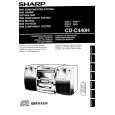
SHARP CDC440H
Manual de Servicio


¡Twitee acerca de este producto y obtenga $1.00 de crédito en la tienda para uso!
  • Contiene diagramas del circuito
  • Descargable
  • Formato PDF
  • Manual completo
  • Idiomas: English
Precio: $4.99

Descripción del SHARP CDC440H Manual de Servicio

Manual de servicio completo en formato digital (archivo PDF). Los manuales de servicio por lo general contienen diagramas de circuitos, tarjetas de circuitos impresos, consejos para reparación, diagramas de cableado, diagramas de bloque y lista de refacciones. El Manual de Servicio (a veces llamado Manual de Reparación) es usado principalmente por los técnicos.

Si tan solo quiere saber cómo utilizar su televisión, reproductor de vídeo, reproductor de mp3, etc. Quizá lo que necesita es el Manual del Propietario. Después de colocar la orden le enviaremos las instrucciones de descarga a su dirección de e-mail.

The manual is available in languages: English

Not yet ready
You must purchase it first

Opiniones de los clientes
No hay comentarios de productos.

TEXT_PDF_SNIPPET
SETTING THE CLOCK PREPARATION FOR USE
In this example, clock is set for the
Replace the batteries if control distance decreases or oper24-hour (0:00) system.

1 Press ON/STAND-BY switch to enter the stand-by mode. Notes concerning use: 2 3
Periodically clean transmitter LED on the remote control Within 5 seconds, press the MEMORY/SET button. and sensor on the main unit with a soft cloth. ON/

Press the CLOCK button.

ation becomes erratic.

STAND-BY Press TUNING/TIME ( or ) button select time Exposing sensor on the main unit to strong light may
"0:00" � The 24-hour display will appear. (8" 20')

4
MEMORY/ SET
"AM 12:00" � The 12-hour display will appear. 1 5 (AM 12:00 PM 11:59) ( ) (AM 0:00 PM 11:59)
Keep the remote control away from moisture, excessive heat,

CLOCK 0.2 6 m of the unit.
(0:00 23:59) "AM 0:00" � The 12-hour display will appear.

display mode. interfere with operation. Change lighting or the direction

shock, and vibrations.

CD-C440H/CP-C440H

TUNING/TIME 1

Note that this can only be set when the unit is first installed or it has been reset (see below).

5 Press the MEMORY/SET button. 2 6 Press TUNING/TIME ( or ) button to adjust the hour.

3

Press TUNING/TIME button once to advance the time by 1 hour. Press for more than 0.5 seconds to advance continuously.

4 matically to "PM". RESETTING THE MICROCOMPUTER

When the 12-hour display is selected, "AM" will change auto-

0:00 AM 12:00 Reset microcomputer under the following conditions:

7 Press the MEMORY/SET button. 8 Press TUNING/TIME ( o r ) button to adjust the To erase all of the stored memory contents (clock and timer
If the operation is not correct.

5 Press button for at least 0.5 seconds to change the time
from "59" to "00". Note:

minutes. settings, tuner and CD presets).

If the display is not correct. in 5-minute intervals. The hour setting will not even if minutes advance

1 2 6

OPERATION MANUAL

�6�

To tuner preset memory, see "To erase all of the

9 Press the MEMORY/SET button. contents of preset memory" on page 15. 2

The clock starts operating from "0" seconds. (Seconds are

7 not displayed.) 1 Press ON/STAND-BY switch to enter the stand-by mode.

2

8 is disconnected, the clock display will go out. them down for at least 1 second.

Note: Press VOLUME button, the TUNING/TIME button In event of a failure or when AC power lead and ON/STAND-BY switch all at the same time. Hold

9 If this happens, follow procedure below to change the

When AC power supply is restored, the clock display will flash on and off to indicate time when the power failure occurred or when the AC power lead was disconnected.

clock time.

switch time display mode: To change the clock time:

Press ON/STAND-BY switch to enter the stand-

1

by mode.

When the ON/STAND-BY switch is set to STAND-BY. When unit is in demonstration mode, press the DEMO button to enter the clock mode.

2 Press VOLUME button, the TUNING/TIME Press the MEMORY/SET button.

1

button and ON/STAND-BY switch all at the same 2 Perform steps 6 9 above. time. Hold them down for at least 1 second. (Refer RESETTING THE MICROCOMPUTER on When the ON/STAND-BY switch is set to ON. page 27.) Press the CLOCK button. 1

2

Within 5 seconds, press the MEMORY/SET button.

3

Perform steps 1 9 above.

3

Perform steps 6 9 above.

Note:

To see time display: (When the power is ON) The operation explained above will erase all data

stored in memory, such as clock and timer settings, Press the CLOCK button. tuner and CD presets. The time display will appear for about 5 seconds.

Quizás también quiera comprar

$4.99

CDC440H SHARP
Manual de Usuario

Manual del propietario completo en formato digital. El manual estará disponible para descarga como …
>
Parse Time: 0.286 - Number of Queries: 387 - Query Time: 0.102