BDE353 Quantity: 1
$4.99
» View Details
UF121 Quantity: 1
$4.99
» View Details
DVT9Q3NX Quantity: 1
$4.99
» View Details
Lavatherm 450 Quantity: 1
$4.99
» View Details
ESI669K Quantity: 1
$4.99
» View Details
EC1200 Quantity: 1
$4.99
» View Details
DV-410V-K/TTXZT Quantity: 1
$4.99
» View Details
TVF2000 Quantity: 1
$4.99
» View Details
CABINET 4.256 Quantity: 1
$4.99
» View Details
PTF216LHRW Quantity: 1
$4.99
» View Details
Z5530 Quantity: 1
$4.99
» View Details
KCM145 Quantity: 1
$4.99
» View Details
645 378 10 I Quantity: 1
$4.99
» View Details
P-E350 Quantity: 1
$4.99
» View Details
LTA95AW Quantity: 1
$4.99
» View Details
CE2400W Quantity: 1
$4.99
» View Details
Excellence WATE 1200 Quantity: 1
$4.99
» View Details
1705 Quantity: 1
$4.99
» View Details
LSW9245EQ0 Quantity: 1
$4.99
» View Details
VMH775LE Quantity: 1
$4.99
» View Details
TVCR-A1404TG Quantity: 1
$4.99
» View Details
5000 Quantity: 1
$4.99
» View Details
FB201/00 Quantity: 1
$4.99
» View Details
DV-490V-K/WYXZT5 Quantity: 1
$4.99
» View Details
CD-C449W Quantity: 1
$4.99
» View Details
DV-3800-S/RAXTL Quantity: 1
$4.99
» View Details
NV-VP33EG Quantity: 1
$4.99
» View Details
AKP441/NB Quantity: 1
$4.99
» View Details
KGCP484KSS04 Quantity: 1
$4.99
» View Details
CCDTRV338 Quantity: 1
$4.99
» View Details
KECC506RSS00 Quantity: 1
$4.99
» View Details
LAVE LINGE STL501 FR Quantity: 1
$4.99
» View Details
TA-F448EB Quantity: 1
$4.99
» View Details
PDK-WT02WL5 Quantity: 1
$4.99
» View Details
SFN7164 Quantity: 1
$4.99
» View Details
BJC-6000 Quantity: 1
$4.99
» View Details
LTE5243DQ2 Quantity: 1
$4.99
» View Details
DT-32 Quantity: 1
$4.99
» View Details
DV-747A Quantity: 1
$4.99
» View Details
C2524R Quantity: 1
$4.99
» View Details
ZUF65W Quantity: 1
$4.99
» View Details
P37070GB Quantity: 1
$4.99
» View Details
AKP639/NB Quantity: 1
$4.99
» View Details
FT-920 Quantity: 1
$4.99
» View Details
FW21/20 Quantity: 1
$4.99
» View Details
NP4835S Quantity: 1
$4.99
» View Details
KDVC860 Quantity: 1
$4.99
» View Details
TF110 Quantity: 1
$4.99
» View Details
FSSERIECHASSIS Quantity: 1
$4.99
» View Details
CM3820C Quantity: 1
$4.99
» View Details
CDJ-800MK2/WAXJ5 Quantity: 1
$4.99
» View Details
XR-A4800/MYXJ Quantity: 1
$4.99
» View Details
RCR0913 Quantity: 1
$4.99
» View Details
CLD-S310 Quantity: 1
$4.99
» View Details
EDC67555W Quantity: 1
$4.99
» View Details
3215V-W Quantity: 1
$4.99
» View Details
4YGD25DCHW01 Quantity: 1
$4.99
» View Details
S3043KG7 Quantity: 1
$4.99
» View Details
GTO75.4II Quantity: 1
$4.99
» View Details
DVD590/69 Quantity: 1
$4.99
» View Details
F-Z570L Quantity: 1
$4.99
» View Details
VR510 Quantity: 1
$4.99
» View Details
ZX9420 Quantity: 1
$4.99
» View Details
FR310 Quantity: 1
$4.99
» View Details
VGP-BPS5 VAIO Quantity: 1
$4.99
» View Details
A70340-GS1 Quantity: 1
$4.99
» View Details
AFG 5221-C/H Quantity: 1
$4.99
» View Details
BD 673 A Quantity: 1
$4.99
» View Details
ET14JMYFW00 Quantity: 1
$4.99
» View Details
XR-MDX717/LBXCN Quantity: 1
$4.99
» View Details
21GR9751 Quantity: 1
$4.99
» View Details
ICF6500W Quantity: 1
$4.99
» View Details
ADG 4820 FD Quantity: 1
$4.99
» View Details
VR512 Quantity: 1
$4.99
» View Details
Subtotal: $369.26
 
English Polski Spanish 
Buscar un manual
 

(p.Ej. AA-V20EG JVC, ZX-7 Sony)
PayPal 1000+ rating Secure, Encrypted Checkout.
 
Productos
Información
Destacado
Inicio >> SHARP >> CDC430H Manual de Servicio
 
 74 artículo(s) en Su carrito 

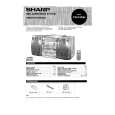
SHARP CDC430H
Manual de Servicio


¡Twitee acerca de este producto y obtenga $1.00 de crédito en la tienda para uso!
  • Contiene diagramas del circuito
  • Descargable
  • Formato PDF
  • Manual completo
  • Idiomas: English
Precio: $4.99

Descripción del SHARP CDC430H Manual de Servicio

Manual de servicio completo en formato digital (archivo PDF). Los manuales de servicio por lo general contienen diagramas de circuitos, tarjetas de circuitos impresos, consejos para reparación, diagramas de cableado, diagramas de bloque y lista de refacciones. El Manual de Servicio (a veces llamado Manual de Reparación) es usado principalmente por los técnicos.

Si tan solo quiere saber cómo utilizar su televisión, reproductor de vídeo, reproductor de mp3, etc. Quizá lo que necesita es el Manual del Propietario. Después de colocar la orden le enviaremos las instrucciones de descarga a su dirección de e-mail.

The manual is available in languages: English

Not yet ready
You must purchase it first

Opiniones de los clientes
No hay comentarios de productos.

TEXT_PDF_SNIPPET
SETTING THE CLOCK PREPARATION FOR USE

1
Notes concerning use: Press ON/STAND-BY switch to enter the stand-by mode. Replace the batteries if control distance decreases or oper-

(0:00) system.
and sensor on the main unit with a soft cloth.

In this example, clock is set for the 24-hour Press the CLOCK button. ation becomes erratic.

2

3 Within 3 seconds, press MEMORY/SET button. Periodically clean transmitter LED on the remote control 4
(8" 20') CLOCK Keep the remote control away from moisture, excessive heat, shock, and vibrations.
1 1 5 SET "AM 12:00" � The 12-hour display will appear.

ON/ Exposing sensor on the main unit to strong light may indisplay mode. STAND-BY terfere with operation. Change lighting or the direction of 0.2 6 m

Press TUNING/TIME ( or ) button to select the time

(0:00 23:59) (AM 0:00 PM 11:59) MEMORY/ (AM 12:00 PM 11:59)

"0:00" � The 24-hour display will appear. the unit.

"AM 0:00" � The 12-hour display will appear.

CD-C430H,CP-C430H

TUNING/TIME

5

Press the MEMORY/SET button. ( )

6 Press TUNING/TIME ( or ) button to adjust the hour.

2

Press TUNING/TIME button once to advance the time by 1 hour. Press for more than 0.5 seconds to advance continuously. When the 12-hour display is selected, "AM" will change automatically to "PM". RESETTING THE MICROCOMPUTER
To erase all of the stored memory contents (clock and timer Press TUNING/TIME ( o r ) button to adjust the

7 Press MEMORY/SET button. Reset microcomputer under the following conditions: 8
The hour setting will not even if minutes advance
by mode.

3

4 minutes. settings, tuner and CD presets).

1,2

0:00 AM 12:00 If the operation is not correct. 2

Press button for at least 0.5 seconds to change the time If the display is not correct. in 5-minute intervals.

1

from "59" to "00". Press ON/STAND-BY (POWER) switch to enter the stand-

5 9 Press the MEMORY/SET button.

OPERATION MANUAL

�6�

6 In event of a failure or when the AC power lead

The clock starts operating from "0" seconds. (Seconds are Press and hold down VOLUME button, the not displayed.) button and ON/STAND-BY (POWER) switch all at the Note: same time. Hold them for at least 1 second.

2

7 occurred or when the AC power lead was disconnected.

is disconnected, the clock display will go out. When AC power supply is restored, the clock display will flash on and off to indicate time when the power failure

If this happens, follow procedure below to change the clock time.

To change the clock time: 8

1 Press the MEMORY/SET button. 2 Perform steps 6 9 above. 9

When the ON/STAND-BY switch is set to STAND-BY.

1 Press the CLOCK button. 2 Within 3 seconds, press the MEMORY/SET button. 3 Perform steps 6 9 above.

When the ON/STAND-BY switch is set to ON.

To see time display: (When the power is ON)

Press the CLOCK button.

The time display will appear for about 3 seconds.

To switch the time display mode:

1 Press ON/STAND-BY switch to enter the stand-by mode. 2 Press and hold down VOLUME button, the

button and ON/STAND-BY switch all at the same time. Hold them for at least 2 seconds. (Refer to RESETTING THE MICROCOMPUTER on page 17.)

3 Perform steps 1 9 above.

Note: The operation explained above will erase all data stored in memory, such as clock timer settings, tuner and CD presets.

Quizás también quiera comprar

$4.99

CDC430H SHARP
Manual de Usuario

Manual del propietario completo en formato digital. El manual estará disponible para descarga como …
>
Parse Time: 0.909 - Number of Queries: 367 - Query Time: 0.448