WA 2240 - F Quantity: 1
$4.99
» View Details
T60C Quantity: 1
$4.99
» View Details
RL102MV Quantity: 1
$4.99
» View Details
HRS5912UC Quantity: 1
$4.99
» View Details
ARG 417/S/R Quantity: 1
$4.99
» View Details
ET8CHKXKT05 Quantity: 1
$4.99
» View Details
MFD2561HES Quantity: 1
$4.99
» View Details
KESH307HBL4 Quantity: 1
$4.99
» View Details
LG9681XWN1 Quantity: 1
$4.99
» View Details
CNF350A Quantity: 1
$4.99
» View Details
MCM1502 Quantity: 1
$4.99
» View Details
KAWE450VAL0 Quantity: 1
$4.99
» View Details
TGV 6160/IN Quantity: 1
$4.99
» View Details
ZUB801B Quantity: 1
$4.99
» View Details
PLC220W Quantity: 1
$4.99
» View Details
MJ-HX700/ZVYXCN Quantity: 1
$4.99
» View Details
EMZH 5464 WS Quantity: 1
$4.99
» View Details
GS6SHAXKB02 Quantity: 1
$4.99
» View Details
DV-Studio-Win-95-98-ME Quantity: 1
$4.99
» View Details
83/16 Quantity: 1
$4.99
» View Details
AV-32D800 Quantity: 1
$4.99
» View Details
SPP930 Quantity: 1
$4.99
» View Details
CG-C7E Quantity: 1
$4.99
» View Details
202P75/75 Quantity: 1
$4.99
» View Details
3907 Quantity: 1
$4.99
» View Details
HD7810/56 Quantity: 1
$4.99
» View Details
LAV541 WS I Quantity: 1
$4.99
» View Details
ER6532I Quantity: 1
$4.99
» View Details
S70300KA2 Quantity: 1
$4.99
» View Details
EMWD 8260 IN Quantity: 1
$4.99
» View Details
DCRDVD202E Quantity: 1
$4.99
» View Details
LAV 6200 10 AMP Quantity: 1
$4.99
» View Details
ER6AHKXPQ02 Quantity: 1
$4.99
» View Details
ARL 777 Quantity: 1
$4.99
» View Details
FB440AS Quantity: 1
$4.99
» View Details
RF377PXWN2 Quantity: 1
$4.99
» View Details
LWP224V Quantity: 1
$4.99
» View Details
RT14DKXFN01 Quantity: 1
$4.99
» View Details
DU9700XR6 Quantity: 1
$4.99
» View Details
GKA 349 OPTIMA WS Quantity: 1
$4.99
» View Details
EBGL5V.1ZXF Quantity: 1
$4.99
» View Details
PM512701 Quantity: 1
$4.99
» View Details
STZ990 Quantity: 1
$4.99
» View Details
AWT 9080/1 Quantity: 1
$4.99
» View Details
AR4100/90F 9010 2TUB Quantity: 1
$4.99
» View Details
SK91800-4I Quantity: 1
$4.99
» View Details
7648501310 Quantity: 1
$4.99
» View Details
ADL 558 Quantity: 1
$4.99
» View Details
SP-PWM45 Quantity: 1
$4.99
» View Details
VGN-TX3XP/B VAIO Quantity: 1
$4.99
» View Details
KSRS27QAAL04 Quantity: 1
$4.99
» View Details
KP26M1XER5 Quantity: 1
$4.99
» View Details
CT8598/00SBEURO Quantity: 1
$4.99
» View Details
LS-H126PABDMSWL1 Quantity: 1
$4.99
» View Details
TWC-7083 Quantity: 1
$4.99
» View Details
RB770PXYB3 Quantity: 1
$4.99
» View Details
8ET20NKXDG03 Quantity: 1
$4.99
» View Details
VC153NX Quantity: 1
$4.99
» View Details
SAHT670 Quantity: 1
$4.99
» View Details
KV29F2A Quantity: 1
$4.99
» View Details
SX-PR270 Quantity: 1
$4.99
» View Details
14PV34039 Quantity: 1
$4.99
» View Details
EMZD 5266/BR Quantity: 1
$4.99
» View Details
FRUL 3304 Quantity: 1
$4.99
» View Details
AZ9002/05 Quantity: 1
$4.99
» View Details
IDEAL COLOR3725VTSK Quantity: 1
$4.99
» View Details
CQFX88 Quantity: 1
$4.99
» View Details
PTL6510U Quantity: 1
$4.99
» View Details
CT1628/ASSSA0NX Quantity: 1
$4.99
» View Details
S-DV170/XCN5 Quantity: 1
$4.99
» View Details
RGX4625EW2 Quantity: 1
$4.99
» View Details
RF385PXYQ1 Quantity: 1
$4.99
» View Details
OEV-203 Quantity: 1
$4.99
» View Details
ARC3172-1GSCH Quantity: 1
$4.99
» View Details
GSX 5960 BK Quantity: 1
$4.99
» View Details
MQS1087E Quantity: 1
$4.99
» View Details
5500 -W10210 Quantity: 1
$4.99
» View Details
D-EJ2000 Quantity: 1
$4.99
» View Details
KUDS03FSWH3 Quantity: 1
$4.99
» View Details
KSRK25ILBT01 Quantity: 1
$4.99
» View Details
ACQ062XF0 Quantity: 1
$4.99
» View Details
ZS8552 Quantity: 1
$4.99
» View Details
AKZM 751/NB Quantity: 1
$4.99
» View Details
HT-NW300 Quantity: 1
$4.99
» View Details
AKL 428/IX/NE/01 Quantity: 1
$4.99
» View Details
WMFX563 Quantity: 1
$4.99
» View Details
DTGR-6.2 Quantity: 1
$4.99
» View Details
PCD9520 Quantity: 1
$4.99
» View Details
KX3510 Quantity: 1
$4.99
» View Details
Subtotal: $444.11
 
English Polski Spanish 
Buscar un manual
 

(p.Ej. AA-V20EG JVC, ZX-7 Sony)
PayPal 1000+ rating Secure, Encrypted Checkout.
 
Productos
Información
Destacado
Inicio >> SHARP >> CDBK250W Manual de Servicio
 
 89 artículo(s) en Su carrito 

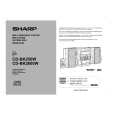
SHARP CDBK250W
Manual de Servicio


¡Twitee acerca de este producto y obtenga $1.00 de crédito en la tienda para uso!
  • Contiene diagramas del circuito
  • Descargable
  • Formato PDF
  • Manual completo
  • Idiomas: English
Precio: $4.99

Descripción del SHARP CDBK250W Manual de Servicio

Manual de servicio completo en formato digital (archivo PDF). Los manuales de servicio por lo general contienen diagramas de circuitos, tarjetas de circuitos impresos, consejos para reparación, diagramas de cableado, diagramas de bloque y lista de refacciones. El Manual de Servicio (a veces llamado Manual de Reparación) es usado principalmente por los técnicos.

Si tan solo quiere saber cómo utilizar su televisión, reproductor de vídeo, reproductor de mp3, etc. Quizá lo que necesita es el Manual del Propietario. Después de colocar la orden le enviaremos las instrucciones de descarga a su dirección de e-mail.

The manual is available in languages:

Not yet ready
You must purchase it first

Opiniones de los clientes
No hay comentarios de productos.

TEXT_PDF_SNIPPET
CD-BK250W/CD-BK2600W/CD-BK270W

OPERATION MANUAL

Setting the Clock
4
Press the TUNING/TIME ( or ) button to adjust the hour and then press the MEMORY/SET button.

Press the TUNING/TIME ( or ) button once to advance the time by 1 hour. Hold it down to advance continuously. When the 12-hour display is selected, "AM" will change automatically to "PM".

5
In this example, the clock is set for the 24-hour (0:00) display.

Press the TUNING/TIME ( or ) button to adjust the minutes and then press the MEMORY/SET button.

1 2

Press the ON/STAND-BY button to turn the power on. Press the CLOCK button and within 5 seconds, press the MEMORY/SET button.
Press the TUNING/TIME ( or ) button once to advance the time by 1 minute. Hold it down to change the time in 5-minute intervals. The hour will not advance even if minutes advance from "59" to "00". The clock begins counting from "0" seconds. (Seconds are not displayed.) The time display will disappear after a few seconds.

To confirm the time display:

3

Press the TUNING/TIME ( or ) button to select 24-hour or 12hour display and then press the MEMORY/SET button.

Press the CLOCK button. The time display will appear for about 5 seconds.

Note:
The "CLOCK" or time will flash at the push of the CLOCK button when the AC power supply is restored after a power failure or unplugging the unit. Readjust the clock as follows. "0:00" "AM 12:00" "AM 0:00" The 24-hour display will appear. (0:00 - 23:59) The 12-hour display will appear. (AM 12:00 - PM 11:59) The 12-hour display will appear. (AM 0:00 - PM 11:59)

To readjust the clock:

Perform "Setting the Clock" from the beginning. If the time display is flashing, step 3 (for selecting the 24-hour or 12-hour display) will be skipped.

To change the 24-hour or 12-hour display:
1 2 Clear all the programmed contents. [Refer to "Clearing all the memory (reset)".] Perform "Setting the Clock" from the beginning.

Note that this can only be set when the unit is first installed or it has been reset. [Refer to "Clearing all the memory (reset)".]

System Connections
Setting the AC voltage selector
Check the setting of the AC voltage selector located on the rear panel before plugging the unit into an AC socket. If necessary, adjust the selector to correspond to the AC power voltage used in your area.

Setting the FM/AM span selector

Turn the selector with a screwdriver until the appropriate voltage number appears in the window (110 V, 127 V, 220 V or 230 V - 240 V AC).

Connecting the AC power lead
After making all connections, plug the unit. If you plug the unit first, the unit will enter the demonstration mode. Note:
Unplug the AC power lead from the AC socket if the unit will not be in use for a prolonged period of time.

AC Plug Adaptor
In areas (or countries) where an AC socket as shown in illustration is used, connect the unit using the AC plug adaptor supplied with the unit, as illustrated. The AC plug adaptor is not included in areas where the AC wall socket and AC power plug can be directly connected (see illustration ).

1

The International Telecommunication Union (ITU) has established that member countries should maintain either a 100 kHz or a 50 kHz interval between broadcasting frequencies of FM stations and 10 kHz or 9 kHz for AM station. The illustration shows the 50/9 kHz zones (regions 1 and 3), and the 100/10 kHz zone (region 2). Before using the unit, set the SPAN SELECTOR switch (on the rear panel) to the interval (span) of your area.

To change the tuning zone:
1 Press the ON/STAND-BY button to enter the stand-by mode. 2 Set the SPAN SELECTOR switch (on the rear panel) as follows. For 50 kHz FM interval (9 kHz in AM) 50/9 For 100 kHz FM interval (10 kHz in AM) 100/10 3 Whilst pressing down the button and the X-BASS/DEMO button, press the ON/ STAND-BY button until "CLEAR AL" appears.

2

Caution:
This operation will erase all data stored in memory including clock, timer settings, tuner preset, and CD programme.

�7�

Quizás también quiera comprar

$4.99

CDBK250W SHARP
Manual de Usuario

Manual del propietario completo en formato digital. El manual estará disponible para descarga como …
>
Parse Time: 0.632 - Number of Queries: 409 - Query Time: 0.317