Santo 2142-5i Quantity: 1
$4.99
» View Details
VL-Z500H-S Quantity: 1
$4.99
» View Details
ICF-C122 Quantity: 1
$4.99
» View Details
HXR435W Quantity: 1
$4.99
» View Details
FL1032SW Quantity: 1
$4.99
» View Details
JEH6550 E Quantity: 1
$4.99
» View Details
RF340BXKW1 Quantity: 1
$4.99
» View Details
ET25RKXXW00 Quantity: 1
$4.99
» View Details
C824 Quantity: 1
$4.99
» View Details
IVU 1359/2 Quantity: 1
$4.99
» View Details
GS6SHEXNT03 Quantity: 1
$4.99
» View Details
AR5020 Quantity: 1
$4.99
» View Details
R512 Quantity: 1
$4.99
» View Details
LER5638AW1 Quantity: 1
$4.99
» View Details
PLANUS 4663Z Quantity: 1
$4.99
» View Details
PV-149/GZ Quantity: 1
$4.99
» View Details
MENSOLA 1050 IX Quantity: 1
$4.99
» View Details
HTZ-535DV/MLXJ Quantity: 1
$4.99
» View Details
FH-P8000BT/XJ/UC Quantity: 1
$4.99
» View Details
DV-610AV-K/TPWXZT Quantity: 1
$4.99
» View Details
YKGRT607HB8 Quantity: 1
$4.99
» View Details
KSRD22FKWH02 Quantity: 1
$4.99
» View Details
NVCS1A Quantity: 1
$4.99
» View Details
895 CUB 3 SERIES Quantity: 1
$4.99
» View Details
DPA 24 Quantity: 1
$4.99
» View Details
MSG-32A Quantity: 1
$4.99
» View Details
CF30C40 Quantity: 1
$4.99
» View Details
SL128T Quantity: 1
$4.99
» View Details
LA5705XTW1 Quantity: 1
$4.99
» View Details
KHMS105WBL Quantity: 1
$4.99
» View Details
SDVR-LX70D (LX01) Quantity: 1
$4.99
» View Details
KVA 2000/1 Quantity: 1
$4.99
» View Details
SE554GR Quantity: 1
$4.99
» View Details
SF0140SRW0 Quantity: 1
$4.99
» View Details
KO3I-L 654.02.12 Quantity: 1
$4.99
» View Details
WA 6741W Quantity: 1
$4.99
» View Details
EX94B Quantity: 1
$4.99
» View Details
HR-J585EU Quantity: 1
$4.99
» View Details
CA-335 Quantity: 1
$4.99
» View Details
29PT5006/69 Quantity: 1
$4.99
» View Details
ADG 789 Quantity: 1
$4.99
» View Details
PRO-920HD Quantity: 1
$4.99
» View Details
LT-Z32FX6 Quantity: 1
$4.99
» View Details
WAT6316 Quantity: 1
$4.99
» View Details
SL-H950 Quantity: 1
$4.99
» View Details
KV28WS1B Quantity: 1
$4.99
» View Details
MD7077 Quantity: 1
$4.99
» View Details
3624E Quantity: 1
$4.99
» View Details
5TC1 Quantity: 1
$4.99
» View Details
AV-21MX55/S Quantity: 1
$4.99
» View Details
KFP720ER2 Quantity: 1
$4.99
» View Details
VR8459C Quantity: 1
$4.99
» View Details
ET1FTEXST00 Quantity: 1
$4.99
» View Details
ARRIFLEX435 Quantity: 1
$4.99
» View Details
WD8050FH Quantity: 1
$4.99
» View Details
ARL 826/G Quantity: 1
$4.99
» View Details
EHE642W Quantity: 1
$4.99
» View Details
AV-29M335/V Quantity: 1
$4.99
» View Details
VC-A100S Quantity: 1
$4.99
» View Details
29PT5435/85 Quantity: 1
$4.99
» View Details
F1026 Quantity: 1
$4.99
» View Details
VSX-AX3-G/NKXJI Quantity: 1
$4.99
» View Details
TH42PW4 Quantity: 1
$4.99
» View Details
GZ-MC100EX Quantity: 1
$4.99
» View Details
SC-EH780 Quantity: 1
$4.99
» View Details
LEQ8100KT0 Quantity: 1
$4.99
» View Details
AWO/D 65205 Quantity: 1
$4.99
» View Details
NN-K403B Quantity: 1
$4.99
» View Details
987.858 8/4853 Quantity: 1
$4.99
» View Details
CYVM1200EX Quantity: 1
$4.99
» View Details
KEBI271WBL1 Quantity: 1
$4.99
» View Details
S80312KG2 Quantity: 1
$4.99
» View Details
HP4896 Quantity: 1
$4.99
» View Details
01/7250 Quantity: 1
$4.99
» View Details
DVP-NC600 Quantity: 1
$4.99
» View Details
LER4624DZ0 Quantity: 1
$4.99
» View Details
C2980FS Quantity: 1
$4.99
» View Details
ERB3360 Quantity: 1
$4.99
» View Details
ACQ249PS1 Quantity: 1
$4.99
» View Details
KEHM5000QR Quantity: 1
$4.99
» View Details
AKG656BB Quantity: 1
$4.99
» View Details
BGX260-1D Quantity: 1
$4.99
» View Details
KUDV25SHBL2 Quantity: 1
$4.99
» View Details
LER4634PT1 Quantity: 1
$4.99
» View Details
SLHD81 Quantity: 1
$4.99
» View Details
DU810SWPQ2 Quantity: 1
$4.99
» View Details
HS337 Quantity: 1
$4.99
» View Details
SC8630EWW0 Quantity: 1
$4.99
» View Details
AKM 272/WH Quantity: 1
$4.99
» View Details
FW-C255/21 Quantity: 1
$4.99
» View Details
GT800 Quantity: 1
$4.99
» View Details
JT 379 WH Quantity: 1
$4.99
» View Details
RS 30 Quantity: 1
$4.99
» View Details
SHB911W Quantity: 1
$4.99
» View Details
DEH-3850MPH/XN/GS Quantity: 1
$4.99
» View Details
AWM 305 Quantity: 1
$4.99
» View Details
DNO 620 SG Quantity: 1
$4.99
» View Details
Subtotal: $484.03
 
English Polski Spanish 
Buscar un manual
 

(p.Ej. AA-V20EG JVC, ZX-7 Sony)
PayPal 1000+ rating Secure, Encrypted Checkout.
 
Productos
Información
Destacado
Inicio >> SHARP >> CDBK137W Manual de Servicio
 
 97 artículo(s) en Su carrito 

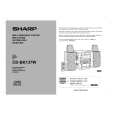
SHARP CDBK137W
Manual de Servicio


¡Twitee acerca de este producto y obtenga $1.00 de crédito en la tienda para uso!
  • Contiene diagramas del circuito
  • Descargable
  • Formato PDF
  • Manual completo
  • Idiomas: English
Precio: $4.99

Descripción del SHARP CDBK137W Manual de Servicio

Manual de servicio completo en formato digital (archivo PDF). Los manuales de servicio por lo general contienen diagramas de circuitos, tarjetas de circuitos impresos, consejos para reparación, diagramas de cableado, diagramas de bloque y lista de refacciones. El Manual de Servicio (a veces llamado Manual de Reparación) es usado principalmente por los técnicos.

Si tan solo quiere saber cómo utilizar su televisión, reproductor de vídeo, reproductor de mp3, etc. Quizá lo que necesita es el Manual del Propietario. Después de colocar la orden le enviaremos las instrucciones de descarga a su dirección de e-mail.

The manual is available in languages:

Not yet ready
You must purchase it first

Opiniones de los clientes
No hay comentarios de productos.

TEXT_PDF_SNIPPET
CD-BK137W

OPERATION MANUAL
System connections
Setting the AC voltage selector
Check the setting of the AC voltage selector located on the rear panel before plugging the unit into an AC socket. If necessary, adjust the selector to correspond to the AC power voltage used in your area.

Setting the FM/AM span selector

Turn the selector with a screwdriver until the appropriate voltage number appears in the window (110 V, 127 V, 220 V or 230 V - 240 V AC).

Connecting the AC power lead
After making all connections, connect the AC power lead to the unit and then into the wall socket. If you plug in the unit first, it will enter the demonstration mode. Notes:
Unplug the AC power lead from the AC socket if the unit will not be in use for a prolonged period of time. Never use a power lead other than the one supplied. Use of a power lead other than the one supplied may cause an electric shock or fire.

AC Plug Adaptor
In areas (or countries) where an AC socket as shown in illustration is used, connect the unit using the AC plug adaptor supplied with the unit, as illustrated. The AC plug adaptor is not included in areas where the AC wall socket and AC power plug can be directly connected (see illustration ).

1

The International Telecommunication Union (ITU) has established that member countries should maintain either a 100 kHz or a 50 kHz interval between broadcasting frequencies of FM stations and 10 kHz or 9 kHz for AM station. The illustration shows the 50/9 kHz zones (regions 1 and 3), and the 100/10 kHz zone (region 2). Before using the unit, set the SPAN SELECTOR switch (on the rear panel) to the interval (span) of your area.

To change the tuning zone:
1 Press the ON/STAND-BY button to enter the stand-by mode. 2 Set the SPAN SELECTOR switch (on the rear panel) as follows. For 50 kHz FM interval (9 kHz in AM) 50/9 For 100 kHz FM interval (10 kHz in AM) 100/10 3 Whilst pressing down the / button and the EQUALIZER/X-BASS/DEMO button, press the ON/STAND-BY button until "CLEAR AL" appears.

2

Caution:
This operation will erase all data stored in memory including clock, timer settings, tuner preset, and CD programme.

Setting the clock
4
Press the TUNING/TIME ( or ) button to adjust the hour and then press the MEMORY/SET button.

Press the TUNING/TIME ( or ) button once to advance the time by 1 hour. Hold it down to advance continuously. When the 12-hour display is selected, "AM" will change automatically to "PM".

5
In this example, the clock is set for the 24-hour (0:00) display.

Press the TUNING/TIME ( or ) button to adjust the minutes and then press the MEMORY/SET button.

1 2

Press the ON/STAND-BY button to turn the power on. Press the CLOCK button and within 5 seconds, press the MEMORY/SET button.

Press the TUNING/TIME ( or ) button once to advance the time by 1 minute. Hold it down to change the time in 5-minute intervals. The hour will not advance even if minutes advance from "59" to "00". The clock begins counting from "0" seconds. (Seconds are not displayed.) The time display will disappear after a few seconds.

To confirm the time display:

3

Press the TUNING/TIME ( or ) button to select 24-hour or 12hour display and then press the MEMORY/SET button.

Press the CLOCK button. The time display will appear for about 5 seconds.

Note:
The "CLOCK" or time will flash at the push of the CLOCK button when the AC power supply is restored after a power failure or unplugging the unit. Readjust the clock as follows. "0:00" The 24-hour display will appear.

To readjust the clock:
Perform "Setting the clock" from the beginning. If the time display is flashing, step 3 (for selecting the 24-hour or 12-hour display) will be skipped.

(0:00 - 23:59) "AM 12:00" The 12-hour display will appear. (AM 12:00 - PM 11:59) "AM 0:00" The 12-hour display will appear. (AM 0:00 - PM 11:59) Note that this can only be set when the unit is first installed or it has been reset. [Refer to "Clearing all the memory (reset)".]

To change the 24-hour or 12-hour display:
1 2 Clear all the programmed contents. [Refer to "Clearing all the memory (reset)".] Perform "Setting the clock" from the beginning.

�5�

Quizás también quiera comprar

$4.99

CDBK137W SHARP
Manual de Usuario

Manual del propietario completo en formato digital. El manual estará disponible para descarga como …
>
Parse Time: 0.809 - Number of Queries: 454 - Query Time: 0.475