KD-G510 Quantity: 1
$4.99
» View Details
CMX7065RH00 Quantity: 1
$4.99
» View Details
ELI 670-1 Quantity: 1
$4.99
» View Details
XV-N422SUM2 Quantity: 1
$4.99
» View Details
DVH-P590MP Quantity: 1
$4.99
» View Details
CM4534 Quantity: 1
$4.99
» View Details
ADP 7870 BL Quantity: 1
$4.99
» View Details
MH3185XPT1 Quantity: 1
$4.99
» View Details
TR1800G Quantity: 1
$4.99
» View Details
3RLSQ8000JQ3 Quantity: 1
$4.99
» View Details
CS7070ML Quantity: 1
$4.99
» View Details
SB-W680P Quantity: 1
$4.99
» View Details
UX-N1WEV Quantity: 1
$4.99
» View Details
ICF380L Quantity: 1
$4.99
» View Details
22DC346 Quantity: 1
$4.99
» View Details
CT-FX720M Quantity: 1
$4.99
» View Details
NVVP30EC Quantity: 1
$4.99
» View Details
C 339 BR Quantity: 1
$4.99
» View Details
AZ1113/11 Quantity: 1
$4.99
» View Details
FAV40860US Quantity: 1
$4.99
» View Details
AKP 234/01 NA Quantity: 1
$4.99
» View Details
Subtotal: $104.79
 
English Polski Spanish 
Buscar un manual
 

(p.Ej. AA-V20EG JVC, ZX-7 Sony)
PayPal 1000+ rating Secure, Encrypted Checkout.
 
Productos
Información
Destacado
Inicio >> SONY >> CCD-TRV66E Manual de Usuario
 
 21 artículo(s) en Su carrito 

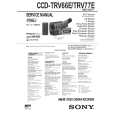
SONY CCD-TRV66E
Manual de Usuario


¡Twitee acerca de este producto y obtenga $1.00 de crédito en la tienda para uso!
  • Descargable
  • Formato PDF
  • Manual completo
  • Idiomas: English
Precio: $4.99

Descripción del SONY CCD-TRV66E Manual de Usuario

Manual del propietario completo en formato digital. El manual estará disponible para descarga como archivo PDF después de que lo compre.

El Manual del Propietario (a veces llamado Manual del Usuario o Guía del Usuario) contiene información sobre cómo utilizar su dispositivo. Después de colocar la orden le enviaremos las instrucciones de descarga a su dirección de e-mail.

The manual is available in languages: English

Not yet ready
You must purchase it first

Opiniones de los clientes
No hay comentarios de productos.

TEXT_PDF_SNIPPET
Recording a picture (p. 19) 1 Set the POWER switch to CAMERA
POWER CAMERA OFF VTR

3 Turn STANDBY to STANDBY. The
picture appears on the LCD screen.
LOCK

while pressing the small green button.

START/STOP

4 Press the red button. Your camcorder
starts recording. To stop recording, press the red button again.
OCK L

2 Open the LCD
panel while pressing OPEN.

START/STOP

Viewfinder When the LCD panel is closed, use the viewfinder placing your eye against its eyecup.

Monitoring the playback picture on the LCD screen (p. 31) 1 Set the POWER switch to VTR
while pressing the small green button.
POWER CAMERA OFF VTR

2 Press 0 to rewind the tape.
REW
Quick Start Guide

3 Press ( to start playback.
PLAY

S A TA

ND

BY

NDB

Y

NOTE Do not pick up your camcorder by holding the viewfinder or by holding the LCD panel.

7

Quizás también quiera comprar

$4.99

CCDTRV66E SONY
Manual de Servicio

Manual de servicio completo en formato digital (archivo PDF). Los manuales de servicio por lo genera…
>
Parse Time: 0.384 - Number of Queries: 178 - Query Time: 0.145