DSC-W90 LEVEL3 Quantity: 1
$4.99
» View Details
CT3308/ARHSA0BE Quantity: 1
$4.99
» View Details
GD5SHAXLQ02 Quantity: 1
$4.99
» View Details
KSSS42QDX00 Quantity: 1
$4.99
» View Details
5320 LA Quantity: 1
$4.99
» View Details
EK5143 Quantity: 1
$4.99
» View Details
WA Ecostyle 110 Quantity: 1
$4.99
» View Details
ESI420W Quantity: 1
$4.99
» View Details
AKZ 195/WH Quantity: 1
$4.99
» View Details
Z7109 Quantity: 1
$4.99
» View Details
14PT1363/012 Quantity: 1
$4.99
» View Details
WU5750Y1 Quantity: 1
$4.99
» View Details
KX-TC1200SP Quantity: 1
$4.99
» View Details
CD-VC1/E5 Quantity: 1
$4.99
» View Details
LSN3000PG1 Quantity: 1
$4.99
» View Details
RM6400L Quantity: 1
$4.99
» View Details
EHG3760X Quantity: 1
$4.99
» View Details
PTLC76E Quantity: 1
$4.99
» View Details
Favorit 5450 VI Quantity: 1
$4.99
» View Details
5151Bew Quantity: 1
$4.99
» View Details
KDRP463LSS07 Quantity: 1
$4.99
» View Details
LOE 86 Quantity: 1
$4.99
» View Details
ZJ1217 Quantity: 1
$4.99
» View Details
SSV331 Quantity: 1
$4.99
» View Details
Subtotal: $119.76
 
English Polski Spanish 
Buscar un manual
 

(p.Ej. AA-V20EG JVC, ZX-7 Sony)
PayPal 1000+ rating Secure, Encrypted Checkout.
 
Productos
Información
Destacado
Inicio >> JVC >> AV-36D202/AY Manual de Usuario
 
 24 artículo(s) en Su carrito 

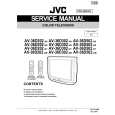
JVC AV-36D202/AY
Manual de Usuario


¡Twitee acerca de este producto y obtenga $1.00 de crédito en la tienda para uso!
  • Descargable
  • Formato PDF
  • Manual completo
  • Idiomas: English
Precio: $4.99

Descripción del JVC AV-36D202/AY Manual de Usuario

Manual del propietario completo en formato digital. El manual estará disponible para descarga como archivo PDF después de que lo compre.

El Manual del Propietario (a veces llamado Manual del Usuario o Guía del Usuario) contiene información sobre cómo utilizar su dispositivo. Después de colocar la orden le enviaremos las instrucciones de descarga a su dirección de e-mail.

The manual is available in languages: English

Not yet ready
You must purchase it first

Opiniones de los clientes
No hay comentarios de productos.

TEXT_PDF_SNIPPET
General Items
On/Off Timer
The On/Off timer lets you program your television to turn itself on or off. You can use it as an alarm to wake up, to help you remember important programs, or as a decoy when you're not home. Press the MENU button To ON/OFF TIMER To operate (begins with ON TIME) To set the hour (AM/PM) you want the TV to turn on To move to minutes To set the minutes To accept ON TIME and move to OFF TIME (the time the TV will turn off). Set the OFF TIME the same way as ONTIME To accept OFFTIME and move to CHANNEL To select channel To move to MODE Choose ONCE or EVERYDAY To ON/OFFTIMER Choose YES to accept the timer setting, choose NOif you don't wish to accept To FINISH To save settings

On/Off Timer Note for PIP (D502 models) only.
If the television is on when a timed event is about to start a Timer Preview window will appear. The Timer Preview window will appear in the lower right corner of the screen seven seconds before the timer is programmed to begin. When the timer activates, the Preview picture will become the main picture.

NOTES:
� The On/Off time cannot be set to locked or guarded channels. � In order for the On/Off timer to work, the clock must be set. � After a power interruption, the Timer settings must be reset.

37

Quizás también quiera comprar

$4.99

AV36D202/AY JVC
Manual de Servicio

Manual de servicio completo en formato digital (archivo PDF). Los manuales de servicio por lo genera…
>
Parse Time: 1.205 - Number of Queries: 181 - Query Time: 0.704