SA-G56 Quantity: 1
$4.99
» View Details
LG3001XPW0 Quantity: 1
$4.99
» View Details
T60LX Quantity: 1
$4.99
» View Details
ADP 972/2 NBM Quantity: 1
$4.99
» View Details
PWC2446 Quantity: 1
$4.99
» View Details
GEC9858EZ0 Quantity: 1
$4.99
» View Details
RM-2670EBA Quantity: 1
$4.99
» View Details
FE6416NG R05 Quantity: 1
$4.99
» View Details
MEDZ600TB0 Quantity: 1
$4.99
» View Details
EWF1380-W Quantity: 1
$4.99
» View Details
CSD-A519LH1J Quantity: 1
$4.99
» View Details
KEYL517BWH1 Quantity: 1
$4.99
» View Details
HR1366/00 Quantity: 1
$4.99
» View Details
KUDP01ILBS0 Quantity: 1
$4.99
» View Details
KSRA25KKSS02 Quantity: 1
$4.99
» View Details
HYPER PHASE Quantity: 1
$4.99
» View Details
399910703 Quantity: 1
$4.99
» View Details
LTE5243DT6 Quantity: 1
$4.99
» View Details
AWO/D 10761 Quantity: 1
$4.99
» View Details
CS14V10MJ0XXSE Quantity: 1
$4.99
» View Details
CM6160W1 Quantity: 1
$4.99
» View Details
KTRS22QDWH00 Quantity: 1
$4.99
» View Details
KUDI01ILBS3 Quantity: 1
$4.99
» View Details
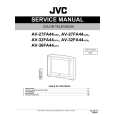
AV27FA44/AZA Quantity: 1
$4.99
» View Details
AKR 656 WH Quantity: 1
$4.99
» View Details
ENA3851 Quantity: 1
$4.99
» View Details
2A MULTISYNC Quantity: 1
$4.99
» View Details
DEH-P4980MP Quantity: 1
$4.99
» View Details
Subtotal: $139.72
 
English Polski Spanish 
Buscar un manual
 

(p.Ej. AA-V20EG JVC, ZX-7 Sony)
PayPal 1000+ rating Secure, Encrypted Checkout.
 
Productos
Información
Destacado
Inicio >> JVC >> AV27FA44/AZA Manual de Servicio
 
 28 artículo(s) en Su carrito 

JVC AV27FA44/AZA
Manual de Servicio


¡Twitee acerca de este producto y obtenga $1.00 de crédito en la tienda para uso!
  • Contiene diagramas del circuito
  • Descargable
  • Formato PDF
  • Manual completo
  • Idiomas: English
Precio: $4.99

Descripción del JVC AV27FA44/AZA Manual de Servicio

Manual de servicio completo en formato digital (archivo PDF). Los manuales de servicio por lo general contienen diagramas de circuitos, tarjetas de circuitos impresos, consejos para reparación, diagramas de cableado, diagramas de bloque y lista de refacciones. El Manual de Servicio (a veces llamado Manual de Reparación) es usado principalmente por los técnicos.

Si tan solo quiere saber cómo utilizar su televisión, reproductor de vídeo, reproductor de mp3, etc. Quizá lo que necesita es el Manual del Propietario. Después de colocar la orden le enviaremos las instrucciones de descarga a su dirección de e-mail.

The manual is available in languages:

Cantidad en el carro: 1

Not yet ready
You must purchase it first

Opiniones de los clientes
No hay comentarios de productos.

TEXT_PDF_SNIPPET
3.3

MEMORY IC REPLACEMENT

3.3.1 MEMORY IC This TV uses memory IC. This memory IC stores data for proper operation of the video and deflection circuits. When replacing the memory IC, be sure to use an IC containing this (initial value) data. 3.3.2 MEMORY IC REPLACEMENT PROCEDURE 1. Power off Switch off the power and disconnect the power cord from the wall outlet. 2. Replace the memory IC Be sure to use a memory IC written with the initial setting data. 3. Power on Connect the power cord to the wall outlet and switch on the power. 4. Confirm the system constant value � 12.SYSTEM (SYS) do not adjust normally. � The adjustment should not be done without signal. How to enter the SERVICE MENU. � Confirm that the setting of TV/CATV SW is at the "TV" side and the setting of VCR/DVD SW is at the "VCR" side. (1) Before disappear the display of SLEEP TIMER settings, simultaneously press the [DISPLAY] key and [VIDEO STATUS] key of the remote control unit. (2) The SERVICE MENU screen will be displayed as shown Fig.1. How to enter the 12. SYSTEM(SYS). (1) While the SERVICE MENU is displayed, select 12.SYSTEM(SYS) item with [CH / ] keys, and [VOL / ] keys is pressed, the screen will displayed as shown in Fig.2. (2) Refer to the "12.SYSTEM(SYS)" table and check the the be the
SYS01 VIDEO IN Fig.2 SERVICE MENU SERVICE MENU

1. V/C(S)
3. SOUND(A) 7. LOW LIGHT 9. RF AFC 11. I2C BUS

2. DEF(D)
4. OTHERS(F) 6. 3L Y/C(LYC) 8. HIGH LIGHT 10. VOC 12. SYSTEM(SYS)

SELECT BY OPERATE BY Fig.1

EXIT BY EXIT

12.SYSTEM (SYS)

setting items. If the value is different, select the setting item with the [CH / ] keys and adjust the setting with the [VOL / ] keys. (The letters of the selected item are displayed in yellow.) (3) When adjustment has completed, the values store into memory IC automatically. (4) Press the [EXIT] key to return the SERVICE MENU screen. (5) Then press the [EXIT] key again to return the normal screen. 5. Receiving channel setting Refer to the OPERATING INSTRUCTIONS (USER'S GUIDE) and set the receive channels (Channels Preset) as described. 6. User settings Check the user setting items according to the "FACTORY SETTING ITEM" table. Where these do not agree, refer to the OPERATING INSTRUCTIONS (USER'S GUIDE) and set the items as described. 7. SERVICE MENU setting Verify what to set in the SERVICE MENU, and set whatever is necessary(Fig.1) . Refer to the SERVICE ADJUSTMENT for setting.

KEY ASSIGNMENT OF REMOTE CONTROL UNIT

SLEEP TIMER key

DISPLAY & VIDEO STATUS key
SOUND
V.STATUS

ASPECT

LIGHT

C.C.

VOL

/ key

CH

/

key EXIT key

[RM-C1251G]

1-12 (No.52114)

Quizás también quiera comprar

$4.99

AV-27FA44/AZA JVC
Manual de Usuario

Manual del propietario completo en formato digital. El manual estará disponible para descarga como …
>
Parse Time: 0.332 - Number of Queries: 195 - Query Time: 0.099