EFCR944U Quantity: 1
$4.99
» View Details
PDP-5080XD Quantity: 1
$4.99
» View Details
FM617 Quantity: 1
$4.99
» View Details
CU-C12DKK Quantity: 1
$4.99
» View Details
DMCFX1SG Quantity: 1
$4.99
» View Details
KVEE 2539/A-LH Quantity: 1
$4.99
» View Details
GSIS 6325 IN BK Quantity: 1
$4.99
» View Details
HD-Z70RX5/C Quantity: 1
$4.99
» View Details
2 FCI-39 Quantity: 1
$4.99
» View Details
3LBR6132EQ0 Quantity: 1
$4.99
» View Details
ADG 332 S AV Quantity: 1
$4.99
» View Details
3LSC9255BQ0 Quantity: 1
$4.99
» View Details
RQL470E Quantity: 1
$4.99
» View Details
KXTC186LBB Quantity: 1
$4.99
» View Details
TH-R3EE Quantity: 1
$4.99
» View Details
LER5634AQ2 Quantity: 1
$4.99
» View Details
XM3046 Quantity: 1
$4.99
» View Details
KV2553MT Quantity: 1
$4.99
» View Details
JEH1100 W Quantity: 1
$4.99
» View Details
PD-F904 Quantity: 1
$4.99
» View Details
ZFC48 Quantity: 1
$4.99
» View Details
C1426R Quantity: 1
$4.99
» View Details
Subtotal: $109.78
 
English Polski Spanish 
Buscar un manual
 

(p.Ej. AA-V20EG JVC, ZX-7 Sony)
PayPal 1000+ rating Secure, Encrypted Checkout.
 
Productos
Información
Destacado
Inicio >> SHARP >> AR-PX4 Catálogo de piezas
 
 22 artículo(s) en Su carrito 

SHARP AR-PX4
Catálogo de piezas


¡Twitee acerca de este producto y obtenga $1.00 de crédito en la tienda para uso!
  • Descargable
  • Formato PDF
  • Manual completo
  • Idiomas: English
Precio: $4.99

Descripción del SHARP AR-PX4 Catálogo de piezas

Únicamente Catálogo de Partes. Está disponible en formato PDF. Muy útil si su equipo se ha averiado y necesita reemplazar alguna parte (por ejemplo, un circuito integrado, etc.). Después de colocar la orden le enviaremos las instrucciones de descarga a su dirección de e-mail.

The manual is available in languages: English

Not yet ready
You must purchase it first

Opiniones de los clientes
No hay comentarios de productos.

TEXT_PDF_SNIPPET
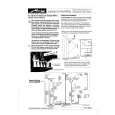
11) Remove the top cover of the printer controller and attach the printer controller.

13) Attach the top cover of the printer controller.

14) Install all the parts that were removed to their original positions. 15) Attach the caution label to the cabinet. (Only EU version)

3. Setting
1) Turn on the power of the unit. 2) Enter the simulation 26-1 mode. 3) Press "PRN: AR-PE2" button. (Communication between the unit and the printer controller is allowed.) 4) Cancel the simulation mode.

12) Connect controller side I/F cable and DC cable.

�3�

Quizás también quiera comprar

$4.99

SX-K700 TECHNICS
Manual de Usuario

Manual del propietario completo en formato digital. El manual estará disponible para descarga como …

$4.99

CJ-V51 PIONEER
Manual de Servicio

Manual de servicio completo en formato digital (archivo PDF). Los manuales de servicio por lo genera…

$4.99

GRAND PRIX ELECTRONIC 754 BECKER
Manual de Servicio

Manual de servicio completo en formato digital (archivo PDF). Los manuales de servicio por lo genera…

$4.99

SX-PR602 TECHNICS
Manual de Servicio

Manual de servicio completo en formato digital (archivo PDF). Los manuales de servicio por lo genera…

$4.99

EV-S1000E SONY
Manual de Usuario

Manual del propietario completo en formato digital. El manual estará disponible para descarga como …

$4.99

GRAND PRIX ELECTRONIC 780 BECKER
Manual de Servicio

Manual de servicio completo en formato digital (archivo PDF). Los manuales de servicio por lo genera…

$4.99

AG7330 PANASONIC
Manual de Servicio

Manual de servicio completo en formato digital (archivo PDF). Los manuales de servicio por lo genera…

$4.99

MECABLITZ 60 CT4 METZ
Manual de Servicio

Manual de servicio completo en formato digital (archivo PDF). Los manuales de servicio por lo genera…
>
Parse Time: 0.259 - Number of Queries: 199 - Query Time: 0.072