PT65A Quantity: 1
$4.99
» View Details
EB-GD75 Quantity: 1
$4.99
» View Details
SR5 Quantity: 1
$4.99
» View Details
PS120M Quantity: 1
$4.99
» View Details
MX3550D37 Quantity: 1
$4.99
» View Details
WED5590SQ0 Quantity: 1
$4.99
» View Details
GF777H Quantity: 1
$4.99
» View Details
MG-C200/17 Quantity: 1
$4.99
» View Details
KHMS2050SBL0 Quantity: 1
$4.99
» View Details
WAT STUTTGART Quantity: 1
$4.99
» View Details
LC-30HV4D Quantity: 1
$4.99
» View Details
ELEGANCE21FLAT Quantity: 1
$4.99
» View Details
CQDVR7000U Quantity: 1
$4.99
» View Details
LAV84741 Quantity: 1
$4.99
» View Details
FWP75037 Quantity: 1
$4.99
» View Details
HRDVS2EK Quantity: 1
$4.99
» View Details
CST339/19 Quantity: 1
$4.99
» View Details
TS2745C Quantity: 1
$4.99
» View Details
HTD325 Quantity: 1
$4.99
» View Details
PC 36 SB Quantity: 1
$4.99
» View Details
CV770 Quantity: 1
$4.99
» View Details
DMC-FZ7GK VOLUME 1 Quantity: 1
$4.99
» View Details
RD1870DA Quantity: 1
$4.99
» View Details
RXC45LE Quantity: 1
$4.99
» View Details
6427FD Quantity: 1
$4.99
» View Details
TLP-S40 Quantity: 1
$4.99
» View Details
ART 686/YE/LH Quantity: 1
$4.99
» View Details
KXTS15 Quantity: 1
$4.99
» View Details
TP30 Quantity: 1
$4.99
» View Details
RK-C28G1SPK Quantity: 1
$4.99
» View Details
AFE 910/H Quantity: 1
$4.99
» View Details
NF3921b Quantity: 1
$4.99
» View Details
ACM 751/BA Quantity: 1
$4.99
» View Details
SB-3170 Quantity: 1
$4.99
» View Details
ESI661X EDELSTAHL Quantity: 1
$4.99
» View Details
SG320H Quantity: 1
$4.99
» View Details
AIDA AWS103 Quantity: 1
$4.99
» View Details
VR17516 Quantity: 1
$4.99
» View Details
KGCS105GWH05 Quantity: 1
$4.99
» View Details
UX-E15 Quantity: 1
$4.99
» View Details
EMCHD 4126 BL Quantity: 1
$4.99
» View Details
MCM204/05 Quantity: 1
$4.99
» View Details
CCA134AT Quantity: 1
$4.99
» View Details
ADP 904/S WH Quantity: 1
$4.99
» View Details
WA 8373 W Quantity: 1
$4.99
» View Details
SD-26VESE Quantity: 1
$4.99
» View Details
ART 769/NFV Quantity: 1
$4.99
» View Details
TC-26LX50 Quantity: 1
$4.99
» View Details
TX21AD3C Quantity: 1
$4.99
» View Details
TC-15PM30RQ-CIS Quantity: 1
$4.99
» View Details
65DV20 Quantity: 1
$4.99
» View Details
ICF-5800L Quantity: 1
$4.99
» View Details
AY-X10BE Quantity: 1
$4.99
» View Details
PCRW4012K/00 Quantity: 1
$4.99
» View Details
VV2018W Quantity: 1
$4.99
» View Details
ADP 4695 IX Quantity: 1
$4.99
» View Details
SA2215/02 Quantity: 1
$4.99
» View Details
HX1630/02 Quantity: 1
$4.99
» View Details
XLDV60H Quantity: 1
$4.99
» View Details
DPR3060 Quantity: 1
$4.99
» View Details
KXTC1210NZS Quantity: 1
$4.99
» View Details
GSF 2481 WS Quantity: 1
$4.99
» View Details
DN8652 Quantity: 1
$4.99
» View Details
CZN 236 B Quantity: 1
$4.99
» View Details
JJTF8500XLP2 Quantity: 1
$4.99
» View Details
STUDIO 2000B HIFI Quantity: 1
$4.99
» View Details
XRMT1000 Quantity: 1
$4.99
» View Details
ES6000/90A LM/T BIAN Quantity: 1
$4.99
» View Details
TCD138/BUAHAACP Quantity: 1
$4.99
» View Details
CTV2089 Quantity: 1
$4.99
» View Details
ED2FHAXSL02 Quantity: 1
$4.99
» View Details
TCS30D Quantity: 1
$4.99
» View Details
KEBS107DSS9 Quantity: 1
$4.99
» View Details
HS-J110 Quantity: 1
$4.99
» View Details
SZB BRATPFANNE ECLEA Quantity: 1
$4.99
» View Details
ZCE5200BK Quantity: 1
$4.99
» View Details
VCP4320W Quantity: 1
$4.99
» View Details
KXTMC98B Quantity: 1
$4.99
» View Details
SC430 LEXUS 08 200 Quantity: 1
$4.99
» View Details
SP737 Quantity: 1
$4.99
» View Details
CAMPING WG700 Quantity: 1
$4.99
» View Details
ZOP36X Quantity: 1
$4.99
» View Details
ECR19 Quantity: 1
$4.99
» View Details
OPUS HIFI 6060 Quantity: 1
$4.99
» View Details
FXM-1911C Quantity: 1
$4.99
» View Details
AWM 5140/2 Quantity: 1
$4.99
» View Details
ADP 7400 WH Quantity: 1
$4.99
» View Details
GX-R99 Quantity: 1
$4.99
» View Details
GR-SXM61A Quantity: 1
$4.99
» View Details
KVC2991D Quantity: 1
$4.99
» View Details
7900Z Quantity: 1
$4.99
» View Details
WW 53 SC Quantity: 1
$4.99
» View Details
KB26G1XOB3 Quantity: 1
$4.99
» View Details
ESZ 5460/01 IN Quantity: 1
$4.99
» View Details
Subtotal: $469.06
 
English Polski Spanish 
Buscar un manual
 

(p.Ej. AA-V20EG JVC, ZX-7 Sony)
PayPal 1000+ rating Secure, Encrypted Checkout.
 
Productos
Información
Destacado
Inicio >> PIONEER >> A-509R/MY Manual de Servicio
 
 94 artículo(s) en Su carrito 

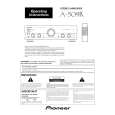
PIONEER A-509R/MY
Manual de Servicio


¡Twitee acerca de este producto y obtenga $1.00 de crédito en la tienda para uso!
  • Contiene diagramas del circuito
  • Descargable
  • Formato PDF
  • Manual completo
  • Idiomas: English
Precio: $4.99

Descripción del PIONEER A-509R/MY Manual de Servicio

Manual de servicio completo en formato digital (archivo PDF). Los manuales de servicio por lo general contienen diagramas de circuitos, tarjetas de circuitos impresos, consejos para reparación, diagramas de cableado, diagramas de bloque y lista de refacciones. El Manual de Servicio (a veces llamado Manual de Reparación) es usado principalmente por los técnicos.

Si tan solo quiere saber cómo utilizar su televisión, reproductor de vídeo, reproductor de mp3, etc. Quizá lo que necesita es el Manual del Propietario. Después de colocar la orden le enviaremos las instrucciones de descarga a su dirección de e-mail.

The manual is available in languages: English

Not yet ready
You must purchase it first

Opiniones de los clientes
No hay comentarios de productos.

TEXT_PDF_SNIPPET
A-509R

7 REC SELECTOR switch /indicator(For TAPE 1/CDR/MD terminals)
This switch is used to select the recording source component. The signal from the selected component is output at the TAPE1/ CD-R/MD jacks for recording. To select a recording source component, press the REC SELECTOR switch so that the indicator of the desired source component lights up. When this switch is set to [TUNER] or [CD], the signal from the selected component can be recorded regardless of the input selector switch and TAPE2 MONITOR button settings. CD : To record from the equipment connected to the CD terminals. TUNER : To record from the equipment connected to the TUNER terminals. SOURCE : To record from the equipment selected by the INPUT SELECTOR knob. OFF : In this position, nothing from the REC terminals of TAPE 1/CD-R/MD is output. Set to this position when not recording; the cassette deck will be disconnected, improving sound quality. NOTE: The function selected using the INPUT SELECTOR knob will be recorded irrespective of the position of the REC SELECTOR switch (TAPE 2 MONITOR terminals).

0 LOUDNESS button/indicator
Use when listening at low volume level. On : The indicator lights. Boosts low and high frequencies to give added punch to playback even at low volume level. Off : The indicator goes out. Should normally be left in this position. NOTE: This button does not operate at DIRECT ON mode.

- TREBLE tone control
Use to adjust the high-frequency tone. The center position is the flat (normal) position. When turned to the right, the high-frequency tone is emphasized; when turned to the left, the high-frequency tone is de-emphasized. NOTE: This control does not operate at DIRECT ON mode.

= BASS tone control
Use to adjust the low-frequency tone. The center position is the flat (normal) position. When turned to the right, the low-frequency tone is emphasized; when turned to the left, the low-frequency tone is de-emphasized. NOTE: This control does not operate at DIRECT ON mode.

~ PHONES jack
When using headphones, insert the plug into this jack.

8 BALANCE control
Should normally be left in the center position. Adjust the balance if the sound is louder from one of the speakers. If the right side is louder, turn toward the L (left) position and if the left side is louder, turn toward the R (right) position. NOTE: This control does not operate at DIRECT ON mode.

! SPEAKERS B (ON/OFF) button/indicator
Use this button to listen to the speaker system connected to the SPEAKERS B terminals. On : The indicator lights. Sound is heard from the speaker system. Off : The indicator goes out. No sound is heard from the speaker system. Set to this position when listening with headphones.

9 DIRECT/SB MODE button/indicator
Press and hold the button for more than 3 seconds to switch SB mode ON. (Volume indicator goes out) Press and hold the button for more than 3 seconds again to switch SB mode OFF. (Volume indicator lights) [DIRECT] Use this button when you do not wish to pass the output from input terminal equipment through the various frequency adjusting circuits (BASS, TREBLE, BALANCE, LOUDNESS). On : The indicator lights. The signals input through the input terminals are reproduced without passing through the various frequency adjusting circuits. This results in flat, pure sound which is a more faithful reproduction of the input source. Off : The indicator goes out. The signal passes through the various frequency adjusting circuits. [SB MODE] The SB mode is a special mode in which the amplifier does not accept remote control except power ON/OFF (But all of the facilities can be controled by manual as same as SB mode OFF.). Fix the VOLUME control near the center position.In this mode, the set can be used as a power amplifier which amplifies the LINE/SURROUND BACK input (the function name is LINE/SB) with a input sensitivity of 1V. For example, when the set is combined with one of Pioneer's Surround Back compatible receiver, the set can be used sa the Surround Back amplifier. (For details, please refer to the instruction manual of the receiver.)

@ SPEAKERS A (ON/OFF) button/indicator
Use this button to listen to the speaker system connected to the SPEAKERS A terminals. On : The indicator lights. Sound is heard from the speaker system. Off : The indicator goes out. No sound is heard from the speaker system. Set to this position when listening with headphones.

27

Quizás también quiera comprar

$4.99

A-509R/MY PIONEER
Manual de Usuario

Manual del propietario completo en formato digital. El manual estará disponible para descarga como …
>
Parse Time: 0.416 - Number of Queries: 440 - Query Time: 0.157