WTA 6B Quantity: 1
$4.99
» View Details
KEWD105HBU05 Quantity: 1
$4.99
» View Details
S20D RBB32-A/G Quantity: 1
$4.99
» View Details
CCT651W Quantity: 1
$4.99
» View Details
KV-27TW70 Quantity: 1
$4.99
» View Details
ET5WSEXKT00 Quantity: 1
$4.99
» View Details
FT42230 Quantity: 1
$4.99
» View Details
S-DV830ST Quantity: 1
$4.99
» View Details
32UX51B Quantity: 1
$4.99
» View Details
ZOU885ALU Quantity: 1
$4.99
» View Details
QCE532W Quantity: 1
$4.99
» View Details
PCGNV190P Quantity: 1
$4.99
» View Details
TRAVELPILOT DX-N Quantity: 1
$4.99
» View Details
CDX5262 Quantity: 1
$4.99
» View Details
AJ-YA950 Quantity: 1
$4.99
» View Details
BVW-65P VOLUME 1 Quantity: 1
$4.99
» View Details
TLG2091 Quantity: 1
$4.99
» View Details
CCDSP5 Quantity: 1
$4.99
» View Details
LLT1511A Quantity: 1
$4.99
» View Details
STUDIOPRO4 Quantity: 1
$4.99
» View Details
ARL 777 Quantity: 1
$4.99
» View Details
ART1SAT Quantity: 1
$4.99
» View Details
57G500A Quantity: 1
$4.99
» View Details
AKZM 831/IX Quantity: 1
$4.99
» View Details
KV29AL66 Quantity: 1
$4.99
» View Details
X05002X02 Quantity: 1
$4.99
» View Details
CPG700W Quantity: 1
$4.99
» View Details
DEH-P3950MP/XU/CN5 Quantity: 1
$4.99
» View Details
SB-A25 Quantity: 1
$4.99
» View Details
ER3301C Quantity: 1
$4.99
» View Details
LSR6332KQ0 Quantity: 1
$4.99
» View Details
STV6303 Quantity: 1
$4.99
» View Details
XRM151 Quantity: 1
$4.99
» View Details
PCS-P300/P300P Quantity: 1
$4.99
» View Details
KSSS42QKB01 Quantity: 1
$4.99
» View Details
AKZ 476/NB Quantity: 1
$4.99
» View Details
SLVP40GK/GCS/GH Quantity: 1
$4.99
» View Details
KGC 3354/2 Quantity: 1
$4.99
» View Details
HV-32D25EJW Quantity: 1
$4.99
» View Details
DD20 Quantity: 1
$4.99
» View Details
NNS566 Quantity: 1
$4.99
» View Details
E3601 Quantity: 1
$4.99
» View Details
EC2221S Quantity: 1
$4.99
» View Details
28LF92H Quantity: 1
$4.99
» View Details
EN400B/2 Quantity: 1
$4.99
» View Details
AZ2536/10 Quantity: 1
$4.99
» View Details
546 096 85 Quantity: 1
$4.99
» View Details
Subtotal: $234.53
 
English Polski Spanish 
Buscar un manual
 

(p.Ej. AA-V20EG JVC, ZX-7 Sony)
PayPal 1000+ rating Secure, Encrypted Checkout.
 
Productos
Información
Destacado
Inicio >> SHARP >> 28JW74E Manual de Servicio
 
 47 artículo(s) en Su carrito 

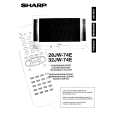
SHARP 28JW74E
Manual de Servicio


¡Twitee acerca de este producto y obtenga $1.00 de crédito en la tienda para uso!
  • Contiene diagramas del circuito
  • Descargable
  • Formato PDF
  • Manual completo
  • Idiomas: English
Precio: $4.99

Descripción del SHARP 28JW74E Manual de Servicio

Manual de servicio completo en formato digital (archivo PDF). Los manuales de servicio por lo general contienen diagramas de circuitos, tarjetas de circuitos impresos, consejos para reparación, diagramas de cableado, diagramas de bloque y lista de refacciones. El Manual de Servicio (a veces llamado Manual de Reparación) es usado principalmente por los técnicos.

Si tan solo quiere saber cómo utilizar su televisión, reproductor de vídeo, reproductor de mp3, etc. Quizá lo que necesita es el Manual del Propietario. Después de colocar la orden le enviaremos las instrucciones de descarga a su dirección de e-mail.

The manual is available in languages:

Not yet ready
You must purchase it first

Opiniones de los clientes
No hay comentarios de productos.

TEXT_PDF_SNIPPET
28JW-74E
� Use the channel up and down buttons to move between the options. � Use the volume control buttons to change the data. � To store the data, use the stand-by button on the remote control. � To exit the Service Mode, turn the receiver off using the mains switch. When the Service Mode is entered the following On Screen Display appears: SERVICE SOFTWARE 28JW74E ��-����� SW on: XXXX SW off: XXXX Hours ON: XXXX The figures displayed in the �XXXX� locations are hexadecimal representations of the number of times that particular function has been executed. For example if the hexadecimal number displayed after �SW ON� was 0E4A, this would correspond to the receiver being turned on 3658 times. X

Adjustment menu:
The following adjustments can be carried out in the Service Mode. 01. Horizontal Shift 02. East West Width 03. Pin Phase 04. Pin Amp 05. Upper corner correction 06. Lower corner correction 07. Extreme Corner Correction 08. Vertical Linearity 09. Vertical Angle 10. Vertical Bow 11. Vertical Amplitude 12. S Correction 13. Vertical Shift 14. Red Cut Off 15. Green Cut Off 16. Blue Cut Off 17. Alter NVM Pag (Page) 18. Alter NVM Pos (Position) 19. Alter NVM Val (Value) 20. Teletext Mix Mode Contrast 21. Teletext Contrast 22. OSD Contrast 23. DVCO Adjustment (Only PAL) 24. DVCO Adjustment (Only NTSC) 25. AGC Adjustment 26. Auto Installation On/Off

When in the Service Mode it is possible to access certain functions by using the teletext keys as below. � By pressing the Blue button each adjustment can be directly accessed via the remote control. Referring to the list above, press the Blue button followed by the adjustment number, this will directly access the selected adjustment. If any number above 26 is selected, the set will revert to the Service Mode entry page. To access a number less than 10, use the 0 key first, i.e. 02. � Press the Yellow button to go straight to the AGC adjustment. � Press the Green button once to enter �FACTORY VOLUME� level. Use volume control keys to change the setting. The original value will be recovered after resetting the TV set. � Press the Green button twice to enter �FACTORY BALANCE� level. Use volume control keys to change the setting. The original value will be recovered after resetting the TV set. � Press the Red button once to enter �FACTORY CONTRAST� level. Use volume control keys to change the setting. The adjustment is stored automatically. � Press the Red button twice to enter �FACTORY BRIGHTNESS� level. Use volume control keys to change the setting. The adjustment is stored automatically. � Press the Red button three times to enter �FACTORY COLOUR� level. Use volume control keys to change the setting. The adjustment is stored automatically. � If buttons 0 through 9 are pressed, the set will automatically go to that program number. Note that in case the blue button has been used before, the program number should be requested by using two digit number (01...99). � By pressing the Menu button, the unit will normalise Picture and Audio settings. The Auto Installation is then turned �on�.

7

Quizás también quiera comprar

$4.99

28JW74E SHARP
Manual de Usuario

Manual del propietario completo en formato digital. El manual estará disponible para descarga como …
>
Parse Time: 0.255 - Number of Queries: 275 - Query Time: 0.082