600II Quantity: 1
$4.99
» View Details
DC7800 Quantity: 1
$4.99
» View Details
ELK1831-HV Quantity: 1
$4.99
» View Details
CTV3500 Quantity: 1
$4.99
» View Details
14PV263/08 Quantity: 1
$4.99
» View Details
PE2270E/A/B Quantity: 1
$4.99
» View Details
HD2526/60 Quantity: 1
$4.99
» View Details
14PV227/07 Quantity: 1
$4.99
» View Details
CHASSIS 603 Quantity: 1
$4.99
» View Details
D750 Quantity: 1
$4.99
» View Details
KEH-P5700R/XM/EW Quantity: 1
$4.99
» View Details
DEHP945R Quantity: 1
$4.99
» View Details
GRDVX407EQ Quantity: 1
$4.99
» View Details
70TF65 MOREA S Quantity: 1
$4.99
» View Details
HD2421/60 Quantity: 1
$4.99
» View Details
QL-Y55F Quantity: 1
$4.99
» View Details
KUIS18NNJW8 Quantity: 1
$4.99
» View Details
NN-H765 Quantity: 1
$4.99
» View Details
SAHT275P Quantity: 1
$4.99
» View Details
PC960 Quantity: 1
$4.99
» View Details
GT000AB-5 Quantity: 1
$4.99
» View Details
46400UD Quantity: 1
$4.99
» View Details
KAWE742WAL2 Quantity: 1
$4.99
» View Details
24MC4306/37B Quantity: 1
$4.99
» View Details
HD2580/20 Quantity: 1
$4.99
» View Details
KXTD184X Quantity: 1
$4.99
» View Details
DC2000 Quantity: 1
$4.99
» View Details
VPL-S900M Quantity: 1
$4.99
» View Details
KXT9501BX SIMPLIF Quantity: 1
$4.99
» View Details
HD2611/35 Quantity: 1
$4.99
» View Details
C9500G-CM Quantity: 1
$4.99
» View Details
TCM10502 Quantity: 1
$4.99
» View Details
RF310PXDW0 Quantity: 1
$4.99
» View Details
LER7646DQ0 Quantity: 1
$4.99
» View Details
G80.190 Quantity: 1
$4.99
» View Details
KHMS105EAL0 Quantity: 1
$4.99
» View Details
EM3032-V Quantity: 1
$4.99
» View Details
VSX-9700S/SD Quantity: 1
$4.99
» View Details
AKS 331/NE Quantity: 1
$4.99
» View Details
EHS7691U 17P Quantity: 1
$4.99
» View Details
AAA45 Quantity: 1
$4.99
» View Details
RGS7648EN2 Quantity: 1
$4.99
» View Details
ET8CHMXKB03 Quantity: 1
$4.99
» View Details
KTRP22EMSS02 Quantity: 1
$4.99
» View Details
VSF303PEKQ4 Quantity: 1
$4.99
» View Details
WA 9560 Quantity: 1
$4.99
» View Details
ECHOLETTEM40 Quantity: 1
$4.99
» View Details
LX-553A Quantity: 1
$4.99
» View Details
RA123A0 Quantity: 1
$4.99
» View Details
WDM-1290B Quantity: 1
$4.99
» View Details
Subtotal: $249.50
 
English Polski Spanish 
Buscar un manual
 

(p.Ej. AA-V20EG JVC, ZX-7 Sony)
PayPal 1000+ rating Secure, Encrypted Checkout.
 
Productos
Información
Destacado
Inicio >> PHILIPS >> 14PV227/07 Manual de Usuario
 
 50 artículo(s) en Su carrito 

PHILIPS 14PV227/07
Manual de Usuario


¡Twitee acerca de este producto y obtenga $1.00 de crédito en la tienda para uso!
  • Descargable
  • Formato PDF
  • Manual completo
  • Idiomas: English
Precio: $4.99

Descripción del PHILIPS 14PV227/07 Manual de Usuario

Manual del propietario completo en formato digital. El manual estará disponible para descarga como archivo PDF después de que lo compre.

El Manual del Propietario (a veces llamado Manual del Usuario o Guía del Usuario) contiene información sobre cómo utilizar su dispositivo. Después de colocar la orden le enviaremos las instrucciones de descarga a su dirección de e-mail.

The manual is available in languages: English

Cantidad en el carro: 1

Not yet ready
You must purchase it first

Opiniones de los clientes
No hay comentarios de productos.

TEXT_PDF_SNIPPET
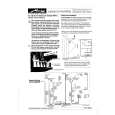
Manual TV channel search
In certain cases the �Automatic TV channel search� may not be able to find all of the TV channels (e.g. coded TV channels). In that case, use this manual method to set the channels.
a Press the MENU button on the remote control. The main

Satellite receiver
You can receive channels from the satellite receiver via the scart socket EXT .
a To do this, select the channel number �E1� using the

menu will appear.
b Select the line �MANUAL SEARCH� with the =P r or
;P q

button 0 on the remote control. You will have to select the channels to be received by the satellite receiver on the receiver itself.
b Use the number buttons 0..9 on the remote control to

button and confirm with the

SqP

button.

select the channels on the TV-Video Combi.

MANUAL SEARCH

PROGRAMME NUMBER FREQUENCY DECODER

W P01

X

754 OFF

EXIT: MENU

STORE: OK

c In the line �PROGRAMME NUMBER�, select the function

with the buttons QSr or SqP or use the number buttons � 0..9 � on the remote control to select the desired programme number, e.g.: �P01�.
d Select the line �FREQUENCY� with the menu buttons
=P r

or

;P q

.

e Enter the frequency of the desired TV channel with the

number buttons

0..9

.

D If you don�t know the frequency of the desired TV channel, press SqP in line �FREQUENCY� to start the automatic search. Repeat automatic search until you have found the desired TV channel. A changing frequency number will appear on the TV screen.
f If you want to allocate a decoder, in line �DECODER�

select �ON� using the button

SqP

.

g To store the TV channel, press OK . �STORED� will

briefly appear on the TV screen. D If you would like to search for more TV channels, start again at step b.
h To end, press the MENU button.

7

Quizás también quiera comprar

$4.99

14PV22707 PHILIPS
Manual de Servicio

Manual de servicio completo en formato digital (archivo PDF). Los manuales de servicio por lo genera…
>
Parse Time: 1.35 - Number of Queries: 283 - Query Time: 0.817