1154615 Quantity: 1
$4.99
» View Details
LAVW1010-W Quantity: 1
$4.99
» View Details
EV200FXMQ03 Quantity: 1
$4.99
» View Details
CTV1410 Quantity: 1
$4.99
» View Details
OZ-8200 Quantity: 1
$4.99
» View Details
54332790 Quantity: 1
$4.99
» View Details
NVF65EE Quantity: 1
$4.99
» View Details
LAV915 Quantity: 1
$4.99
» View Details
KUDS02SRBL0 Quantity: 1
$4.99
» View Details
1515 Quantity: 1
$4.99
» View Details
V-133DI Quantity: 1
$4.99
» View Details
GB2SHDXPT01 Quantity: 1
$4.99
» View Details
LGR3622BW0 Quantity: 1
$4.99
» View Details
HR6935/89 Quantity: 1
$4.99
» View Details
TO 833 Quantity: 1
$4.99
» View Details
DE 3362 SW Quantity: 1
$4.99
» View Details
FL 1348 Quantity: 1
$4.99
» View Details
MF72TK81 Quantity: 1
$4.99
» View Details
AQ140WD-7BQ Quantity: 1
$4.99
» View Details
CHE-1625 Quantity: 1
$4.99
» View Details
AC0752XM1 Quantity: 1
$4.99
» View Details
VCC616AF Quantity: 1
$4.99
» View Details
VC-AH990A Quantity: 1
$4.99
» View Details
LT-37DR7SJ Quantity: 1
$4.99
» View Details
SX-NV150M Quantity: 1
$4.99
» View Details
PVDV800D Quantity: 1
$4.99
» View Details
ARC330 Quantity: 1
$4.99
» View Details
RP-HV121P Quantity: 1
$4.99
» View Details
KEBI276DWH8 Quantity: 1
$4.99
» View Details
G5500 Quantity: 1
$4.99
» View Details
PAV2200AWW Quantity: 1
$4.99
» View Details
21DK15CH Quantity: 1
$4.99
» View Details
DEH-P7980UBBR Quantity: 1
$4.99
» View Details
DV-868AVI-S/WYXJ Quantity: 1
$4.99
» View Details
S-VW02/DAXJI Quantity: 1
$4.99
» View Details
HR-XV45SER Quantity: 1
$4.99
» View Details
RMP1 Quantity: 1
$4.99
» View Details
BEOGRAM9000_5965 Quantity: 1
$4.99
» View Details
CASINO 2/632 Quantity: 1
$4.99
» View Details
MHE11RDB4 Quantity: 1
$4.99
» View Details
AKS 621/1 NB Quantity: 1
$4.99
» View Details
RES7648JQ0 Quantity: 1
$4.99
» View Details
KGCT365GWH03 Quantity: 1
$4.99
» View Details
WD-1295B Quantity: 1
$4.99
» View Details
GKA 2502 Quantity: 1
$4.99
» View Details
DELTA DL-50 Quantity: 1
$4.99
» View Details
WAK 5400 EX Quantity: 1
$4.99
» View Details
SF5140SRN6 Quantity: 1
$4.99
» View Details
TS 406 AUTOMATIC 12V Quantity: 1
$4.99
» View Details
ARC 1771 Quantity: 1
$4.99
» View Details
ED22DSXDB00 Quantity: 1
$4.99
» View Details
ART 355/G Quantity: 1
$4.99
» View Details
RC6288 Quantity: 1
$4.99
» View Details
TC-14S10A Quantity: 1
$4.99
» View Details
017.287 4 Quantity: 1
$4.99
» View Details
TC-D507 Quantity: 1
$4.99
» View Details
798.848 8/10945 Quantity: 1
$4.99
» View Details
CA-MXKA33 Quantity: 1
$4.99
» View Details
RW407 Quantity: 1
$4.99
» View Details
50336 36F Quantity: 1
$4.99
» View Details
AP-60 Quantity: 1
$4.99
» View Details
NSXMT241 Quantity: 1
$4.99
» View Details
WAT 9545D Quantity: 1
$4.99
» View Details
NE3313 Quantity: 1
$4.99
» View Details
SDE405DAYW Quantity: 1
$4.99
» View Details
CM2626TSF Quantity: 1
$4.99
» View Details
DVDRV32P Quantity: 1
$4.99
» View Details
Z-21 Quantity: 1
$4.99
» View Details
K81A Quantity: 1
$4.99
» View Details
HR-J713EU Quantity: 1
$4.99
» View Details
NV-MV40 Quantity: 1
$4.99
» View Details
AV-21F8-VT Quantity: 1
$4.99
» View Details
ET18JKXRWL0 Quantity: 1
$4.99
» View Details
XV-EV500/DFXJ Quantity: 1
$4.99
» View Details
AD40TJ1 Quantity: 1
$4.99
» View Details
25PT4323/69R Quantity: 1
$4.99
» View Details
GX20 Quantity: 1
$4.99
» View Details
MFW108EDWT MM Quantity: 1
$4.99
» View Details
DU8770XY1 Quantity: 1
$4.99
» View Details
ADORINA SL, 298 Quantity: 1
$4.99
» View Details
AE2155/17 Quantity: 1
$4.99
» View Details
DVHR450S Quantity: 1
$4.99
» View Details
SA167/00 Quantity: 1
$4.99
» View Details
VGNT16RLPS Quantity: 1
$4.99
» View Details
KDSR50XBR1 Quantity: 1
$4.99
» View Details
8ET21PKXFN01 Quantity: 1
$4.99
» View Details
QB520W Quantity: 1
$4.99
» View Details
Subtotal: $434.13
 
English Polski Spanish 
Buscar un manual
 

(p.Ej. AA-V20EG JVC, ZX-7 Sony)
PayPal 1000+ rating Secure, Encrypted Checkout.
 
Productos
Información
Destacado
Inicio >> SHARP >> 13VTR150 Manual de Usuario
 
 87 artículo(s) en Su carrito 

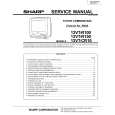
SHARP 13VTR150
Manual de Usuario


¡Twitee acerca de este producto y obtenga $1.00 de crédito en la tienda para uso!
  • Descargable
  • Formato PDF
  • Manual completo
  • Idiomas: English, Spanish
Precio: $4.99

Descripción del SHARP 13VTR150 Manual de Usuario

Manual del propietario completo en formato digital. El manual estará disponible para descarga como archivo PDF después de que lo compre.

El Manual del Propietario (a veces llamado Manual del Usuario o Guía del Usuario) contiene información sobre cómo utilizar su dispositivo. Después de colocar la orden le enviaremos las instrucciones de descarga a su dirección de e-mail.

The manual is available in languages: English, Spanish

Not yet ready
You must purchase it first

Opiniones de los clientes
No hay comentarios de productos.

TEXT_PDF_SNIPPET
Recording With The Timer (Continued)
L To confirm the program content, press the CONFIRM button on the Remote Control.
REC TIMER PROGRAM MODE 1 DAILY 2 MON-FRI 3 15(SAT) 4 5 COMPLETE SELECT PREVIOUS CH START STOP 82 4 : 3 0PM 6: 0 0 PM SP 1 2 3 1 0 : 0 0AM 1 1 : 3 0 AM EP 5 6 1 1 : 0 0AM 1 : 2 0 PM SP NEXT CHANGE DELETE

10:20AM OCT.15(FRI) +/� : SET SET RETURN : QUIT MENU

L To add to the program content: (1) Press the CONFIRM button on the Remote Control. (2) Press the + or � button to select �NEXT�, then press the SET button. (3) To add a program, follow the steps (3) through (10) of �Setting The Program Timer�.
REC TIMER PROGRAM MODE 1 DAILY 2 MON-FRI 3 15(SAT) 4 5 COMPLETE CH START STOP 82 4 : 3 0PM 6: 0 0 PM SP 1 2 3 1 0 : 0 0AM 1 1 : 3 0 AM EP 5 6 1 1 : 0 0AM 1 : 2 0 PM SP NEXT CHANGE DELETE

L Notes on the Timer Recording � To correct any erroneous data entry made during program timer setting work: (1) Press the RETURN button on the Remote Control to return to the item you wish to change. (2) Press the + or � button on the Remote Control to reset the data. (3) To advance operation, press the SET button. � If the video cassette runs out of tape before recording all the programs, the VCR will stop, eject the cassette and shut off automatically. � If you keep disconnected the power cord, the program timer will be cancelled. � If �complete� is selected to enter the TIMER Standby mode when there is no cassette inserted, the PROGRAM TIMER indicator flashes for 3 seconds and the message �NO TAPE� appears indicating that timer recording is not possible. � If �complete� is selected to enter the TIMER Standby mode while a cassette with the erasure protection tab removed is inserted, the PROGRAM TIMER indicator flashes and the cassette is ejected. � To stop timer recording, press the STOP button. � If no buttons are pressed within 3 minutes while setting a program, the set automatically returns to the normal viewing mode. � A program cannot be set unless all the recording input data is set. � During program timer setting (with the Program Timer indicator ON), the video set remains inoperative. To use the video set, press the TIMER ON/OFF button on the Remote Control to turn off the Program Timer indicator. After use, load the cassette tape into the video set, press the TIMER ON/OFF button and check that the Program Timer indicator lights up. � Be certain that the correct TV signal mode (AIR/CABLE) is selected before you enter the Timer Standby mode. Otherwise, the VCR may not record the desired TV channel. � If two Pre-Recording Timers overlap, the End Recording Time of the PROGRAM TIMER 1 will have priority over the Start Recording Time of the PROGRAM TIMER 2. Example: Pre-Recording Timer�s Interval
PROGRAM TIMER 1 PROGRAM TIMER 2
Start Recording

SELECT PREVIOUS

10:20AM OCT.15(FRI) +/� : SET SET RETURN : QUIT MENU

L To change the program content: (1) Press the CONFIRM button on the Remote Control. (2) Press the + or � button to select �CHANGE�, then press the SET button. (3) Press the + or � button to select the program you wish to correct, then press the SET button. To reset the program, follow the steps (3) through (10) of �Setting The Program Timer�.
REC TIMER PROGRAM MODE 1 DAILY 2 MON-FRI 3 15(SAT) 4 5 CH START STOP 82 4 : 3 0PM 6: 0 0 PM SP 1 2 3 1 0 : 0 0AM 1 1 : 3 0 AM EP 5 6 1 1 : 0 0AM 1 : 2 0 PM SP

COMPLETE NEXT CHANGE DELETE SELECT PROGRAM TO CHANGE 10:20AM OCT.15(FRI) SELECT +/� : SET SET PREVIOUS RETURN : QUIT MENU

L To delete the program content: (1) Press the CONFIRM button on the Remote Control. (2) Press the + or � button to select �DELETE�, then press the SET button. (3) Press the + or � button to select the program you wish to delete, then press the SET button. (4) Press the CONFIRM button to return to the normal screen.
REC TIMER PROGRAM MODE 1 DAILY 2 MON-FRI 3 15(SAT) 4 5 CH START STOP 82 4 : 3 0PM 6: 0 0 PM SP 1 2 3 1 0 : 0 0AM 1 1 : 3 0 AM EP 5 6 1 1 : 0 0AM 1 : 2 0 PM SP

COMPLETE NEXT CHANGE DELETE SELECT PROGRAM TO DELETE 10:20AM OCT.15(FRI) SELECT +/� : SET SET PREVIOUS RETURN : QUIT MENU

7:00

Start End Recording Recording

8:00

8:30

End Recording

10:00

Note: � During the Program Timer Setting (with the Program Timer indicator ON), it is impossible to change or delete the program content. To perform these operations, press the TIMER ON/OFF button on the Remote Control and turn off the Program Timer indicator.

Actual Recording Timer�s Interval
End Recording

PROGRAM TIMER 1 PROGRAM TIMER 2
Start Recording

7:00

Start Recording

8:30

End Recording

10:00

25

22-25 13VT-R100/150[E].pm65e

25

12/4/01, 2:26 PM

Quizás también quiera comprar

$4.99

13VTR150 SHARP
Manual de Servicio

Manual de servicio completo en formato digital (archivo PDF). Los manuales de servicio por lo genera…
>
Parse Time: 0.405 - Number of Queries: 413 - Query Time: 0.142